

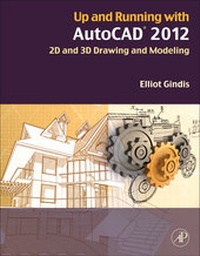
Up and Running with AutoCAD 2012
2D and 3D Drawing and Modeling
2nd Edition
Published on 30. August 2011
Book
Paperback/Softback
754 pages
978-0-12-387029-2 (ISBN)
Description
Gindis introduces AutoCAD with step by step instructions, stripping away complexities to begin working in AutoCAD immediately. All concepts are explained first in theory, and then shown in practice, helping the reader understand what it is they are doing and why, before they do it. Divided into three parts, the book covers beginning through advanced AutoCAD, including 3D features. Also included is an extensive Appendix for each part, detailing additional useful CAD-related information not often found in other text books.The book contains supporting graphics (screen shots) and a summary with a self-test section at the end of each chapter. Also included are drawing examples and exercises, and two running "projects? that the student works on as he/she progresses through the chapters.
Reviews / Votes
"This beginner's guide to two dimensional drawing with AutoCAD 2012 provides step-by-step instructions for performing common tasks with this industry leading drafting and design application. Beginning with an overview of the software environment and basic commands, the work covers layers and line types, text and dimensioning, blocks and groups, and basic printing and outputs. Chapters also cover additional topics such as options and shortcuts, design and file management tools, importing and exporting data, and external preferences. Chapters include illustrations and code examples as well as summaries, exercises, and study questions." --Reference and Research Book News, Inc.More details
Edition
2nd edition
Language
English
Place of publication
San Diego
United States
Publishing group
Elsevier Science Publishing Co Inc
Target group
College/higher education
Beginner through advanced users of AutoCAD. Architectural engineers, drafting, civil/construction engineers, mechanical engineers. Students taking drafting/engineering drawing courses in engineering and engineering technology programs.
Illustrations
Approx. 700 illustrations (700 in full color)
Dimensions
Height: 276 mm
Width: 216 mm
Weight
1700 gr
ISBN-13
978-0-12-387029-2 (9780123870292)
Copyright in bibliographic data and cover images is held by Nielsen Book Services Limited or by the publishers or by their respective licensors: all rights reserved.
Schweitzer Classification
Other editions
New editions
Book
09/2012
3rd Edition
Academic Press
€83.50
Shipment within 15-20 days
Additional editions
E-Book
05/2014
2nd Edition
Academic Press
€49.95
Available for download
Previous edition

Book
09/2010
Academic Press
€76.74
Article exhausted; check for reprint
Person
Elliot Gindis is the founding author of the Up and Running with AutoCAD series of textbooks. He is a former AutoCAD drafter and designer who got his start in New York City in 1996 and has logged in over 25,000 hours of screen time with a wide variety of architecture and engineering companies. From 1999 to 2008 he was on staff with the Pratt Institute of Design and as visiting instructor at the New York Institute of Technology (NYIT), teaching beginner, intermediate, and advanced (3D) AutoCAD classes. He was also the president of Vertical Technologies Consulting and Design, an AutoCAD training firm, and has advised, consulted, or assisted more than 60 companies nationwide in using and optimizing AutoCAD. Elliot was part of the AutoDesk Developers Network and was a Certified Technical Trainer. He published the first edition of the Up and Running textbook with Elsevier in 2010, and has supported each subsequent edition until 2020, when Robert Kaebisch took over full-time. Elliot currently resides in the Los Angeles area, and is an engineer in the defense industry.
Content
Level 1 1. AutoCAD Fundamentals Part I 2. AutoCAD Fundamentals Part II 3. Layers, Colors, Linetypes, and Properties 4. Text, Mtext, Editing, and Style 5. Hatch Patterns 6. Dimensions 7. Blocks, Wblocks, Dynamic Blocks, Groups, and Purge 8. Polar, Rectangular and Path Arrays 9. Basic Printing and Output 10. Advanced Output-Paper Space Level 2 11. Advanced Linework 12. Advanced Layers 13. Advanced Dimensions 14. Options, Shortcuts, CUI, Design Center, and Express Tools 15. Advanced Design and File Management Tools 16. Importing and Exporting Data 17. External References (Xrefs) 18. Attributes 20. Isometric Drawing Level 3 21. 3D Basics 22. Primitives 23. Object Manipulation 24. Boolean Operations. 25. Solid Modeling 26. Advanced Solids, Faces, and Edges 27. Surfaces and Meshes 28. UCS, Vports, Text, and Dimensions in 3D 29. Dview, Walk and Fly, Animation, and Action Recording 30. Lighting and Rendering APPENDICES