

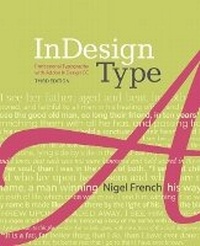
InDesign Type
Professional Typography with Adobe InDesign
3rd Edition
Published on 23. April 2019
Book
Paperback/Softback
312 pages
978-0-321-96695-7 (ISBN)
Description
Typography is the foundation of graphic design, and the most effective way to be a better designer is to understand type and use it confidently and creatively. This fully updated third edition is a comprehensive guide to creating professional type with Adobe InDesign. It covers micro and macro typography concepts, from understanding the nuance of a single spacing width to efficiently creating long and complex documents. Packed with visual examples, InDesign expert and acclaimed design instructor Nigel French shows not just how to use InDesign's extensive type features, but why certain approaches are preferable to others, and how to avoid common mistakes. Whether you're creating a single-page flyer or a thousand-page catalog, whether your documents will be printed or viewed on screen, InDesign Type is an invaluable resource for getting the most out of InDesign's typographic toolset.
More details
Edition
3rd edition
Language
English
Place of publication
Indianapolis
United States
Publishing group
Pearson Education (US)
Target group
Professional and scholarly
Dimensions
Height: 100 mm
Width: 100 mm
Thickness: 100 mm
Weight
100 gr
ISBN-13
978-0-321-96695-7 (9780321966957)
Schweitzer Classification
Other editions
New editions
Book
09/2018
4th Edition
Addison Wesley
€50.75
Shipment within 15-20 days
Previous edition
Book
07/2010
2nd Edition
Adobe Press,U.S.
€38.37
Article exhausted; check for reprint
Person
With more than twenty years experience as a graphic designer, Nigel is keen to help design your book, magazine, poster, brochure-or anything else you need designing. Nigel offers training and consulting to businesses and individuals wanting to use their software more effectively and creatively. He is author of two books published by Adobe Press.
Nigel lives in Brighton, England.
Nigel lives in Brighton, England.
Content
01 Introduction
02 Placing and Flowing Text03 Character Formatting
04 Leading
05 Kerning and Tracking
06 Small (but important) Details
07 Alignment08 Indents and Spacing
09 Breaking (and not breaking) lines, paragraphs, columns, pages
10 Tabs, Tables, and Lists
11 Drop Caps12 Choosing and Combining Typefaces
13 Global Formatting with Styles
14 Working with Text Wraps
15 Margins, Columns and Baseline Grids
02 Placing and Flowing Text03 Character Formatting
04 Leading
05 Kerning and Tracking
06 Small (but important) Details
07 Alignment08 Indents and Spacing
09 Breaking (and not breaking) lines, paragraphs, columns, pages
10 Tabs, Tables, and Lists
11 Drop Caps12 Choosing and Combining Typefaces
13 Global Formatting with Styles
14 Working with Text Wraps
15 Margins, Columns and Baseline Grids