

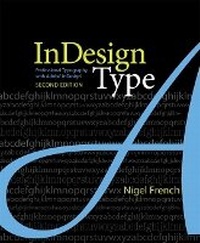
InDesign Type
Professional Typography with Adobe InDesign
2nd Edition
Published on 15. July 2010
Book
Paperback/Softback
288 pages
978-0-321-68536-0 (ISBN)
Description
Adobe InDesign is the world's premier page-layout tool, and its user-friendly yet sophisticated typographic controls are a big reason why. This updated edition of Nigel French's InDesign Type, the first book to focus exclusively on the typographic features of InDesign, provides a comprehensive overview of the application's vast array of type capabilities, from the basics of character-level formatting to strategies for designing complex layouts using grids. With practical examples, loads of tips, and a wealth of illustrations, InDesign Type offers guiding principles for how to get the best-looking type in the most efficient way possible. InDesign Type is a rich resource for anyone who wants to master the fine points of typography and works with Adobe InDesign.
More details
Edition
2nd edition
Language
English
Place of publication
Indianapolis
United States
Publishing group
Pearson Education (US)
Target group
Professional and scholarly
Dimensions
Height: 192 mm
Width: 229 mm
Thickness: 13 mm
Weight
580 gr
ISBN-13
978-0-321-68536-0 (9780321685360)
Copyright in bibliographic data is held by Nielsen Book Services Limited or its licensors: all rights reserved.
Schweitzer Classification
Other editions
New editions
Book
04/2019
3rd Edition
Adobe Press,U.S.
€50.12
Article exhausted; check for reprint
Previous edition
Book
03/2006
Adobe Press,U.S.
€35.89
Article exhausted; check for reprint
Person
Graphics pro Nigel French currently works as a consultant for IPC Media in London. In addition, he has taught graphic design at several Bay Area colleges and is the author of the previous edition of this book as well as PageMaker 6.5 for Windows Bible(IDG).
Content
Introduction
CHAPTER 1 Getting Started
CHAPTER 2 Getting Type on Your Page
CHAPTER 3 Character Formats
CHAPTER 4 Leading
CHAPTER 5 Letterspacing, Tracking, and Kerning
CHAPTER 6 Small (but Important) Details
CHAPTER 7 Alignment
CHAPTER 8 Paragraph Indents and Spacing
CHAPTER 9 Breaking (and Not Breaking) Words, Lines, Paragraphs, and Pages
CHAPTER 10 Tabs, Tables, and Lists
CHAPTER 11 Drop Caps
CHAPTER 12 Global Formatting with Styles
CHAPTER 13 Working with Text Wraps
CHAPTER 14 Pages, Margins, Columns, and Grids
Bibliography
Index
CHAPTER 1 Getting Started
CHAPTER 2 Getting Type on Your Page
CHAPTER 3 Character Formats
CHAPTER 4 Leading
CHAPTER 5 Letterspacing, Tracking, and Kerning
CHAPTER 6 Small (but Important) Details
CHAPTER 7 Alignment
CHAPTER 8 Paragraph Indents and Spacing
CHAPTER 9 Breaking (and Not Breaking) Words, Lines, Paragraphs, and Pages
CHAPTER 10 Tabs, Tables, and Lists
CHAPTER 11 Drop Caps
CHAPTER 12 Global Formatting with Styles
CHAPTER 13 Working with Text Wraps
CHAPTER 14 Pages, Margins, Columns, and Grids
Bibliography
Index