

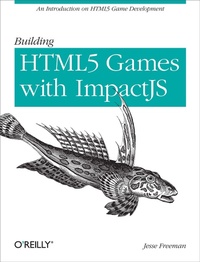
Building HTML5 Games with ImpactJS
An Introduction On HTML5 Game Development
1st Edition
Published on 20. March 2012
Book
137 pages
978-1-4493-1517-7 (ISBN)
Description
Create a real 2D game from start to finish with ImpactJS, the JavaScript game framework that works with the HTML5's Canvas element. Making video games is hard work that requires technical skills, a lot of planning, and-most critically-a commitment to completing the project. With this hands-on guide, you'll learn how to use Impact with other technologies step-by-step.
You'll pick up important tips about game design, and discover how to publish Impact games to the Web, desktop, and mobile-including a method to package your game as a native iOS app. Packed with screen shots and sample code, this book is ideal for game developers of all levels.
* Set up your development environment and discover Impact's advantages
* Build a complete game with core logic, collision detection, and player and monster behavior
* Learn why a game design document is critical before you start building
* Display and animate game artwork with sprite sheets
* Add sound effects, background music, and text
* Create screens to display stats and in-game status
* Prepare to publish by baking your game files into a single file
More details
Other editions
Additional editions
E-Book
02/2012
1st Edition
O'Reilly
€17.49
Available for download
E-Book
02/2012
1st Edition
O'Reilly
€14.49
Available for download
Person
Jesse Freeman is a Technical Architect at Roundarch. With over 7 years of Flash development experience he has work for VW, Tommy Hilfiger, Heavy.com, MLB, the New York Jets, HBO, and many more. Jesse was a traditional artist for most of his life until making the transition into interactive art and hasn't looked back since. Jesse runs a Flash Meetup in New York City called Flash Happy Hour where other people interested in Flash/Flex/AIR/Web 2.0 are invited to kick back, have a few drinks, and make new friends. Jesse has also been a speaker at 360|Flex Camp. His blog, the Flash Art of War is ""one of the oldest Flash military treaties in the world"". From time to time Jesse dresses up as the Flash Bum (a homeless web developer) and goes out looking for work on the streets of NYC. You can follow the Flash Bum on twitter @theflashbum. When Jesse is not programming is he can be found photographing the world around him.
Content
Preface;
About This Book;
Who This Book Is For;
Who This Book Is Not For;
Conventions Used in This Book;
This Book's Example Files;
Using Code Examples;
How To Use This Book;
Safari® Books Online;
How to Contact Us;
Acknowledgments;
Chapter 1: Introduction To Impact;
1.1 Why Use Impact?;
1.2 Setting Up a Local Environment;
1.3 Install WebStorm/PHPStorm;
1.4 Install Apache/PHP/MySQL;
1.5 Other Hosting Options;
1.6 Setting Up a New Impact Project;
1.7 Modules;
1.8 How Classes Work;
1.9 Core Classes;
1.10 How Inner Classes Work;
1.11 Level Editor;
Chapter 2: Working With Sprites;
2.1 Sprites and Sprite Sheets;
2.2 Scripting in Photoshop;
2.3 Working with Sprites in Photoshop;
2.4 Optimizing Sprites;
Chapter 3: Introduction To Game Design;
3.1 What is Game Design?;
3.2 Sample Game Design Document;
3.3 Coming Up With Ideas;
3.4 Books to Read;
Chapter 4: Building A Game;
4.1 Creating Our First Level;
4.2 Saving/Loading Maps in Weltmeister;
4.3 CollisionMaps;
4.4 The Main Class;
4.5 Customizing the Main Class;
4.6 Key Binding;
4.7 Creating the Player Class;
4.8 Creating a Monster Class;
4.9 Collision Detection;
4.10 type Property;
4.11 checkAgainst Property;
4.12 collides Property;
4.13 Health;
4.14 Weapons;
4.15 Firing the Weapon;
4.16 Add Multiple Weapons;
4.17 Killing Entities;
4.18 Respawning the Player;
4.19 Create Death Animations;
4.20 Adding Grenade Explosions;
4.21 Customizing the Camera;
4.22 Loading New Levels;
Chapter 5: Working With Text;
5.1 Creating Font Sprite Sheets;
5.2 Adding Text to Your Game;
Chapter 6: Working With Sound;
6.1 Adding Sounds;
6.2 Adding Music;
6.3 Mobile Browser Sound Compatibility Issues;
Chapter 7: Creating Game Screens and HUDs;
7.1 Extending Impact's Game Class;
7.2 Creating a Start Screen;
7.3 Player Stats Screen;
7.4 Creating the Game Over Screen;
7.5 Adding In-Game HUD;
7.6 Game Rewards;
7.7 In-Game Analytics;
Chapter 8: Debugging Your Game;
8.1 Impact's Debugger;
8.2 Publishing Your Game;
8.3 Baking Your Game;
8.4 Mobile Web Support;
8.5 Compiling for Native iOS;
Chapter 9: Wrapping Up;
9.1 References and Links;