

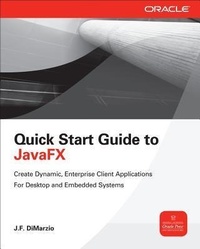
Quick Start Guide to JavaFX
Will be published approx. on 16. April 2014
Book
Paperback/Softback
264 pages
978-0-07-180896-5 (ISBN)
Description
Publisher's Note: Products purchased from Third Party sellers are not guaranteed by the publisher for quality, authenticity, or access to any online entitlements included with the product.
Get started with JavaFXDevelop and deploy interactive client applications in no time with help from this practical tutorial from Oracle Press. With a focus on working in NetBeans IDE, Quick Start Guide to JavaFX explains how to use JavaFX layouts, draw shapes, use coloring and gradient tools, load images, apply effects and transformations, include animation, and embed media. You'll also get details on using JavaFX events, subclassing existing nodes, creating custom nodes, working with WebView, and styling your applications with CSS. Designed for easy learning, the book features:
Key Skills & Concepts -- Chapter-opening lists of specific skills covered in the chapter
Ask the Expert -- Q&A sections filled with bonus information and helpful tips
Try This -- Hands-on exercises that show you how to apply your skills
Notes -- Extra information related to the topic being covered
Tips -- Helpful reminders or alternate ways of doing things
Cautions -- Errors and pitfalls to avoid
Annotated Syntax -- Example code with commentary that describes the programming techniques being illustrated
Self-tests -- Chapter-ending quizzes to reinforce your skills
Get started with JavaFXDevelop and deploy interactive client applications in no time with help from this practical tutorial from Oracle Press. With a focus on working in NetBeans IDE, Quick Start Guide to JavaFX explains how to use JavaFX layouts, draw shapes, use coloring and gradient tools, load images, apply effects and transformations, include animation, and embed media. You'll also get details on using JavaFX events, subclassing existing nodes, creating custom nodes, working with WebView, and styling your applications with CSS. Designed for easy learning, the book features:
Key Skills & Concepts -- Chapter-opening lists of specific skills covered in the chapter
Ask the Expert -- Q&A sections filled with bonus information and helpful tips
Try This -- Hands-on exercises that show you how to apply your skills
Notes -- Extra information related to the topic being covered
Tips -- Helpful reminders or alternate ways of doing things
Cautions -- Errors and pitfalls to avoid
Annotated Syntax -- Example code with commentary that describes the programming techniques being illustrated
Self-tests -- Chapter-ending quizzes to reinforce your skills
More details
Edition
Annotated edition
Language
English
Place of publication
New York
United States
Publishing group
McGraw-Hill Education - Europe
Target group
Professional and scholarly
Edition type
Annotated edition
Product notice
Paperback (trade)
Unsewn / adhesive bound
Illustrations
50 Illustrations
Dimensions
Height: 231 mm
Width: 189 mm
Thickness: 17 mm
Weight
449 gr
ISBN-13
978-0-07-180896-5 (9780071808965)
Schweitzer Classification
Other editions
Additional editions
J. F. Dimarzio
Quick Start Guide to JavaFX
E-Book
03/2014
1st Edition
McGraw-Hill Education
€71.49
Available for download
Person
J.F. DiMarzio has worked in the technology departments of companies such as the U.S. Department of Defense and the Walt Disney Company. He continues to strive to push the limits of technology and develop on new, emerging platforms. Over the last 12 years, he has released 11 books, including the first edition of JavaFX: A Beginner's Guide (McGraw-Hill Professional).
Content
1. Introduction to JavaFX
2. Setting the Scene
3. Hello World
4. Creating Shapes
5. Using Colors and Gradients
6. Using Images
7. Applying Effects and Transformation
8. Basic Animation
9. Using Events
10. Give it Some Swing
11. Custom Nodes and Overriding
12. Embedded Video and Music
13. Using JavaFX Layouts
14. Style Your JavaFX with CSS
Appendix A. Deploying JavaFX
Appendix B. Node Property Reference
Appendix C. JavaFX Command-Line Arguments
Appendix D. Answers to Self Tests
2. Setting the Scene
3. Hello World
4. Creating Shapes
5. Using Colors and Gradients
6. Using Images
7. Applying Effects and Transformation
8. Basic Animation
9. Using Events
10. Give it Some Swing
11. Custom Nodes and Overriding
12. Embedded Video and Music
13. Using JavaFX Layouts
14. Style Your JavaFX with CSS
Appendix A. Deploying JavaFX
Appendix B. Node Property Reference
Appendix C. JavaFX Command-Line Arguments
Appendix D. Answers to Self Tests