

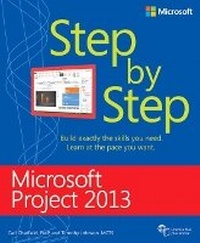
Microsoft Project 2013 Step by Step
Published on 15. March 2013
Book
Paperback/Softback
576 pages
978-0-7356-6911-6 (ISBN)
Description
Experience learning made easy - and quickly teach yourself how to manage the complete project life cycle with Project 2013. With Step by Step, you set the pace - building and practicing the skills you need, just when you need them!
Work with Project 2013 on your PC or touch-enabled device
Build and fine-tune your project plan
Schedule tasks and milestones, and assign resources
Track progress and costs, and manage variances
Troubleshoot delays and budget overruns
Customize Gantt chart views, tables, and calendars
Learn project-management best practices
Work with Project 2013 on your PC or touch-enabled device
Build and fine-tune your project plan
Schedule tasks and milestones, and assign resources
Track progress and costs, and manage variances
Troubleshoot delays and budget overruns
Customize Gantt chart views, tables, and calendars
Learn project-management best practices
More details
Other editions
New editions
Carl Chatfield | Timothy Johnson
Microsoft Project 2016 Step by Step
Book
05/2016
Microsoft Press
€56.50
Shipment within 10-20 days
Previous edition
Carl Chatfield | Timothy Johnson
Microsoft Project 2010 Step by Step
Book
06/2010
Microsoft Press
€56.50
Article exhausted; check for reprint
Persons
Carl Chatfield and Timothy Johnson are the authors of every version of the popular Microsoft Project Step by Step going back to Project 2000.
Carl is a principal content project manager at Microsoft, where he oversees development of user assistance material, UI text, and web content for a range of products and services.
Carl is a principal content project manager at Microsoft, where he oversees development of user assistance material, UI text, and web content for a range of products and services.
Content
Introduction
Introduction to Microsoft Project
Chapter 1: Microsoft Project, project management and you
Chapter 2: A guided tour of Project
Simple Scheduling Basics
Chapter 3: Starting a new plan
Chapter 4: Building a task list
Chapter 5: Setting up resources
Chapter 6: Assigning resources to tasks
Chapter 7: Formatting and sharing your plan
Chapter 8: Tracking progress
Advanced Scheduling Techniques
Chapter 9: Advanced task scheduling
Chapter 10: Fine-tuning task details
Chapter 11: Fine-tuning resource and assignment details
Chapter 12: Fine-tuning the Project plan
Chapter 13: Organizing project details
Chapter 14: Tracking progress on tasks and assignments
Chapter 15: Viewing and reporting project status
Chapter 16: Getting your project back on track
In-Depth and Special Subjects
Chapter 17: Applying advanced formatting and printing
Chapter 18: Advanced report formatting
Chapter 19: Customizing Project
Chapter 20: Sharing information with other programs
Chapter 21: Consolidating projects and resources
Appendices
A short course in project management
Developing your project-management skills
Introduction to Microsoft Project
Chapter 1: Microsoft Project, project management and you
Chapter 2: A guided tour of Project
Simple Scheduling Basics
Chapter 3: Starting a new plan
Chapter 4: Building a task list
Chapter 5: Setting up resources
Chapter 6: Assigning resources to tasks
Chapter 7: Formatting and sharing your plan
Chapter 8: Tracking progress
Advanced Scheduling Techniques
Chapter 9: Advanced task scheduling
Chapter 10: Fine-tuning task details
Chapter 11: Fine-tuning resource and assignment details
Chapter 12: Fine-tuning the Project plan
Chapter 13: Organizing project details
Chapter 14: Tracking progress on tasks and assignments
Chapter 15: Viewing and reporting project status
Chapter 16: Getting your project back on track
In-Depth and Special Subjects
Chapter 17: Applying advanced formatting and printing
Chapter 18: Advanced report formatting
Chapter 19: Customizing Project
Chapter 20: Sharing information with other programs
Chapter 21: Consolidating projects and resources
Appendices
A short course in project management
Developing your project-management skills