

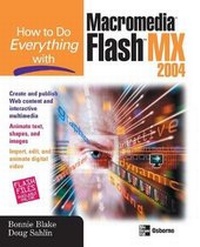
How to Do Everything with Macromedia Flash MX 2004
Published on 21. November 2003
Book
Paperback/Softback
512 pages
978-0-07-222969-1 (ISBN)
Description
Whether creating Web content, business presentations or publishing multimedia interactive content, this results-oriented resource shows you how Macromedia Flash X will bring your presentations to life.
More details
Series
Edition
2004 ed.
Language
English
Place of publication
New York
United States
Publishing group
McGraw-Hill Education - Europe
Target group
College/higher education
Illustrations
200 Illustrations
Dimensions
Height: 231 mm
Width: 185 mm
Thickness: 23 mm
Weight
744 gr
ISBN-13
978-0-07-222969-1 (9780072229691)
Copyright in bibliographic data and cover images is held by Nielsen Book Services Limited or by the publishers or by their respective licensors: all rights reserved.
Schweitzer Classification
Other editions
New editions
Bonnie Blake | Doug Sahlin
How to Do Everything with Macromedia Flash
Book
01/2006
McGraw-Hill Professional
€18.56
Article exhausted; check different version
Previous edition
Bonnie Blake
How To Do Everything With Macromedia Flash(TM) MX
Book
06/2002
McGraw-Hill Professional
€22.27
Article exhausted; check for reprint
Persons
Bonnie Blake (New Jersey) has been an adjunct assistant professor of Computer Graphics for the College of New Rochelle and has taught at Parsons School of Design. She is currently an adjunct assistant professor of Digital Media at Ramapo College in New Jersey. In addition, she develops and teaches Web and multimedia course content for corporations and training organizations. She is an award-winning designer, specializing in Web design and multimedia. Blake is the author of How to Do Everything with Flash 5. Doug Sahlin (Venice, Florida), is a best selling author, photographer, and Acrobat instructor. He teaches businesses, government, and medical organizations how to streamline their workflow and save time and money by converting electronic and paper documents into enhanced, interactive PDFs. His books include earlier editions of How to Do Everything with Adobe Acrobat (for versions 5.0, 6.0, 7.0, 8.0, and 9.0), Digital Photography Quicksteps, 2nd Edition, Digital Portrait Photography for Dummies, and Digital Photography Workbook for Dummies.
Content
Part I: Learn the Building Blocks of Flash
1: Make a Flash Movie
2: Get to Know the Flash Workspace
Part II: Add Graphic Elements to Your Flash Movies
3: Make Simple Graphics
4: Design with Text
5: Manipulate Graphics and Text
6: Add Images to Your Flash Movies
7: Work with Video and Sound
8: Create and Store Symbols in the Library
Part III: Put Your Flash Movie in Motion
9: Learn the Basics of Flash Animation
10: Streamline Animation Using Timeline Effects
11: Incorporate Motion Tweening into Your Design
12: Use Shape Tweening to Animate
13: Grasp the Concept Behind Buttons and Movie Clips
Part IV: Lay the Groundwork for Flash Interactivity
14: Use Behaviors to Create Interactive Movies
15: Use ActionScript to Create Simple Interactivity
16: Add Advanced Interactivity with ActionScript
Part V: Embellish and Publish Your Flash Movies
17: Use Flash Components
18: Test and Publish Your Flash Movies
Appendix: Flash Resource Guide
1: Make a Flash Movie
2: Get to Know the Flash Workspace
Part II: Add Graphic Elements to Your Flash Movies
3: Make Simple Graphics
4: Design with Text
5: Manipulate Graphics and Text
6: Add Images to Your Flash Movies
7: Work with Video and Sound
8: Create and Store Symbols in the Library
Part III: Put Your Flash Movie in Motion
9: Learn the Basics of Flash Animation
10: Streamline Animation Using Timeline Effects
11: Incorporate Motion Tweening into Your Design
12: Use Shape Tweening to Animate
13: Grasp the Concept Behind Buttons and Movie Clips
Part IV: Lay the Groundwork for Flash Interactivity
14: Use Behaviors to Create Interactive Movies
15: Use ActionScript to Create Simple Interactivity
16: Add Advanced Interactivity with ActionScript
Part V: Embellish and Publish Your Flash Movies
17: Use Flash Components
18: Test and Publish Your Flash Movies
Appendix: Flash Resource Guide