

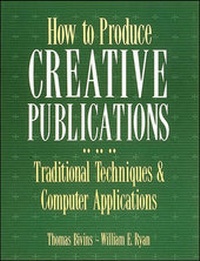
How To Produce Creative Publications
Published on 16. April 1992
Book
Paperback/Softback
448 pages
978-0-8442-3495-3 (ISBN)
Description
How to Produce Creative Publications is a first-class guide for anyone who wants to acquire the skills to make in-house publishing a success. Tom Bivins and Bill Ryan show you how to research and write winning copy and how to design eyecatching layouts. You'll learn all about handling traditional typesetting and printing methods and--in parallel--you'll learn how to get the most out of your computer. Software applications have revolutionized the world of in-house publications and brought it right into your office. What was once sent out to specialist publishers and printers can now be done at your desk. This book will help you take control. It will teach you everything from choosing the right hardware and software, to editing, illustrating, and printing computer-generated copy. Part One leads you through the tricks and tools of the trade: Writing, Design, Typography, Layout, Illustration, and Printing. At each stage, the authors introduce specific computer applications that will broaden your options, cut your workload and costs, and tighten your schedule. Part Two describes in depth the four basic in-house formats: Newsletters, Magazines, Annual Reports, and Brochures. You'll find out how to select the best format for your needs and how to bring your ideas to life on the screen.
More details
Language
English
Place of publication
London
United States
Publishing group
McGraw-Hill Education - Europe
Target group
Professional and scholarly
Illustrations
Ill.
Dimensions
Height: 279 mm
Width: 216 mm
Thickness: 24 mm
Weight
1242 gr
ISBN-13
978-0-8442-3495-3 (9780844234953)
Copyright in bibliographic data and cover images is held by Nielsen Book Services Limited or by the publishers or by their respective licensors: all rights reserved.
Schweitzer Classification
Content
Part I: The Elements of Publication
1. Writing 2. Design 3. Typography 4. Photography 5. Illustration 6. Layout 7. Printing
Part II: The Basic Publications
8. Magazines 9. Annual Reports 10. Brochures 11. Newsletters
Appendix: Setting Up a Desktop Publishing System
1. Writing 2. Design 3. Typography 4. Photography 5. Illustration 6. Layout 7. Printing
Part II: The Basic Publications
8. Magazines 9. Annual Reports 10. Brochures 11. Newsletters
Appendix: Setting Up a Desktop Publishing System