

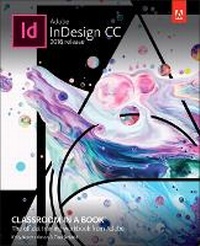
Adobe InDesign CC Classroom in a Book (2018 release)
Published on 29. January 2018
Book
Paperback/Softback
432 pages
978-0-13-485250-8 (ISBN)
Description
Creative professionals seeking the fastest, easiest, most comprehensive way to learn Adobe InDesign choose Adobe InDesign CC Classroom in a Book (2018 release) from Adobe Press. The 15 project-based step-by-step lessons show users the key techniques for working in InDesign. Designers will build a strong foundation of typographic, page layout, and document-construction skills that will enable them to produce a broad range of print and digital publications-from a simple postcard to an interactive Adobe PDF with form fields. The real-world tasks in this comprehensive book are presented in an easy-to-follow, step-by-step format and are designed to train beginning Adobe InDesign users in the program-from fundamental features to powerful layout and output skills. This book will also help experienced InDesign users elevate their skills, understand best practices, and learn about new features.
The online companion files include all the necessary assets for readers to complete the projects featured in each lesson as well as ebook updates when Adobe releases relevant new features for Creative Cloud customers. All buyers of the book get full access to the Web Edition: a Web-based version of the complete ebook enhanced with video and multiple-choice quizzes.
The online companion files include all the necessary assets for readers to complete the projects featured in each lesson as well as ebook updates when Adobe releases relevant new features for Creative Cloud customers. All buyers of the book get full access to the Web Edition: a Web-based version of the complete ebook enhanced with video and multiple-choice quizzes.
More details
Series
Language
English
Place of publication
Boston
United States
Publishing group
Pearson Education (US)
Target group
Professional and scholarly
Dimensions
Height: 231 mm
Width: 185 mm
Thickness: 18 mm
Weight
900 gr
ISBN-13
978-0-13-485250-8 (9780134852508)
Copyright in bibliographic data and cover images is held by Nielsen Book Services Limited or by the publishers or by their respective licensors: all rights reserved.
Schweitzer Classification
Other editions
New editions
Kelly Anton | Tina DeJarld
Adobe InDesign CC Classroom in a Book (2019 Release)
Book
02/2019
Addison Wesley
€55.70
Shipment within 15-20 days
Previous edition
Kelly Anton | John Cruise
Adobe InDesign CC Classroom in a Book (2017 release)
Book
01/2017
Addison Wesley
€55.05
Shipment within 15-20 days
Persons
Kelly Kordes Anton has written and edited dozens of books and training resources on publishing technologies and InDesign, including six previous editions of the Adobe InDesign Classroom in a Book. She is a Communications Specialist for MillerCoors, based at the Golden Brewery, home of the famed Coors Banquet. Kelly lives in Littleton, Colorado.
Tina DeJarld has worked on the front lines of taking designs from the computer screen to real-world production since before InDesign 1.0. As both a prepress master and production designer building files that will work correctly, she has handled thousands of large and complex projects, becoming an expert on InDesign best practices and techniques.
Tina DeJarld has worked on the front lines of taking designs from the computer screen to real-world production since before InDesign 1.0. As both a prepress master and production designer building files that will work correctly, she has handled thousands of large and complex projects, becoming an expert on InDesign best practices and techniques.
Content
Getting Started
1 Introducing the Workspace
2 Getting to Know InDesign
3 Setting Up a Document and Working with Pages
4 Working with Objects
5 Flowing Text
6 Editing Text
7 Working with Typography
8 Working with Color
9 Working with Styles
10 Importing and Modifying Graphics
11 Creating Tables
12 Working with Transparency
13 Printing and Exporting
14 Creating Adobe PDF Files with Form Fields
15 Creating a fixed-Layout epub
1 Introducing the Workspace
2 Getting to Know InDesign
3 Setting Up a Document and Working with Pages
4 Working with Objects
5 Flowing Text
6 Editing Text
7 Working with Typography
8 Working with Color
9 Working with Styles
10 Importing and Modifying Graphics
11 Creating Tables
12 Working with Transparency
13 Printing and Exporting
14 Creating Adobe PDF Files with Form Fields
15 Creating a fixed-Layout epub