

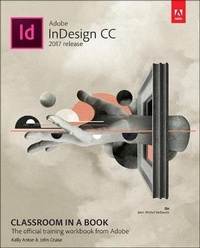
Adobe InDesign CC Classroom in a Book (2017 release)
Published on 19. January 2017
Book
Paperback/Softback
432 pages
978-0-13-466409-5 (ISBN)
Description
Creative professionals seeking the fastest, easiest, most comprehensive way to learn Adobe InDesign choose Adobe InDesign CC Classroom in a Book (2017 release) from Adobe Press. The 16 project-based lessons in this book show users step-by-step the key techniques for working in InDesign. Designers will build a strong foundation of typographic, page layout, and document-construction skills that will enable them to produce a broad range of print and digital publications-from a simple postcard to an interactive Adobe PDF with form fields. The real-world tasks in this comprehensive book are presented in an easy-to-follow, step-by-step format and are designed to train beginning Adobe InDesign users in the program-from fundamental features to powerful layout skills. This book can also help experienced InDesign users elevate their skills and learn about new features.
The online companion files include all the necessary assets for readers to complete the projects featured in each chapter as well as ebook updates when Adobe releases new features for Creative Cloud customers. All buyers of the book get full access to the Web Edition: a Web-based version of the complete ebook enhanced with video and interactive multiple-choice quizzes. As always with the Classroom in a Book, Instructor Notes are available for teachers to download.
The online companion files include all the necessary assets for readers to complete the projects featured in each chapter as well as ebook updates when Adobe releases new features for Creative Cloud customers. All buyers of the book get full access to the Web Edition: a Web-based version of the complete ebook enhanced with video and interactive multiple-choice quizzes. As always with the Classroom in a Book, Instructor Notes are available for teachers to download.
More details
Other editions
New editions
Kelly Anton | Tina DeJarld
Adobe InDesign CC Classroom in a Book (2018 release)
Book
01/2018
Addison Wesley
€55.07
Shipment within 15-20 days
Previous edition
Kelly Kordes Anton | John Cruise
Adobe InDesign CC Classroom in a Book (2015 release)
Book
09/2015
Adobe Press,U.S.
€55.05
Article exhausted; check for reprint
Persons
Kelly Kordes Anton has written and edited dozens of books and training resources on InDesign, including five previous editions of the Adobe InDesign Classroom in a Book. She also writes articles on such diverse topics as youth hockey, service dog training, and financial education. Kelly lives in Littleton, Colorado.
John Cruise has been writing about and using page layout software for more than two decades. He's coauthored numerous books, including the InDesign Bible, Adobe InDesign HOW TOs: 100 Essential Techniques, and several editions of the Adobe InDesign Classroom in a Book. He's written articles for numerous publications, including Macworld, MacAddict, MacLife, and Layers magazines. John is also a page layout and design instructor at Metropolitan State University of Denver.
John Cruise has been writing about and using page layout software for more than two decades. He's coauthored numerous books, including the InDesign Bible, Adobe InDesign HOW TOs: 100 Essential Techniques, and several editions of the Adobe InDesign Classroom in a Book. He's written articles for numerous publications, including Macworld, MacAddict, MacLife, and Layers magazines. John is also a page layout and design instructor at Metropolitan State University of Denver.
Content
1 Introducing the Workspace
Getting started
Looking at the workspace
Working with panels
Customizing the workspace
Navigating through a document
Using context menus
Using panel menus
Modifying interface preferences
Exploring on your own
2 Getting to Know InDesign
Getting started
Viewing guides
Preflighting as you work
Adding text
Working with styles
Working with graphics
Working with objects
Working with object styles
Viewing the document in Presentation mode
Exploring on your own
3 Setting Up a Document and Working with Pages
Getting started
Creating and saving custom document settings
Creating a new document
Switching between open InDesign documents
Working with master pages
Applying master pages to document pages
Adding new document pages
Rearranging and deleting document pages
Changing the size of pages
Adding sections to change page numbering
Overriding master page items and placing text
and graphics
Viewing the completed spread
Exploring on your own
4 Working with Objects
Getting started
Working with layers
Creating and modifying text frames
Creating and modifying graphics frames
Adding metadata captions to graphics frames
Placing and linking graphics frames
Changing the shape of a frame
Wrapping text around a graphic
Modifying the shape of frames
Transforming and aligning objects
Selecting and modifying grouped objects
Creating a QR code
Drawing lines and modifying arrowheads
Finishing up
Exploring on your own
5 Flowing Text
Getting started
Flowing text into an existing frame
Flowing text manually
Creating text frames while flowing text
Creating threaded frames automatically
Flowing text automatically
Applying paragraph styles to text
Adjusting columns
Adding a jump line page number
Exploring on your own
6 Editing Text
Getting started
Finding and changing a missing font
Entering and importing text
Finding and changing text and formatting
Checking spelling
Editing text by dragging and dropping
Using the Story Editor
Tracking changes
Exploring on your own
7 Working with Typography
Getting started
Adjusting vertical spacing
Working with fonts, type styles, and glyphs
Fine-tuning columns
Changing paragraph alignment
Creating a drop cap
Adjusting letter and word spacing
Adjusting line breaks
Setting tabs
Adding a rule above a paragraph
Working with paragraph shading
Exploring on your own
8 Working with Color
Getting started
Managing color
Defining printing requirements
Creating colors
Applying colors
Working with tint swatches
Working with gradients
Working with color groups
Exploring on your own
9 Working with Styles
Getting started
Creating and applying paragraph styles
Creating and applying character styles
Nesting character styles inside paragraph styles
Creating and applying object styles
Creating and applying table and cell styles
Globally updating styles
Loading styles from another document
Exploring on your own
10 Importing and Modifying Graphics
Getting started
Adding graphics from other programs
Comparing vector and bitmap graphics
Managing links to imported files
Updating revised graphics
Adjusting display quality
Working with clipping paths
Working with alpha channels
Importing native Adobe graphic files
Using an InDesign library to manage objects
Using Adobe Bridge to import graphics
Exploring on your own
11 Creating Tables
Getting started
Creating a table
Converting text to a table
Changing rows and columns
Formatting a table
Adding graphics to table cells
Creating a header row
Creating and applying table and cell styles
Exploring on your own
12 Working with Transparency
Getting started
Importing and colorizing a grayscale image
Applying transparency settings
Adding transparency effects to imported vector and bitmap graphics
Importing and adjusting Illustrator files that use transparency
Applying transparency settings to text
Working with effects
Exploring on your own
13 Printing and Exporting
Getting started
Packaging files
Creating an Adobe PDF proof
Previewing separations
Previewing how transparency effects will be flattened
Previewing the page
Printing a proof and saving a print preset
Using the Ink Manager
Exploring on your own
14 Creating Adobe PDF Files with Form Fields
Getting started
Adding form fields
Adding a description to a form field
Setting the tab order of the fields
Adding a button to submit the form
Exporting an interactive Adobe PDF file
Exploring on your own
15 Creating a fixed-Layout epub
Getting started
Creating a new document for fixed-layout export
Adding animation
Adding multimedia and interactive elements
Exporting an EPUB file
Exploring on your own
Index
Getting started
Looking at the workspace
Working with panels
Customizing the workspace
Navigating through a document
Using context menus
Using panel menus
Modifying interface preferences
Exploring on your own
2 Getting to Know InDesign
Getting started
Viewing guides
Preflighting as you work
Adding text
Working with styles
Working with graphics
Working with objects
Working with object styles
Viewing the document in Presentation mode
Exploring on your own
3 Setting Up a Document and Working with Pages
Getting started
Creating and saving custom document settings
Creating a new document
Switching between open InDesign documents
Working with master pages
Applying master pages to document pages
Adding new document pages
Rearranging and deleting document pages
Changing the size of pages
Adding sections to change page numbering
Overriding master page items and placing text
and graphics
Viewing the completed spread
Exploring on your own
4 Working with Objects
Getting started
Working with layers
Creating and modifying text frames
Creating and modifying graphics frames
Adding metadata captions to graphics frames
Placing and linking graphics frames
Changing the shape of a frame
Wrapping text around a graphic
Modifying the shape of frames
Transforming and aligning objects
Selecting and modifying grouped objects
Creating a QR code
Drawing lines and modifying arrowheads
Finishing up
Exploring on your own
5 Flowing Text
Getting started
Flowing text into an existing frame
Flowing text manually
Creating text frames while flowing text
Creating threaded frames automatically
Flowing text automatically
Applying paragraph styles to text
Adjusting columns
Adding a jump line page number
Exploring on your own
6 Editing Text
Getting started
Finding and changing a missing font
Entering and importing text
Finding and changing text and formatting
Checking spelling
Editing text by dragging and dropping
Using the Story Editor
Tracking changes
Exploring on your own
7 Working with Typography
Getting started
Adjusting vertical spacing
Working with fonts, type styles, and glyphs
Fine-tuning columns
Changing paragraph alignment
Creating a drop cap
Adjusting letter and word spacing
Adjusting line breaks
Setting tabs
Adding a rule above a paragraph
Working with paragraph shading
Exploring on your own
8 Working with Color
Getting started
Managing color
Defining printing requirements
Creating colors
Applying colors
Working with tint swatches
Working with gradients
Working with color groups
Exploring on your own
9 Working with Styles
Getting started
Creating and applying paragraph styles
Creating and applying character styles
Nesting character styles inside paragraph styles
Creating and applying object styles
Creating and applying table and cell styles
Globally updating styles
Loading styles from another document
Exploring on your own
10 Importing and Modifying Graphics
Getting started
Adding graphics from other programs
Comparing vector and bitmap graphics
Managing links to imported files
Updating revised graphics
Adjusting display quality
Working with clipping paths
Working with alpha channels
Importing native Adobe graphic files
Using an InDesign library to manage objects
Using Adobe Bridge to import graphics
Exploring on your own
11 Creating Tables
Getting started
Creating a table
Converting text to a table
Changing rows and columns
Formatting a table
Adding graphics to table cells
Creating a header row
Creating and applying table and cell styles
Exploring on your own
12 Working with Transparency
Getting started
Importing and colorizing a grayscale image
Applying transparency settings
Adding transparency effects to imported vector and bitmap graphics
Importing and adjusting Illustrator files that use transparency
Applying transparency settings to text
Working with effects
Exploring on your own
13 Printing and Exporting
Getting started
Packaging files
Creating an Adobe PDF proof
Previewing separations
Previewing how transparency effects will be flattened
Previewing the page
Printing a proof and saving a print preset
Using the Ink Manager
Exploring on your own
14 Creating Adobe PDF Files with Form Fields
Getting started
Adding form fields
Adding a description to a form field
Setting the tab order of the fields
Adding a button to submit the form
Exporting an interactive Adobe PDF file
Exploring on your own
15 Creating a fixed-Layout epub
Getting started
Creating a new document for fixed-layout export
Adding animation
Adding multimedia and interactive elements
Exporting an EPUB file
Exploring on your own
Index