

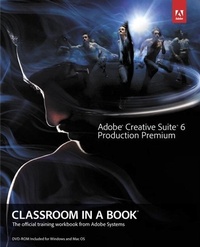
Adobe Creative Suite 6 Production Premium Classroom in a Book
Published on 16. August 2012
Book
Paperback/Softback
384 pages
978-0-321-83268-9 (ISBN)
Description
Those creative professionals seeking the fastest, easiest, most comprehensive way to learn Adobe Creative Suite CS6 Production Premium choose Adobe Creative Suite CS6 Production Premium Classroom in a Book from the Adobe Creative Team at Adobe Press. (From planning to playback, this book covers it all! With focused attention on the workflow and integration between the components of Production Premium, readers will learn to take their project from concept all the way through the production and post-production pipelines using the all the tools necessary.
Chapters cover planning and organizing projects, editing in Premiere Pro, creating motion graphics and visual effects using After Effects, working with audio, color correcting in SpeedGrade (a new product in the suite), finishing and rendering compositions, and authoring for DVDs, Blu-ray Discs, and the Web. Readers will also discover how easy it is to use Adobe Media Encoder and Dynamic Link across the suite for easy-to-manage workflow processes as well.
The companion DVD includes lesson files so readers can work step-by-step along with the book.
"The Classroom in a Book series is by far the best training material on the market. Everything you need to master the software is included: clear explanations of each lesson, step-by-step instructions, and the project files for the students." -Barbara Binder, Adobe Certified Instructor, Rocky Mountain Training
Classroom in a Book (R), the best-selling series of hands-on software training workbooks, helps you learn the features of Adobe software quickly and easily. Classroom in a Book offers what no other book or training program does-an official training series from Adobe Systems Incorporated, developed with the support of Adobe product experts.
Chapters cover planning and organizing projects, editing in Premiere Pro, creating motion graphics and visual effects using After Effects, working with audio, color correcting in SpeedGrade (a new product in the suite), finishing and rendering compositions, and authoring for DVDs, Blu-ray Discs, and the Web. Readers will also discover how easy it is to use Adobe Media Encoder and Dynamic Link across the suite for easy-to-manage workflow processes as well.
The companion DVD includes lesson files so readers can work step-by-step along with the book.
"The Classroom in a Book series is by far the best training material on the market. Everything you need to master the software is included: clear explanations of each lesson, step-by-step instructions, and the project files for the students." -Barbara Binder, Adobe Certified Instructor, Rocky Mountain Training
Classroom in a Book (R), the best-selling series of hands-on software training workbooks, helps you learn the features of Adobe software quickly and easily. Classroom in a Book offers what no other book or training program does-an official training series from Adobe Systems Incorporated, developed with the support of Adobe product experts.
More details
Series
Language
English
Place of publication
Indianapolis
United States
Publishing group
Pearson Education (US)
Dimensions
Height: 241 mm
Width: 192 mm
Thickness: 20 mm
Weight
793 gr
ISBN-13
978-0-321-83268-9 (9780321832689)
Copyright in bibliographic data and cover images is held by Nielsen Book Services Limited or by the publishers or by their respective licensors: all rights reserved.
Schweitzer Classification
Other editions
New editions
.. Adobe Creative Team
Digital Video with Adobe Creative Cloud Classroom in a Book
Book
08/2013
Adobe Press,U.S.
€59.39
Article is exhausted; no reprint
Person
The Adobe Creative Team of designers, writers, and editors has extensive, real world knowledge of Adobe products. They work closely with the Adobe product development teams and Adobe's Instructional Communications team to come up with creative, challenging, and visually appealing projects to help both new and experienced users get up to speed quickly on Adobe software products.
Content
Getting Started Ch 01: Working With Adobe Creative Suite 6 Production Premium
Ch 02: Planning and Organizing Your Project
Ch 03: Creating a Basic Edit
Ch 04: Advanced Editing Techniques
Ch 05: Creating Motion Graphics
Ch 06: Creating Visual Effects
Ch 07: Working with Audio
Ch 08: Finishing, Rendering and Outputting
Ch 09: Authoring for DVD, Blu-Ray, and the Web
Ch 02: Planning and Organizing Your Project
Ch 03: Creating a Basic Edit
Ch 04: Advanced Editing Techniques
Ch 05: Creating Motion Graphics
Ch 06: Creating Visual Effects
Ch 07: Working with Audio
Ch 08: Finishing, Rendering and Outputting
Ch 09: Authoring for DVD, Blu-Ray, and the Web