

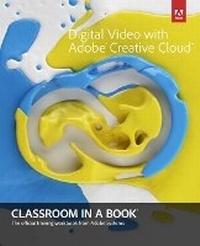
Digital Video with Adobe Creative Cloud Classroom in a Book
Published on 8. August 2013
Book
Mixed media product
416 pages
978-0-321-93402-4 (ISBN)
Description
The fastest, easiest, most comprehensive way to learn digital video with Adobe Creative Cloud
Classroom in a Book (R), the best-selling series of hands-on software training workbooks, offers what no other book or training program does-an official training series from Adobe Systems Incorporated, developed with the support of Adobe product experts.
Digital Video with Adobe Creative Cloud Classroom in a Book contains 9 lessons that cover the basics, providing countless tips and techniques to help you become more productive with the program. You can follow the book from start to finish or choose only those lessons that interest you.
Purchasing this book gives you access to the downloadable lesson files you need to work through the projects in the book, and to electronic book updates covering new features that Adobe releases for Creative Cloud customers. For access, go to www.peachpit.com/redeem and redeem the unique code provided inside this book.
"The Classroom in a Book series is by far the best training material on the market. Everything you need to master the software is included: clear explanations of each lesson, step-by-step instructions, and the project files for the students."
Barbara Binder, Adobe Certified Instructor, Rocky Mountain Training
Classroom in a Book (R), the best-selling series of hands-on software training workbooks, offers what no other book or training program does-an official training series from Adobe Systems Incorporated, developed with the support of Adobe product experts.
Digital Video with Adobe Creative Cloud Classroom in a Book contains 9 lessons that cover the basics, providing countless tips and techniques to help you become more productive with the program. You can follow the book from start to finish or choose only those lessons that interest you.
Purchasing this book gives you access to the downloadable lesson files you need to work through the projects in the book, and to electronic book updates covering new features that Adobe releases for Creative Cloud customers. For access, go to www.peachpit.com/redeem and redeem the unique code provided inside this book.
"The Classroom in a Book series is by far the best training material on the market. Everything you need to master the software is included: clear explanations of each lesson, step-by-step instructions, and the project files for the students."
Barbara Binder, Adobe Certified Instructor, Rocky Mountain Training
More details
Other editions
Previous edition
Creative Team Adobe
Adobe Creative Suite 6 Production Premium Classroom in a Book
Book
08/2012
Adobe Press,U.S.
€56.00
Shipment within 10-20 days
Person
The Adobe Creative Team of designers, writers, and editors has extensive, real world knowledge of Adobe products. They work closely with the Adobe product development teams and Adobe's Instructional Communications team to come up with creative, challenging, and visually appealing projects to help both new and experienced users get up to speed quickly on Adobe software products.
Content
Getting Started
Ch 01 Working With Adobe Creative Cloud Video Software
Ch 02 Organizing the Media Files for Your Project
Ch 03 Creating a Basic Edit
Ch 04 Advanced Editing Techniques
Ch 05 Creating Motion Graphics and Visual Effects
Ch 06 Advanced Still and Motion Graphics Techniques
Ch 07 Working with Audio
Ch 08 Finishing the Project
Ch 09 Output for the Web and Adobe Creative Cloud
Ch 01 Working With Adobe Creative Cloud Video Software
Ch 02 Organizing the Media Files for Your Project
Ch 03 Creating a Basic Edit
Ch 04 Advanced Editing Techniques
Ch 05 Creating Motion Graphics and Visual Effects
Ch 06 Advanced Still and Motion Graphics Techniques
Ch 07 Working with Audio
Ch 08 Finishing the Project
Ch 09 Output for the Web and Adobe Creative Cloud