

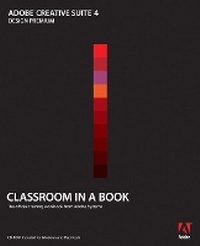
Adobe Creative Suite 4 Design Premium Classroom in a Book
Published on 5. January 2009
Book
Mixed media product
336 pages
978-0-321-57391-9 (ISBN)
Description
This thorough, self-paced guide to Adobe Creative Suite 4 is ideal for users who want to learn the key features of Adobe's stellar collection of professional design tools. Readers are first given a brief program overview of the Design Suite that highlights common features and includes a section on cross-media workflows. Then readers will get up to speed with each software application using step-by-step, project-based lessons, with the lessons in each chapter building upon the reader's growing knowledge of the programs. Projects include designing a logo and creating basic assets, creating a brochure, prototyping a basic Website, creating interactive Flash and PDF documents, communicating through mobile devices, and submitting work for collaborative reviews. Review questions at the end of each chapter wrap up each lesson to help reinforce the skills learned in each chapter.
More details
Language
English
Place of publication
Indianapolis
United States
Publishing group
Pearson Education (US)
Target group
College/higher education
Dimensions
Height: 188 mm
Width: 231 mm
Thickness: 17 mm
Weight
685 gr
ISBN-13
978-0-321-57391-9 (9780321573919)
Copyright in bibliographic data and cover images is held by Nielsen Book Services Limited or by the publishers or by their respective licensors: all rights reserved.
Schweitzer Classification
Other editions
New editions
.. Adobe Creative Team
Adobe Creative Suite 5 Design Premium Classroom in a Book
Book
07/2010
Adobe Press,U.S.
€54.47
Article exhausted; check for reprint
Person
The Adobe Creative Team of designers, writers, and editors has extensive, real-world knowledge of and expertise in using Adobe products. They work closely with the Adobe product development teams and Adobe's Instructional Communications team to come up with creative, challenging, and visually appealing projects to help both new and experienced users get upto speed quickly on Adobe software products.
Content
Getting Started
Adobe?Creative Suite 4 Design Premium
Feature Tour
1 Setting up basic assets
2 Creating a brochure
3 Prototyping and building a website
4 Creating interactive Flash Documents
5 Communicating through mobile devices
6 Submitting work for review
Index
Adobe?Creative Suite 4 Design Premium
Feature Tour
1 Setting up basic assets
2 Creating a brochure
3 Prototyping and building a website
4 Creating interactive Flash Documents
5 Communicating through mobile devices
6 Submitting work for review
Index