

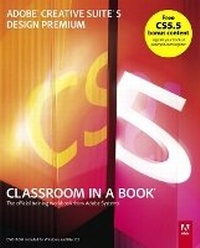
Adobe Creative Suite 5 Design Premium Classroom in a Book
Published on 8. July 2010
Book
Mixed media product
336 pages
978-0-321-70450-4 (ISBN)
Description
Creative professionals seeking the fastest, easiest, most comprehensive way to learn Creative Suite 5 choose Adobe Creative Suite 5 Design Premium Classroom in a Book from the Adobe Creative Team at Adobe Press.
The 8 project-based lessons show readers step-by-step the key techniques for working with all the applications in the Creative Suite. Readers learn what they need to know to create engaging layouts for print or web publishing.
This completely revised Creative Suite 5 edition covers designing for mobile devices and creating animated Flash documents. The companion DVD includes all the lesson files readers need to work along with the book.
This guide is ideal for beginning to intermediate users and provides countless tips and techniques to help them become more productive.
"The Classroom in a Book series is by far the best training material on the market. Everything you need to master the software is included: clear explanations of each lesson, step-by-step instructions, and the project files for the students." -Barbara Binder, Adobe Certified Instructor, Rocky Mountain Training
Classroom in a Book (R), the best-selling series of hands-on software training workbooks, helps you learn the features of Adobe software quickly and easily. Classroom in a Book offers what no other book or training program does-an official training series from Adobe Systems Incorporated, developed with the support of Adobe product experts.
Note from the publisher:
FREE Adobe Creative Suite 5.5 updates are available for this title. Simply register your product at www.peachpit.com/register and you will receive the updates when they become available.
The 8 project-based lessons show readers step-by-step the key techniques for working with all the applications in the Creative Suite. Readers learn what they need to know to create engaging layouts for print or web publishing.
This completely revised Creative Suite 5 edition covers designing for mobile devices and creating animated Flash documents. The companion DVD includes all the lesson files readers need to work along with the book.
This guide is ideal for beginning to intermediate users and provides countless tips and techniques to help them become more productive.
"The Classroom in a Book series is by far the best training material on the market. Everything you need to master the software is included: clear explanations of each lesson, step-by-step instructions, and the project files for the students." -Barbara Binder, Adobe Certified Instructor, Rocky Mountain Training
Classroom in a Book (R), the best-selling series of hands-on software training workbooks, helps you learn the features of Adobe software quickly and easily. Classroom in a Book offers what no other book or training program does-an official training series from Adobe Systems Incorporated, developed with the support of Adobe product experts.
Note from the publisher:
FREE Adobe Creative Suite 5.5 updates are available for this title. Simply register your product at www.peachpit.com/register and you will receive the updates when they become available.
More details
Other editions
New editions

.. Adobe Creative Team
Adobe Creative Suite 6 Design & Web Premium Classroom in a Book
Book
07/2012
Adobe Press,U.S.
€50.10
Article exhausted; check for reprint
Previous edition
.. Adobe Creative Team
Adobe Creative Suite 4 Design Premium Classroom in a Book
Book
01/2009
Adobe Press,U.S.
€43.68
Article exhausted; check for reprint
Person
The Adobe Creative Team of designers, writers, and editors has extensive, real world knowledge of Adobe products. They work closely with the Adobe product development teams and Adobe's Instructional Communications team to come up with creative, challenging, and visually appealing projects to help both new and experienced users get up to speed quickly on Adobe software products.
Content
Getting Started
About Creative Suite 5 Design Premium
1 Setting up Basic Assets
2 Creating a Print Layout
3 Creating an Online Version of a Print Document
4 Creating Interactive Flash Content
5 Prototyping and Building a Website
6 Creating Animated Flash Content
7 Designing for Mobile Devices
8 Submitting Work for a PDF Review
Index
About Creative Suite 5 Design Premium
1 Setting up Basic Assets
2 Creating a Print Layout
3 Creating an Online Version of a Print Document
4 Creating Interactive Flash Content
5 Prototyping and Building a Website
6 Creating Animated Flash Content
7 Designing for Mobile Devices
8 Submitting Work for a PDF Review
Index