

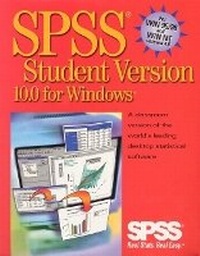
SPSS 10.0 for Windows Student Version
Published on 7. July 2000
Software
CD-ROM
978-0-13-028040-4 (ISBN)
Description
BASIC APPROACH For use in any course where use of a statistical software package is desired. SPSS brings affordable, professional statistical analysis and modeling tools right to a student's own PC. Based on the professional version of one of the world's leading desktop statistical software packages, SPSS 10.0 for Windows Student Version includes an easy-to-use interface and comprehensive on-line help that enables students to learn statistics, not software. An arsenal of robust features, including time series, allows for even the most complex analysis. System Requirements -Microsoft Windows 95/98 or NT 4.0-586DX or better IBM-compatible PC-68MB hard disk space-32MB RAM minimum-32MB virtual memory-SVGA monitor-Windows-compatible mouse
More details
Language
English
Place of publication
United States
Publishing group
Pearson Education (US)
Target group
Professional and scholarly
Dimensions
Width: 252 mm
Thickness: 30 mm
Weight
422 gr
ISBN-13
978-0-13-028040-4 (9780130280404)
Copyright in bibliographic data and cover images is held by Nielsen Book Services Limited or by the publishers or by their respective licensors: all rights reserved.
Schweitzer Classification
Other editions
New editions

SPSS, Inc.
SPSS 11.0 for Windows Student Version
Book
01/2002
Pearson
€75.69
Article is exhausted; no reprint
Content
I. GETTING STARTED WITH SPSS.
1. Introduction.
2. An Introductory Tour: SPSS for Windows.
II. DESCRIBING DATA.
3. Counting Responses.
4. Computing Descriptive Statistics.
5. Comparing Groups.
6. Looking at Distributions.
7. Counting Responses for Combinations of Variables.
8. Plotting Data.
III. Testing Hypotheses.
9. Evaluating Results from Samples.
10.The Normal Distribution.
11. Testing a Hypothesis about a Single Mean.
12. Testing a Hypothesis about Two Related Means.
13. Testing a Hypothesis about Two Independent Means.
14. One-Way Analysis of Variance.
15. Two-Way Analysis of Variance.
16. Comparing Observed and Expected Counts.
Nonparametric Tests.
IV. EXAMINING RELATIONSHIPS.
18. Measuring Association.
19. Linear Regression and Correlation.
20 Testing Regression Hypotheses.
21. Analyzing Residuals.
22. Building Multiple Regression Models.
23. Multiple Regression Diagnostics.
APPENDICES.
A. Obtaining Charts in SPSS.
B. Transforming and Selecting Data.
C. The T Distribution.
D. Areas Under the Normal Curve.
E. Descriptions of Data Files.
F. Answers to Selected Exercises.
Bibliography.
Index.
1. Introduction.
2. An Introductory Tour: SPSS for Windows.
II. DESCRIBING DATA.
3. Counting Responses.
4. Computing Descriptive Statistics.
5. Comparing Groups.
6. Looking at Distributions.
7. Counting Responses for Combinations of Variables.
8. Plotting Data.
III. Testing Hypotheses.
9. Evaluating Results from Samples.
10.The Normal Distribution.
11. Testing a Hypothesis about a Single Mean.
12. Testing a Hypothesis about Two Related Means.
13. Testing a Hypothesis about Two Independent Means.
14. One-Way Analysis of Variance.
15. Two-Way Analysis of Variance.
16. Comparing Observed and Expected Counts.
Nonparametric Tests.
IV. EXAMINING RELATIONSHIPS.
18. Measuring Association.
19. Linear Regression and Correlation.
20 Testing Regression Hypotheses.
21. Analyzing Residuals.
22. Building Multiple Regression Models.
23. Multiple Regression Diagnostics.
APPENDICES.
A. Obtaining Charts in SPSS.
B. Transforming and Selecting Data.
C. The T Distribution.
D. Areas Under the Normal Curve.
E. Descriptions of Data Files.
F. Answers to Selected Exercises.
Bibliography.
Index.