

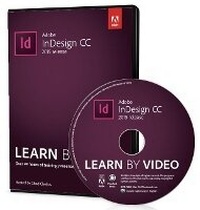
Adobe InDesign CC Learn by Video (2015 release)
Published on 26. November 2015
Software
DVD-ROM
1 pages
978-0-13-439782-5 (ISBN)
Description
This critically-acclaimed interactive training program from Adobe Press offers exceptional quality high-definition video to teach the fundamentals of Adobe Indesign CC.
Including more than 9 hours of video tutorials, the course comes complete with lesson files, assessment quizzes, and review materials. Experienced instructor Chad Chelius presents a comprehensive introduction to InDesign, including best practices as well as fundamental layout and document styling concepts. Topics covered include working with text, graphics, and objects. Chad explores InDesign in a real-world layout workflow that includes assembling books, creating alternate layouts, preflighting files, creating final output as PDFs or ePubs, and much more.
The video is wrapped in a unique interface that allows you to jump to any topic and also bookmark individual sections for later review. The unique "Watch and Work" mode shrinks the video into a small window to allow you to work alongside in Adobe InDesign as you view the video. Project files used in the lessons are included on the disc so you can practice what you've learned. At the end of every lesson, you can test your knowledge by taking interactive quizzes.
Duration: Over 9 hours
User Level: Beginning/Intermediate
Closed-Captioning in English
System Requirements:
Mac OS X 10.6, Microsoft Windows XP, or higher
2 GHz processor or higher
4 GB RAM or higher
1 GB free HD space (does not include lesson files)
Please Note:
* This DVD-ROM can be viewed only on your computer. It will not play in a DVD-Video player software or a DVD set-top player.
Including more than 9 hours of video tutorials, the course comes complete with lesson files, assessment quizzes, and review materials. Experienced instructor Chad Chelius presents a comprehensive introduction to InDesign, including best practices as well as fundamental layout and document styling concepts. Topics covered include working with text, graphics, and objects. Chad explores InDesign in a real-world layout workflow that includes assembling books, creating alternate layouts, preflighting files, creating final output as PDFs or ePubs, and much more.
The video is wrapped in a unique interface that allows you to jump to any topic and also bookmark individual sections for later review. The unique "Watch and Work" mode shrinks the video into a small window to allow you to work alongside in Adobe InDesign as you view the video. Project files used in the lessons are included on the disc so you can practice what you've learned. At the end of every lesson, you can test your knowledge by taking interactive quizzes.
Duration: Over 9 hours
User Level: Beginning/Intermediate
Closed-Captioning in English
System Requirements:
Mac OS X 10.6, Microsoft Windows XP, or higher
2 GHz processor or higher
4 GB RAM or higher
1 GB free HD space (does not include lesson files)
Please Note:
* This DVD-ROM can be viewed only on your computer. It will not play in a DVD-Video player software or a DVD set-top player.
More details
Other editions
Previous edition

Chad Chelius
Adobe InDesign CC Learn by Video (2014 release)
Software
10/2014
Peachpit Press Publications
€68.96
Article exhausted; check for reprint
Person
Chad Chelius is an Adobe Certified Instructor, author, and consultant who helps clients use Adobe software to work faster and smarter with their workflows. Chad has recorded multiple editions of Adobe Illustrator Learn by Video and Adobe InDesign Learn by Video. He speaks at conferences throughout the U.S. and you can follow him on Twitter at @chadchelius.