

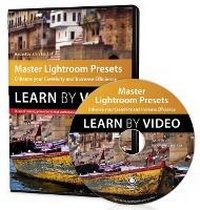
Master Lightroom Presets Learn by Video
Enhance your Creativity and Increase Efficiency
Published on 8. January 2015
Software
DVD-ROM
1 pages
978-0-13-404468-2 (ISBN)
Description
This 2-hour video from author/presenter John Batdorff will cover all the features and benefits of creating and using Lightroom presets from installing and using existing presets, to creating presets from scratch, to backing up and sharing your presets. John will walk the learner through how to build presets and how he uses them as a professional photographer to achieve quality images to create a consistent look or speed up the processing of batch images. The presenter will also offer some of his downloadable Lightroom presets for viewers to experiment with and use.
The video is wrapped in a unique interface that allows you to jump to any topic and also bookmark individual sections for later review. The unique "Watch and Work" mode shrinks the video into a small window to allow you to work alongside in Lightroom as you view the video. Project files used in the lessons are included on the disc so you can practice what you've learned. At the end of every lesson, you can test your knowledge by taking interactive quizzes.
Duration: 2 HR
User Level: Intermediate/Advanced
Closed-Captioning in English
System Requirements:
Mac OS X 10.6, Microsoft Windows XP, or higher
1 GHz processor or higher
4 GB RAM or higher
1 GB free HD space (does not include lesson files)
Please Note:
* This DVD-ROM can be viewed on your computer, but it will NOT play in a DVD movie player.
* The course uses pop-ups; please enable them in your browser. For more information on how to enable Pop-ups please see our Learn By Video FAQ page at http://www.peachpit.com/LBVFAQ
The video is wrapped in a unique interface that allows you to jump to any topic and also bookmark individual sections for later review. The unique "Watch and Work" mode shrinks the video into a small window to allow you to work alongside in Lightroom as you view the video. Project files used in the lessons are included on the disc so you can practice what you've learned. At the end of every lesson, you can test your knowledge by taking interactive quizzes.
Duration: 2 HR
User Level: Intermediate/Advanced
Closed-Captioning in English
System Requirements:
Mac OS X 10.6, Microsoft Windows XP, or higher
1 GHz processor or higher
4 GB RAM or higher
1 GB free HD space (does not include lesson files)
Please Note:
* This DVD-ROM can be viewed on your computer, but it will NOT play in a DVD movie player.
* The course uses pop-ups; please enable them in your browser. For more information on how to enable Pop-ups please see our Learn By Video FAQ page at http://www.peachpit.com/LBVFAQ
More details
Person
John Batdorff is an award-winning landscape, travel, and street photographer based in Chicago. He is the author ofTravel and Street Photography: From Snapshots to Great Shots, Plug In with Nik: A Photographer's Guide to Creating Dynamic Images with Nik Software, and more. John leads destination workshops from Brussels to Death Valley and mentors other aspiring photographers. See his work and read his popular photography blog at johnbatdorff.com.