

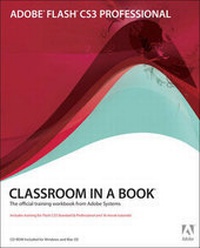
Adobe Flash CS3 Professional Classroom in a Book
Published on 27. April 2007
Online / Databases
480 pages
978-0-321-50995-6 (ISBN)
Description
This project-based guide from Adobe will teach readers all they need to know to create engaging interactive content with Flash CS3. Using step-by-step instructions with projects that build on the knowledge learned in each lesson, readers will learn the key elements of the Flash interface, including panels, timelines, and frames. From there, readers will learn how to work with vector and bitmap graphics; create and edit symbols; modify text and add interactivity with ActionScript 3.0; and incorporate animation, music, and sound to their projects. They'll also learn how to prepare and export their finished projects for Web and broadcast. Of course, readers will also learn how to take advantage of the new features of Flash CS3--the streamlined user interface, native support for Photoshop and Illustrator files, revamped drawing tools, new video encoding features, code editing enhancements, and much more. The companion CD provides users with all the sample files they need to complete all of the projects. Educational instructor notes-created to help teachers plan, organize, and time their lessons-are available for this book (and for other Classroom in a Book titles) at www.peachpit.com/instructorresources.
More details
Language
English
Place of publication
Indianapolis
United States
Publishing group
Pearson Education (US)
Target group
College/higher education
Dimensions
Height: 232 mm
Width: 187 mm
ISBN-13
978-0-321-50995-6 (9780321509956)
Copyright in bibliographic data and cover images is held by Nielsen Book Services Limited or by the publishers or by their respective licensors: all rights reserved.
Schweitzer Classification
Person
The Adobe Creative Team of designers, writers, and editors has extensive, real world knowledge of Adobe products. They work closely with the Adobe product development teams and Adobe's Instructional Communications team to come up with creative, challenging, and visually appealing projects to help both new and experienced users get up to speed quickly on Adobe software products.
Content
Getting Started 1. Getting Acquainted 2. Working with Graphics 3. Creating and Editing Symbols 4. Working with Text 5. Adding Animation 6. Creating Interactive Files 7. ActionScript Basics 8. Using Components 9. Working with Sound and Video 10. Loading and Optimizing Flash Content 11. Publishing Flash Documents