

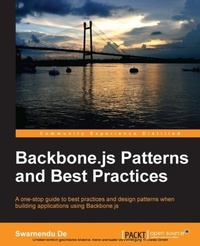
Backbone.js Patterns and Best Practices
Improve your Backbone.js skills with this step-by-step guide to patterns and best practice. It will help you reduce boilerplate in your code and provide plenty of open source plugin solutions to common problems along the way.
Published on 7. October 2025
174 pages
978-1-78328-358-3 (ISBN)
Description

Key Features
Book DescriptionThis is a step-by-step guide to design patterns, best practices, and solutions to common problems for Backbone.js-based application development. This book is for JavaScript developers who work with Backbone.js and want to learn the best design patterns to develop complex web applications. Basic knowledge of Backbone.js and JavaScript is essential.What you will learn
Develop custom plugins and mixins to reduce boilerplate in your code
Learn about Backbone view management with nested views, subviews, layout manager, and Marionette views
Understand template management by storing and precompiling templates
Explore model validation with validation plugins and learn model serialization and relational data management with nested models
Work with collections to implement multiple sorting and filtering behavior
Create solid application architecture with AMD and different popular design patterns
Who this book is for
Book DescriptionThis is a step-by-step guide to design patterns, best practices, and solutions to common problems for Backbone.js-based application development. This book is for JavaScript developers who work with Backbone.js and want to learn the best design patterns to develop complex web applications. Basic knowledge of Backbone.js and JavaScript is essential.What you will learn
Develop custom plugins and mixins to reduce boilerplate in your code
Learn about Backbone view management with nested views, subviews, layout manager, and Marionette views
Understand template management by storing and precompiling templates
Explore model validation with validation plugins and learn model serialization and relational data management with nested models
Work with collections to implement multiple sorting and filtering behavior
Create solid application architecture with AMD and different popular design patterns
Who this book is for
All prices
More details
Edition
Digital original
Language
English
Place of publication
Birmingham
United Kingdom
Target group
Professional and scholarly
US School Grade: College Graduate Student
Edition type
Digital original
File size
1,05 MB
ISBN-13
978-1-78328-358-3 (9781783283583)
Copyright in bibliographic data and cover images is held by Nielsen Book Services Limited or by the publishers or by their respective licensors: all rights reserved.
Schweitzer Classification
Other editions
Additional editions
Swarnendu de
Backbone.Js Patterns and Best Practices
Book
01/2014
Packt Publishing
€50.10
Shipment within 3-4 weeks
Person
De Swarnendu :
Swarnendu De is the director of Innofied Solution Pvt. Ltd.( http://www.innofied.com ), a specialized mobile, web, and game development company. He manages technical operations and leads the JavaScript development team there. For the last seven years, he has been working with numerous JavaScript technologies including Backbone.js, Node.js, ExtJS, Sencha, and so on, and has developed more than 50 complex JavaScript-based applications thus far. He regularly writes at his personal blog, company blog, and the Tuts+ network. He has been working with Backbone.js for the last 2 years and has developed multiple, large, and complex Backbone.js-based applications using this technology. Swarnendu lives in Kolkatathe city of joy. He loves travelling, photography, and spending time with his family. You can reach him through his website at http://www.swarnendude.com or via Twitter at @swarnendude.
Swarnendu De is the director of Innofied Solution Pvt. Ltd.( http://www.innofied.com ), a specialized mobile, web, and game development company. He manages technical operations and leads the JavaScript development team there. For the last seven years, he has been working with numerous JavaScript technologies including Backbone.js, Node.js, ExtJS, Sencha, and so on, and has developed more than 50 complex JavaScript-based applications thus far. He regularly writes at his personal blog, company blog, and the Tuts+ network. He has been working with Backbone.js for the last 2 years and has developed multiple, large, and complex Backbone.js-based applications using this technology. Swarnendu lives in Kolkatathe city of joy. He loves travelling, photography, and spending time with his family. You can reach him through his website at http://www.swarnendude.com or via Twitter at @swarnendude.
Content
Table of Contents

