

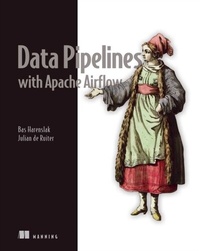
Data Pipelines with Apache Airflow
1st Edition
Published on 5. April 2021
480 pages
978-1-63835-683-7 (ISBN)
Description

"An Airflow bible. Useful for all kinds of users, from novice to expert." - Rambabu Posa, Sai Aashika Consultancy
Data Pipelines with Apache Airflow teaches you how to build and maintain effective data pipelines.
A successful pipeline moves data efficiently, minimizing pauses and blockages between tasks, keeping every process along the way operational. Apache Airflow provides a single customizable environment for building and managing data pipelines, eliminating the need for a hodgepodge collection of tools, snowflake code, and homegrown processes. Using real-world scenarios and examples, Data Pipelines with Apache Airflow teaches you how to simplify and automate data pipelines, reduce operational overhead, and smoothly integrate all the technologies in your stack.
Purchase of the print book includes a free eBook in PDF, Kindle, and ePub formats from Manning Publications.
About the technology
Data pipelines manage the flow of data from initial collection through consolidation, cleaning, analysis, visualization, and more. Apache Airflow provides a single platform you can use to design, implement, monitor, and maintain your pipelines. Its easy-to-use UI, plug-and-play options, and flexible Python scripting make Airflow perfect for any data management task.
About the book
Data Pipelines with Apache Airflow teaches you how to build and maintain effective data pipelines. You'll explore the most common usage patterns, including aggregating multiple data sources, connecting to and from data lakes, and cloud deployment. Part reference and part tutorial, this practical guide covers every aspect of the directed acyclic graphs (DAGs) that power Airflow, and how to customize them for your pipeline's needs.
What's inside
Build, test, and deploy Airflow pipelines as DAGs
Automate moving and transforming data
Analyze historical datasets using backfilling
Develop custom components
Set up Airflow in production environments
About the reader
For DevOps, data engineers, machine learning engineers, and sysadmins with intermediate Python skills.
About the author
Bas Harenslak and Julian de Ruiter are data engineers with extensive experience using Airflow to develop pipelines for major companies. Bas is also an Airflow committer.
Table of Contents
PART 1 - GETTING STARTED
1 Meet Apache Airflow
2 Anatomy of an Airflow DAG
3 Scheduling in Airflow
4 Templating tasks using the Airflow context
5 Defining dependencies between tasks
PART 2 - BEYOND THE BASICS
6 Triggering workflows
7 Communicating with external systems
8 Building custom components
9 Testing
10 Running tasks in containers
PART 3 - AIRFLOW IN PRACTICE
11 Best practices
12 Operating Airflow in production
13 Securing Airflow
14 Project: Finding the fastest way to get around NYC
PART 4 - IN THE CLOUDS
15 Airflow in the clouds
16 Airflow on AWS
17 Airflow on Azure
18 Airflow in GCP
Data Pipelines with Apache Airflow teaches you how to build and maintain effective data pipelines.
A successful pipeline moves data efficiently, minimizing pauses and blockages between tasks, keeping every process along the way operational. Apache Airflow provides a single customizable environment for building and managing data pipelines, eliminating the need for a hodgepodge collection of tools, snowflake code, and homegrown processes. Using real-world scenarios and examples, Data Pipelines with Apache Airflow teaches you how to simplify and automate data pipelines, reduce operational overhead, and smoothly integrate all the technologies in your stack.
Purchase of the print book includes a free eBook in PDF, Kindle, and ePub formats from Manning Publications.
About the technology
Data pipelines manage the flow of data from initial collection through consolidation, cleaning, analysis, visualization, and more. Apache Airflow provides a single platform you can use to design, implement, monitor, and maintain your pipelines. Its easy-to-use UI, plug-and-play options, and flexible Python scripting make Airflow perfect for any data management task.
About the book
Data Pipelines with Apache Airflow teaches you how to build and maintain effective data pipelines. You'll explore the most common usage patterns, including aggregating multiple data sources, connecting to and from data lakes, and cloud deployment. Part reference and part tutorial, this practical guide covers every aspect of the directed acyclic graphs (DAGs) that power Airflow, and how to customize them for your pipeline's needs.
What's inside
Build, test, and deploy Airflow pipelines as DAGs
Automate moving and transforming data
Analyze historical datasets using backfilling
Develop custom components
Set up Airflow in production environments
About the reader
For DevOps, data engineers, machine learning engineers, and sysadmins with intermediate Python skills.
About the author
Bas Harenslak and Julian de Ruiter are data engineers with extensive experience using Airflow to develop pipelines for major companies. Bas is also an Airflow committer.
Table of Contents
PART 1 - GETTING STARTED
1 Meet Apache Airflow
2 Anatomy of an Airflow DAG
3 Scheduling in Airflow
4 Templating tasks using the Airflow context
5 Defining dependencies between tasks
PART 2 - BEYOND THE BASICS
6 Triggering workflows
7 Communicating with external systems
8 Building custom components
9 Testing
10 Running tasks in containers
PART 3 - AIRFLOW IN PRACTICE
11 Best practices
12 Operating Airflow in production
13 Securing Airflow
14 Project: Finding the fastest way to get around NYC
PART 4 - IN THE CLOUDS
15 Airflow in the clouds
16 Airflow on AWS
17 Airflow on Azure
18 Airflow in GCP
More details
Other editions
Additional editions
Bas Harenslak | Julian Ruiter
Data Pipelines with Apache Airflow
Book
06/2021
Manning Publications
€49.95
Shipment within 10-20 days
Persons
Bas Harenslak and Julian de Ruiter are data engineers with extensive experience using Airflow to develop pipelines for major companies. Bas is also an Airflow committer.
Content
- Intro
- inside front cover
- Data Pipelines with Apache Airflow
- Copyright
- brief contents
- contents
- front matter
- preface
- acknowledgments
- Bas Harenslak
- Julian de Ruiter
- about this book
- Who should read this book
- How this book is organized: A road map
- About the code
- LiveBook discussion forum
- about the authors
- about the cover illustration
- Part 1. Getting started
- 1 Meet Apache Airflow
- 1.1 Introducing data pipelines
- 1.1.1 Data pipelines as graphs
- 1.1.2 Executing a pipeline graph
- 1.1.3 Pipeline graphs vs. sequential scripts
- 1.1.4 Running pipeline using workflow managers
- 1.2 Introducing Airflow
- 1.2.1 Defining pipelines flexibly in (Python) code
- 1.2.2 Scheduling and executing pipelines
- 1.2.3 Monitoring and handling failures
- 1.2.4 Incremental loading and backfilling
- 1.3 When to use Airflow
- 1.3.1 Reasons to choose Airflow
- 1.3.2 Reasons not to choose Airflow
- 1.4 The rest of this book
- Summary
- 2 Anatomy of an Airflow DAG
- 2.1 Collecting data from numerous sources
- 2.1.1 Exploring the data
- 2.2 Writing your first Airflow DAG
- 2.2.1 Tasks vs. operators
- 2.2.2 Running arbitrary Python code
- 2.3 Running a DAG in Airflow
- 2.3.1 Running Airflow in a Python environment
- 2.3.2 Running Airflow in Docker containers
- 2.3.3 Inspecting the Airflow UI
- 2.4 Running at regular intervals
- 2.5 Handling failing tasks
- Summary
- 3 Scheduling in Airflow
- 3.1 An example: Processing user events
- 3.2 Running at regular intervals
- 3.2.1 Defining scheduling intervals
- 3.2.2 Cron-based intervals
- 3.2.3 Frequency-based intervals
- 3.3 Processing data incrementally
- 3.3.1 Fetching events incrementally
- 3.3.2 Dynamic time references using execution dates
- 3.3.3 Partitioning your data
- 3.4 Understanding Airflow's execution dates
- 3.4.1 Executing work in fixed-length intervals
- 3.5 Using backfilling to fill in past gaps
- 3.5.1 Executing work back in time
- 3.6 Best practices for designing tasks
- 3.6.1 Atomicity
- 3.6.2 Idempotency
- Summary
- 4 Templating tasks using the Airflow context
- 4.1 Inspecting data for processing with Airflow
- 4.1.1 Determining how to load incremental data
- 4.2 Task context and Jinja templating
- 4.2.1 Templating operator arguments
- 4.2.2 What is available for templating?
- 4.2.3 Templating the PythonOperator
- 4.2.4 Providing variables to the PythonOperator
- 4.2.5 Inspecting templated arguments
- 4.3 Hooking up other systems
- Summary
- 5 Defining dependencies between tasks
- 5.1 Basic dependencies
- 5.1.1 Linear dependencies
- 5.1.2 Fan-in/-out dependencies
- 5.2 Branching
- 5.2.1 Branching within tasks
- 5.2.2 Branching within the DAG
- 5.3 Conditional tasks
- 5.3.1 Conditions within tasks
- 5.3.2 Making tasks conditional
- 5.3.3 Using built-in operators
- 5.4 More about trigger rules
- 5.4.1 What is a trigger rule?
- 5.4.2 The effect of failures
- 5.4.3 Other trigger rules
- 5.5 Sharing data between tasks
- 5.5.1 Sharing data using XComs
- 5.5.2 When (not) to use XComs
- 5.5.3 Using custom XCom backends
- 5.6 Chaining Python tasks with the Taskflow API
- 5.6.1 Simplifying Python tasks with the Taskflow API
- 5.6.2 When (not) to use the Taskflow API
- Summary
- Part 2. Beyond the basics
- 6 Triggering workflows
- 6.1 Polling conditions with sensors
- 6.1.1 Polling custom conditions
- 6.1.2 Sensors outside the happy flow
- 6.2 Triggering other DAGs
- 6.2.1 Backfilling with the TriggerDagRunOperator
- 6.2.2 Polling the state of other DAGs
- 6.3 Starting workflows with REST/CLI
- Summary
- 7 Communicating with external systems
- 7.1 Connecting to cloud services
- 7.1.1 Installing extra dependencies
- 7.1.2 Developing a machine learning model
- 7.1.3 Developing locally with external systems
- 7.2 Moving data from between systems
- 7.2.1 Implementing a PostgresToS3Operator
- 7.2.2 Outsourcing the heavy work
- Summary
- 8 Building custom components
- 8.1 Starting with a PythonOperator
- 8.1.1 Simulating a movie rating API
- 8.1.2 Fetching ratings from the API
- 8.1.3 Building the actual DAG
- 8.2 Building a custom hook
- 8.2.1 Designing a custom hook
- 8.2.2 Building our DAG with the MovielensHook
- 8.3 Building a custom operator
- 8.3.1 Defining a custom operator
- 8.3.2 Building an operator for fetching ratings
- 8.4 Building custom sensors
- 8.5 Packaging your components
- 8.5.1 Bootstrapping a Python package
- 8.5.2 Installing your package
- Summary
- 9 Testing
- 9.1 Getting started with testing
- 9.1.1 Integrity testing all DAGs
- 9.1.2 Setting up a CI/CD pipeline
- 9.1.3 Writing unit tests
- 9.1.4 Pytest project structure
- 9.1.5 Testing with files on disk
- 9.2 Working with DAGs and task context in tests
- 9.2.1 Working with external systems
- 9.3 Using tests for development
- 9.3.1 Testing complete DAGs
- 9.4 Emulate production environments with Whirl
- 9.5 Create DTAP environments
- Summary
- 10 Running tasks in containers
- 10.1 Challenges of many different operators
- 10.1.1 Operator interfaces and implementations
- 10.1.2 Complex and conflicting dependencies
- 10.1.3 Moving toward a generic operator
- 10.2 Introducing containers
- 10.2.1 What are containers?
- 10.2.2 Running our first Docker container
- 10.2.3 Creating a Docker image
- 10.2.4 Persisting data using volumes
- 10.3 Containers and Airflow
- 10.3.1 Tasks in containers
- 10.3.2 Why use containers?
- 10.4 Running tasks in Docker
- 10.4.1 Introducing the DockerOperator
- 10.4.2 Creating container images for tasks
- 10.4.3 Building a DAG with Docker tasks
- 10.4.4 Docker-based workflow
- 10.5 Running tasks in Kubernetes
- 10.5.1 Introducing Kubernetes
- 10.5.2 Setting up Kubernetes
- 10.5.3 Using the KubernetesPodOperator
- 10.5.4 Diagnosing Kubernetes-related issues
- 10.5.5 Differences with Docker-based workflows
- Summary
- Part 3. Airflow in practice
- 11 Best practices
- 11.1 Writing clean DAGs
- 11.1.1 Use style conventions
- 11.1.2 Manage credentials centrally
- 11.1.3 Specify configuration details consistently
- 11.1.4 Avoid doing any computation in your DAG definition
- 11.1.5 Use factories to generate common patterns
- 11.1.6 Group related tasks using task groups
- 11.1.7 Create new DAGs for big changes
- 11.2 Designing reproducible tasks
- 11.2.1 Always require tasks to be idempotent
- 11.2.2 Task results should be deterministic
- 11.2.3 Design tasks using functional paradigms
- 11.3 Handling data efficiently
- 11.3.1 Limit the amount of data being processed
- 11.3.2 Incremental loading/processing
- 11.3.3 Cache intermediate data
- 11.3.4 Don't store data on local file systems
- 11.3.5 Offload work to external/source systems
- 11.4 Managing your resources
- 11.4.1 Managing concurrency using pools
- 11.4.2 Detecting long-running tasks using SLAs and alerts
- Summary
- 12 Operating Airflow in production
- 12.1 Airflow architectures
- 12.1.1 Which executor is right for me?
- 12.1.2 Configuring a metastore for Airflow
- 12.1.3 A closer look at the scheduler
- 12.2 Installing each executor
- 12.2.1 Setting up the SequentialExecutor
- 12.2.2 Setting up the LocalExecutor
- 12.2.3 Setting up the CeleryExecutor
- 12.2.4 Setting up the KubernetesExecutor
- 12.3 Capturing logs of all Airflow processes
- 12.3.1 Capturing the webserver output
- 12.3.2 Capturing the scheduler output
- 12.3.3 Capturing task logs
- 12.3.4 Sending logs to remote storage
- 12.4 Visualizing and monitoring Airflow metrics
- 12.4.1 Collecting metrics from Airflow
- 12.4.2 Configuring Airflow to send metrics
- 12.4.3 Configuring Prometheus to collect metrics
- 12.4.4 Creating dashboards with Grafana
- 12.4.5 What should you monitor?
- 12.5 How to get notified of a failing task
- 12.5.1 Alerting within DAGs and operators
- 12.5.2 Defining service-level agreements
- 12.6 Scalability and performance
- 12.6.1 Controlling the maximum number of running tasks
- 12.6.2 System performance configurations
- 12.6.3 Running multiple schedulers
- Summary
- 13 Securing Airflow
- 13.1 Securing the Airflow web interface
- 13.1.1 Adding users to the RBAC interface
- 13.1.2 Configuring the RBAC interface
- 13.2 Encrypting data at rest
- 13.2.1 Creating a Fernet key
- 13.3 Connecting with an LDAP service
- 13.3.1 Understanding LDAP
- 13.3.2 Fetching users from an LDAP service
- 13.4 Encrypting traffic to the webserver
- 13.4.1 Understanding HTTPS
- 13.4.2 Configuring a certificate for HTTPS
- 13.5 Fetching credentials from secret management systems
- Summary
- 14 Project: Finding the fastest way to get around NYC
- 14.1 Understanding the data
- 14.1.1 Yellow Cab file share
- 14.1.2 Citi Bike REST API
- 14.1.3 Deciding on a plan of approach
- 14.2 Extracting the data
- 14.2.1 Downloading Citi Bike data
- 14.2.2 Downloading Yellow Cab data
- 14.3 Applying similar transformations to data
- 14.4 Structuring a data pipeline
- 14.5 Developing idempotent data pipelines
- Summary
- Part 4. In the clouds
- 15 Airflow in the clouds
- 15.1 Designing (cloud) deployment strategies
- 15.2 Cloud-specific operators and hooks
- 15.3 Managed services
- 15.3.1 Astronomer.io
- 15.3.2 Google Cloud Composer
- 15.3.3 Amazon Managed Workflows for Apache Airflow
- 15.4 Choosing a deployment strategy
- Summary
- 16 Airflow on AWS
- 16.1 Deploying Airflow in AWS
- 16.1.1 Picking cloud services
- 16.1.2 Designing the network
- 16.1.3 Adding DAG syncing
- 16.1.4 Scaling with the CeleryExecutor
- 16.1.5 Further steps
- 16.2 AWS-specific hooks and operators
- 16.3 Use case: Serverless movie ranking with AWS Athena
- 16.3.1 Overview
- 16.3.2 Setting up resources
- 16.3.3 Building the DAG
- 16.3.4 Cleaning up
- Summary
- 17 Airflow on Azure
- 17.1 Deploying Airflow in Azure
- 17.1.1 Picking services
- 17.1.2 Designing the network
- 17.1.3 Scaling with the CeleryExecutor
- 17.1.4 Further steps
- 17.2 Azure-specific hooks/operators
- 17.3 Example: Serverless movie ranking with Azure Synapse
- 17.3.1 Overview
- 17.3.2 Setting up resources
- 17.3.3 Building the DAG
- 17.3.4 Cleaning up
- Summary
- 18 Airflow in GCP
- 18.1 Deploying Airflow in GCP
- 18.1.1 Picking services
- 18.1.2 Deploying on GKE with Helm
- 18.1.3 Integrating with Google services
- 18.1.4 Designing the network
- 18.1.5 Scaling with the CeleryExecutor
- 18.2 GCP-specific hooks and operators
- 18.3 Use case: Serverless movie ranking on GCP
- 18.3.1 Uploading to GCS
- 18.3.2 Getting data into BigQuery
- 18.3.3 Extracting top ratings
- Summary
- appendix A. Running code samples
- A.1 Code structure
- A.2 Running the examples
- A.2.1 Starting the Docker environment
- A.2.2 Inspecting running services
- A.2.3 Tearing down the environment
- appendix B. Package structures Airflow 1 and 2
- B.1 Airflow 1 package structure
- B.2 Airflow 2 package structure
- appendix C. Prometheus metric mapping
- index
- inside back cover
