

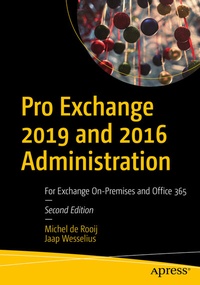
Pro Exchange 2019 and 2016 Administration
Description

Use this one-stop resource for both basic and advanced administration of Exchange Server 2019 and 2016. It will help you in running an Exchange environment, whether it be 100% on-premises or a hybrid configuration with Exchange Online (as part of Office 365).
This revised version is divided into four parts, describing Exchange infrastructure, upgrading Exchange server, integration with Office 365, and security and compliance. In the first part, you will go through a short introduction of Exchange server followed by its installation and configuration. You will learn client access along with Exchange mailbox and managing Exchange recipients. In the second part, you will learn how to upgrade from Exchange 2010 to 2016 and from 2013 to Exchange 2019. The third part is dedicated to the Exchange integration with Office 365, followed by the last part that teaches you how to secure your Exchange environment and its compliance.
After reading this book, you will understand best practices, do's and don'ts, and notes from the field to migrate and work on Exchange 2016 and 2019.
What You Will Learn
-
Create a highly available and redundant Exchange environment
- Understand security, message hygiene (CEO fraud, for example), and compliance
- Know the infrastructure changes in Exchange 2019
- Integrate and manage hybrid recipients
Who This Book Is For
IT pros who are responsible for building and maintaining an Exchange environment, both on-premises and in a hybrid configuration with Exchange Online
More details
Other editions
Additional editions
Persons
Michel de Rooij
is a consultant and Microsoft MVP since 2013. He lives in The Netherlands, and has been working in the IT industry for over 20 years. Michel helps customers with their journeys related to Microsoft 365, with a focus on Exchange and Identity, but also related technologies such as Microsoft Teams or e-mail in general. Michel has a developer background, but after some long-term dedicated Exchange-related work for a large multinational switched to Exchange and never looked back. Michel is also a big fan of automating processes and procedures related to infrastructure, being either supporting projects or automating administrator tasks. Michel is also active in online communities, such as Tech Community, or on social media such as Twitter (@mderooij). He runs an Exchange-related blog at eightwone.com, guest authors for several other sites, and speaks at international events.
Jaap Wesselius is an independent consultant based inThe Netherlands. As a consultant, Jaap has been working with Exchange server since Exchange 5.0 in 1997. After working for Microsoft, he became an independent consultant in 2006. For his work in the (Exchange) community, Jaap has received a Microsoft MVP award 2007, an award he still holds in 2021. The first MVP category was Exchange server, but over the years that has changed to Office Apps and Services. Besides working with Exchange, Jaap also works with Office 365, identity management, privacy, and security. Jaap is 54 years old, married, has three (almost) grown-up sons, and likes to ride his motorcycle, when possible.
Content
