

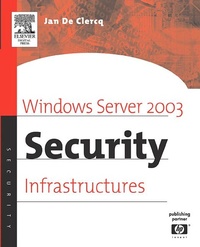
Windows Server 2003 Security Infrastructures
Core Security Features
Published on 2. April 2004
756 pages
978-0-08-052112-1 (ISBN)
Description

Windows Server 2003 Security Infrastructures is a must for anyone that wants to know the nuts and bolts of Windows Server 2003 security and wants to leverage the operating system's security infrastructure components to build a more secure I.T. infrastructure. The primary goal of this book is to provide insights into the security features and technologies of the Windows Server 2003 operating system. It also highlights the security principles an architect should remember when designing an infrastructure that is rooted on the Windows Server 2003 OS.*Explains nuts and bolts of Windows Server 2003 security*Provides practical insights into how to deploy and administer secure Windows Server 2003 infrastructures*Draws on the experience of a lead consultant in the Microsoft security area
More details
Other editions
Additional editions
Book
04/2004
Digital Press
€91.49
Shipment within 3-4 weeks
Person
Jan De Clercq is one of HP's lead consultants in the space of Microsoft security. As a Senior Consultant, he is involved in many Windows implementations around the world and is a frequent speaker on the subject at Microsoft and general security conferences. In his HP Security Office member role he focuses on identity management. Jan is based in Belgium. He is co-author of Mission-Critical Active Directory (Digital Press, 2001).
Content
- Front Cover
- Windows Server 2003 Security Infrastructures
- Copyright Page
- Contents
- Foreword by Tony Redmond
- Foreword by Mark Mortimore
- Preface
- Acknowledgments
- Chapter 1. The Challenge of Trusted Security Infrastructures
- 1.1 Introduction
- 1.2 Positioning trusted security infrastructures
- 1.3 The fundamental role of trust
- 1.4 TSI roles
- 1.5 The long road toward unified TSI solutions
- 1.6 Microsoft and the challenge of TSIs
- 1.7 Conclusion
- Chapter 2. Windows Security Authorities and Principals
- 2.1 Security authorities
- 2.2 Security principals
- Chapter 3. Windows Trust Relationships
- 3.1 Defining trust relationships
- 3.2 Trust properties and types
- 3.3 Trust relationships: Under the hood
- 3.4 Forest trust
- 3.5 Trusts and secure channels
- 3.6 Trusts and firewalls
- Chapter 4. Introducing Windows Authentication
- 4.1 Authentication infrastructure terminology
- 4.2 Qualifying authentication
- 4.3 Authentication authentication architecture
- 4.4 Authentication in the Windows machine startup and user logon sequences
- 4.5 NTLM-based authentication
- 4.6 Secondary logon service
- 4.7 Anonymous access
- 4.8 Credential caching
- 4.9 General authentication troubleshooting
- 4.10 What's coming up in the next chapters?
- Chapter 5. Kerberos
- 5.1 Introducing Kerberos
- 5.2 Kerberos: The basic protocol
- 5.3 Logging on to windows using Kerberos
- 5.4 Advanced Kerberos topics
- 5.5 Kerberos configuration
- 5.6 Kerberos and authentication troubleshooting
- 5.7 Kerberos interoperability
- Chapter 6. IIS Authentication
- 6.1 Secure by default in IIS 6.0
- 6.2 Introducing IIS authentication
- 6.3 HTTP authentication
- 6.4 Integrated Windows authentication
- 6.5 Passport-based authentication
- 6.6 Certificate-based authentication
- 6.7 IIS Authentication method comparison
- Chapter 7. Microsoft Passport
- 7.1 Passport-enabling Web technologies
- 7.2 Passport infrastructure
- 7.3 Basic passport authentication exchange
- 7.4 XP and Windows Server 2003 changes
- 7.5 Passport cookies
- 7.6 Passport authentication revisited
- 7.7 Passport and the privacy of user information
- 7.8 Passport integration in Windows Server 2003
- 7.9 Passport futures
- Chapter 8. UNIX and Windows Authentication Interoperability
- 8.1 Comparing Windows and UNIX authentication
- 8.2 Interoperability enabling technologies
- 8.3 UNIX security-related concepts
- 8.4 Windows and UNIX account management and authentication integration approaches
- 8.5 Summary
- Chapter 9. Single Sign-On
- 9.1 Single sign-on: Pros and cons
- 9.2 SSO architectures
- 9.3 Extending SSO
- 9.4 SSO technologies in Windows Server 2003 and XP
- 9.5 Summary
- Chapter 10. Windows Server 2003 Authorization
- 10.1 Authorization basics
- 10.2 The Windows authorization model
- 10.3 Windows 2000 authorization changes
- 10.4 Windows Server 2003 authorization changes
- 10.5 Authorization intermediaries
- 10.6 User rights
- 10.7 Administrative delegation
- 10.8 Authorization tools
- Chapter 11. Malicious Mobile Code Protection
- 11.1 Malicious mobile code protection architecture
- 11.2 Software restriction policies
- 11.3 Code Access Security
- 11.4 Comparing SRPs and CAS
- Chapter 12. New Authorization Tracks: Role-Based Access Control and Digital Rights Management
- 12.1 Role-based access control
- 12.2 Digital rights management
- Chapter 13. Introducing Windows Server 2003 Public Key Infrastructure
- 13.1 Getting started
- 13.2 A short history of Windows PKI
- 13.3 Why use the Microsoft PKI software?
- 13.4 Windows Server 2003 PKI core components
- Chapter 14. Trust in Windows Server 2003 PKI
- 14.1 PKI is all about trust
- 14.2 A trust taxonomy
- 14.3 PKI trust terminology
- 14.4 PKI trust models
- 14.5 User PKI trust management
- 14.6 CA trust definition
- 14.7 Summary
- Chapter 15. The Certificate Life Cycle
- 15.1 Overview of the certificate life cycle
- 15.2 Certificate enrollment
- 15.3 Key archival and recovery
- 15.4 Data recovery
- 15.5 Certificate validation
- 15.6 Certificate retrieval
- 15.7 Key and certificate update
- 15.8 Certificate revocation
- 15.9 Certificate expiry and certificate lifetimes
- Chapter 16. Building and Maintaining a Windows PKI
- 16.1 Building a PKI
- 16.2 Maintaining a PKI
- 16.3 Administration and troubleshooting tools
- Chapter 17. Windows Server 2003 PKI-enabled Applications
- 17.1 Encrypting File System
- 17.2 Secure mail using S/MIME
- 17.3 Leveraging smart cards and USB tokens for PKI-enabled applications
- Chapter 18. Windows Server 2003 Security Management
- 18.1 Security policy management
- 18.2 Security patch management
- 18.3 Security-related auditing
- Appendix A. The ITU-T X.509 Standard for Certificate and CRL Formats
- Appendix B. PKCS Standards
- Index
