

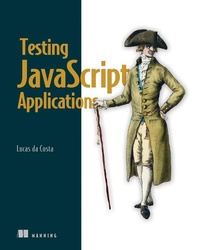
Testing JavaScript Applications
1st Edition
Published on 16. March 2021
512 pages
978-1-63835-639-4 (ISBN)
Description

Testing JavaScript Applications teaches you how to implement an automated testing plan for JavaScript-based web applications.
Summary
Automated testing will help you write high-quality software in less time, with more confidence, fewer bugs, and without constant manual oversight. Testing JavaScript Applications is a guide to building a comprehensive and reliable JS application testing suite, covering both how to write tests and how JS testing tools work under the hood. You'll learn from Lucas de Costa, a core contributor to popular JS testing libraries, as he shares a quality mindset for making testing decisions that deliver a real contribution to your business. You'll benefit from informative explanations and diagrams, easily-transferable code samples, and useful tips on using the latest and most consolidated libraries and frameworks of the JavaScript ecosystem.
Purchase of the print book includes a free eBook in PDF, Kindle, and ePub formats from Manning Publications.
About the technology
Automated testing is essential to delivering good JavaScript applications every time. A complete testing strategy needs to cover functions in isolation, integration between different parts of your code, and correctness from the end user's perspective. This book will teach you how to deliver reliable software quickly and confidently.
About the book
Testing JavaScript Applications teaches you how to implement an automated testing plan for JavaScript-based web applications. It describes practical testing strategies, covers useful tools and libraries, and explains how to foster a culture of quality. In this clearly-written, example-rich book, you'll explore approaches for both backend and frontend applications and learn how to validate your software much more quickly and reliably.
What's inside
Unit, end-to-end, and integration testing
Managing test cost and complexity
Practicing test-driven development
Dealing with external dependencies
Tools like like Jest and Cypress
About the reader
For junior JavaScript developers.
About the author
Lucas da Costa is a core maintainer of Chai and Sinon.JS, two of the most popular testing tools in the JavaScript ecosystem, and contributed to numerous other open-source projects, including Jest.
Table of Contents
PART 1 - TESTING JAVASCRIPT APPLICATIONS
1 An introduction to automated testing
2 What to test and when?
Part 2 - WRITING TESTS
3 Testing techniques
4 Testing backend applications
5 Advanced backend testing techniques
6 Testing frontend applications
7 The React testing ecosystem
8 Testing React applications
9 Test-driven development
10 UI-based end-to-end testing
11 Writing UI-based end-to-end tests
PART 3 - BUSINESS IMPACT
12 Continuous integration and continuous delivery
13 A culture of quality
Summary
Automated testing will help you write high-quality software in less time, with more confidence, fewer bugs, and without constant manual oversight. Testing JavaScript Applications is a guide to building a comprehensive and reliable JS application testing suite, covering both how to write tests and how JS testing tools work under the hood. You'll learn from Lucas de Costa, a core contributor to popular JS testing libraries, as he shares a quality mindset for making testing decisions that deliver a real contribution to your business. You'll benefit from informative explanations and diagrams, easily-transferable code samples, and useful tips on using the latest and most consolidated libraries and frameworks of the JavaScript ecosystem.
Purchase of the print book includes a free eBook in PDF, Kindle, and ePub formats from Manning Publications.
About the technology
Automated testing is essential to delivering good JavaScript applications every time. A complete testing strategy needs to cover functions in isolation, integration between different parts of your code, and correctness from the end user's perspective. This book will teach you how to deliver reliable software quickly and confidently.
About the book
Testing JavaScript Applications teaches you how to implement an automated testing plan for JavaScript-based web applications. It describes practical testing strategies, covers useful tools and libraries, and explains how to foster a culture of quality. In this clearly-written, example-rich book, you'll explore approaches for both backend and frontend applications and learn how to validate your software much more quickly and reliably.
What's inside
Unit, end-to-end, and integration testing
Managing test cost and complexity
Practicing test-driven development
Dealing with external dependencies
Tools like like Jest and Cypress
About the reader
For junior JavaScript developers.
About the author
Lucas da Costa is a core maintainer of Chai and Sinon.JS, two of the most popular testing tools in the JavaScript ecosystem, and contributed to numerous other open-source projects, including Jest.
Table of Contents
PART 1 - TESTING JAVASCRIPT APPLICATIONS
1 An introduction to automated testing
2 What to test and when?
Part 2 - WRITING TESTS
3 Testing techniques
4 Testing backend applications
5 Advanced backend testing techniques
6 Testing frontend applications
7 The React testing ecosystem
8 Testing React applications
9 Test-driven development
10 UI-based end-to-end testing
11 Writing UI-based end-to-end tests
PART 3 - BUSINESS IMPACT
12 Continuous integration and continuous delivery
13 A culture of quality
More details
Other editions
Additional editions
Lucas Da Costa
Testing JavaScript Applications
Book
06/2021
Manning Publications
€56.00
Article not available at the moment
Person
Lucas da Costa is a core maintainer of Chai and Sinon.JS, two of the most popular testing tools in the JavaScript ecosystem. He has also contributed to Jest and other relevant open-source projects. Lucas is committed to a culture of sharing and has spoken at major software engineering conferences, including JSConf Colombia, FluentConf, HolyJS, CityJSConf London, and many others.
Content
- Intro
- inside front cover
- Testing JavaScript Applications
- Copyright
- dedication
- contents
- front matter
- preface
- acknowledgments
- about this book
- Who should read this book
- How this book is organized: A roadmap
- About the code
- System requirements
- liveBook discussion forum
- about the author
- about the cover illustration
- Part 1. Testing JavaScript applications
- 1 An introduction to automated testing
- 1.1 What is an automated test?
- 1.2 Why automated tests matter
- 1.2.1 Predictability
- 1.2.2 Reproducibility
- 1.2.3 Collaboration
- 1.2.4 Speed
- Summary
- 2 What to test and when?
- 2.1 The testing pyramid
- 2.2 Unit tests
- 2.3 Integration tests
- 2.4 End-to-end tests
- 2.4.1 Testing HTTP APIs
- 2.4.2 Testing GUIs
- 2.4.3 Acceptance tests and end-to-end tests are not the same
- 2.5 Exploratory testing and the value of QA
- 2.6 Tests, cost, and revenue
- Summary
- Part 2. Writing tests
- 3 Testing techniques
- 3.1 Organizing test suites
- 3.1.1 Breaking down tests
- 3.1.2 Parallelism
- 3.1.3 Global hooks
- 3.1.4 Atomicity
- 3.2 Writing good assertions
- 3.2.1 Assertions and error handling
- 3.2.2 Loose assertions
- 3.2.3 Using custom matchers
- 3.2.4 Circular assertions
- 3.3 Test doubles: Mocks, stubs, and spies
- 3.3.1 Mocking imports
- 3.4 Choosing what to test
- 3.4.1 Don't test third-party software
- 3.4.2 To mock, or not to mock: That's the question
- 3.4.3 When in doubt, choose integration tests
- 3.5 Code coverage
- 3.5.1 Automated coverage reports
- 3.5.2 Coverage types
- 3.5.3 What coverage is good for and what it isn't
- Summary
- 4 Testing backend applications
- 4.1 Structuring a testing environment
- 4.1.1 End-to-end testing
- 4.1.2 Integration testing
- 4.1.3 Unit testing
- 4.2 Testing HTTP endpoints
- 4.2.1 Testing middleware
- 4.3 Dealing with external dependencies
- 4.3.1 Integrations with databases
- 4.3.2 Integrations with other APIs
- Summary
- 5 Advanced backend testing techniques
- 5.1 Eliminating nondeterminism
- 5.1.1 Parallelism and shared resources
- 5.1.2 Dealing with time
- 5.2 Reducing costs while preserving quality
- 5.2.1 Reducing overlap between tests
- 5.2.2 Creating transitive guarantees
- 5.2.3 Turning assertions into preconditions
- Summary
- 6 Testing frontend applications
- 6.1 Introducing JSDOM
- 6.2 Asserting on the DOM
- 6.2.1 Making it easier to find elements
- 6.2.2 Writing better assertions
- 6.3 Handling events
- 6.4 Testing and browser APIs
- 6.4.1 Testing a localStorage integration
- 6.4.2 Testing a History API integration
- 6.5 Dealing with WebSockets and HTTP requests
- 6.5.1 Tests involving HTTP requests
- 6.5.2 Tests involving WebSockets
- Summary
- 7 The React testing ecosystem
- 7.1 Setting up a test environment for React
- 7.1.1 Setting up a React application
- 7.1.2 Setting up a testing environment
- 7.2 An overview of React testing libraries
- 7.2.1 Rendering components and the DOM
- 7.2.2 React Testing Library
- 7.2.3 Enzyme
- 7.2.4 The React test renderer
- Summary
- 8 Testing React applications
- 8.1 Testing component integration
- 8.1.1 Stubbing components
- 8.2 Snapshot testing
- 8.2.1 Snapshots beyond components
- 8.2.2 Serializers
- 8.3 Testing styles
- 8.4 Component-level acceptance tests and component stories
- 8.4.1 Writing stories
- 8.4.2 Writing documentation
- Summary
- 9 Test-driven development
- 9.1 The philosophy behind test-driven development
- 9.1.1 What test-driven development is
- 9.1.2 Adjusting the size of your iterations
- 9.1.3 Why adopt test-driven development?
- 9.1.4 When not to apply test-driven development
- 9.2 Writing a JavaScript module using TDD
- 9.3 Testing top-down versus testing bottom-up
- 9.3.1 What bottom-up and top-down testing mean
- 9.3.2 How top-down and bottom-up approaches impact a test-driven workflow
- 9.3.3 The pros and cons of bottom-up versus top-down approaches
- 9.4 Balancing maintenance costs, delivery speed, and brittleness
- 9.4.1 Test-driven implementation
- 9.4.2 Test-driven maintenance
- 9.5 Setting up an environment for TDD to succeed
- 9.5.1 Teamwide adoption
- 9.5.2 Keeping distinct lanes
- 9.5.3 Pairing
- 9.5.4 Supplementary testing
- 9.6 TDD, BDD, validations, and specificationsBDD (behavior-driven development)
- Summary
- 10 UI-based end-to-end testing
- 10.1 What are UI-based end-to-end tests?
- 10.2 When to write each type of test
- 10.2.1 UI-based end-to-end tests
- 10.2.2 Pure end-to-end tests
- 10.2.3 Pure UI tests
- 10.2.4 A note on acceptance testing and this chapter's name
- 10.3 An overview of end-to-end testing tools
- 10.3.1 Selenium
- 10.3.2 Puppeteer
- 10.3.3 Cypress
- 10.3.4 When to choose Cypress
- Summary
- 11 Writing UI-based end-to-end tests
- 11.1 Your first UI-based end-to-end tests
- 11.1.1 Setting up a test environment
- 11.1.2 Writing your first tests
- 11.1.3 Sending HTTP requests
- 11.1.4 Sequencing actions
- 11.2 Best practices for end-to-end-tests
- 11.2.1 Page objects
- 11.2.2 Application actions
- 11.3 Dealing with flakiness
- 11.3.1 Avoiding waiting for fixed amounts of time
- 11.3.2 Stubbing uncontrollable factors
- 11.3.3 Retrying tests
- 11.4 Running tests on multiple browsers
- 11.4.1 Using a testing framework to run tests within a browser
- 11.4.2 Running UI-based tests in multiple browsers
- 11.5 Visual regression tests
- Summary
- Part 3. Business impact
- 12 Continuous integration and continuous delivery
- 12.1 What are continuous integration and continuous delivery?
- 12.1.1 Continuous integration
- 12.1.2 Continuous delivery
- 12.2 The role of automated tests in a CI/CD pipeline
- 12.3 Version-control checks
- Summary
- 13 A culture of quality
- 13.1 Using type systems to make invalid states unrepresentable
- 13.2 Reviewing code to catch problems machines can't
- 13.3 Using linters and formatters to produce consistent code
- 13.4 Monitoring your systems to understand how they actually behave
- 13.5 Explaining your software with good documentation
- Summary
- index
- inside back cover
