

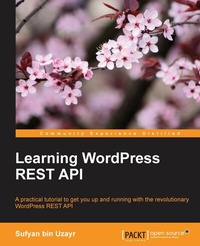
Learning WordPress REST API
A practical tutorial to get you up and running with the revolutionary WordPress REST API
Published on 8. July 2025
216 pages
978-1-78646-023-3 (ISBN)
Description

A practical tutorial to get you up and running with the revolutionary WordPress REST API
Key Features
[*] Learn how to run the latest WordPress REST API with various platforms
[*] Create exciting apps and manage non-WordPress content with them
[*] Secure, export, and manage your data through illustrative examples
Book DescriptionThe WordPress REST API is a recent innovation that has the potential to unlock several new opportunities for WordPress developers. It can help you integrate with technologies outside of WordPress, as well as offer great flexibility when developing themes and plugins for WordPress. As such, the REST API can make developers' lives easier. The book begins by covering the basics of the REST API and how it can be used along with WordPress. Learn how the REST API interacts with WordPress, allowing you to copy posts and modify post metadata. Move on to get an understanding of taxonomies and user roles are in WordPress and how to use them with the WordPress REST API. Next, find out how to edit and process forms with AJAX and how to create custom routes and functions. You will create a fully-functional single page web app using a WordPress site and the REST API. Lastly, you will see how to deal with the REST API in future versions and will use it to interact it with third-party services. By the end of the book, you will be able to work with the WordPress REST API to build web applications. What you will learn
[*] Use the WordPress REST API to read, write, and edit posts
[*] Create and work with metadata using the WordPress REST API
[*] Work with taxonomies using the REST API
[*] Add custom routes and build apps using the WordPress REST API
[*] Process requests and integrate with external applications and frameworks
[*] Make your WordPress projects ready for the RESTful API standard
Who this book is forThis book is for WordPress developers and designers who want to get a complete practical understanding of the WordPress REST API and leverage it to create fully-featured web apps.
Key Features
[*] Learn how to run the latest WordPress REST API with various platforms
[*] Create exciting apps and manage non-WordPress content with them
[*] Secure, export, and manage your data through illustrative examples
Book DescriptionThe WordPress REST API is a recent innovation that has the potential to unlock several new opportunities for WordPress developers. It can help you integrate with technologies outside of WordPress, as well as offer great flexibility when developing themes and plugins for WordPress. As such, the REST API can make developers' lives easier. The book begins by covering the basics of the REST API and how it can be used along with WordPress. Learn how the REST API interacts with WordPress, allowing you to copy posts and modify post metadata. Move on to get an understanding of taxonomies and user roles are in WordPress and how to use them with the WordPress REST API. Next, find out how to edit and process forms with AJAX and how to create custom routes and functions. You will create a fully-functional single page web app using a WordPress site and the REST API. Lastly, you will see how to deal with the REST API in future versions and will use it to interact it with third-party services. By the end of the book, you will be able to work with the WordPress REST API to build web applications. What you will learn
[*] Use the WordPress REST API to read, write, and edit posts
[*] Create and work with metadata using the WordPress REST API
[*] Work with taxonomies using the REST API
[*] Add custom routes and build apps using the WordPress REST API
[*] Process requests and integrate with external applications and frameworks
[*] Make your WordPress projects ready for the RESTful API standard
Who this book is forThis book is for WordPress developers and designers who want to get a complete practical understanding of the WordPress REST API and leverage it to create fully-featured web apps.
All prices
More details
Edition
Digital original
Language
English
Place of publication
Birmingham
United Kingdom
Target group
Professional and scholarly
US School Grade: College Graduate Student
Edition type
Digital original
File size
2,77 MB
ISBN-13
978-1-78646-023-3 (9781786460233)
Copyright in bibliographic data and cover images is held by Nielsen Book Services Limited or by the publishers or by their respective licensors: all rights reserved.
Schweitzer Classification
Other editions
Additional editions
Sufyan bin Uzayr
Learning WordPress REST API
A practical tutorial to get you up and running with the revolutionary WordPress REST API
Book
07/2016
Packt Publishing
€39.50
Shipment within 3-4 weeks
Person
Uzayr Sufyan bin :
Sufyan bin Uzayr is a writer, teacher, and developer with 10+ years of experience in the industry. He is an open source enthusiast and specializes in a wide variety of technologies. He holds four master's degrees and has authored multiple books. Sufyan is an avid writer. He regularly writes about topics related to coding, tech, politics, and sports. He is a regular columnist for various publications and magazines. Sufyan is the CEO of Parakozm, a software development company catering to a global clientele. He is also the CTO at Samurai Servers, a web server management company focusing mainly on enterprise-scale audiences. In his spare time, Sufyan teaches coding and English to young students. Learn more about his works at his website - sufyanism.
Sufyan bin Uzayr is a writer, teacher, and developer with 10+ years of experience in the industry. He is an open source enthusiast and specializes in a wide variety of technologies. He holds four master's degrees and has authored multiple books. Sufyan is an avid writer. He regularly writes about topics related to coding, tech, politics, and sports. He is a regular columnist for various publications and magazines. Sufyan is the CEO of Parakozm, a software development company catering to a global clientele. He is also the CTO at Samurai Servers, a web server management company focusing mainly on enterprise-scale audiences. In his spare time, Sufyan teaches coding and English to young students. Learn more about his works at his website - sufyanism.
Content
Table of Contents
Getting Started
Interacting with REST API in WordPress
Working with Taxonomies and users with REST API
Working with FORMS using REST API
Custom Routes in wordpress REST API
Creating a simple Web App using wordpress REST Api
Mastering REST API for your projects
WordPress REST API in practice
Summing it up
Getting Started
Interacting with REST API in WordPress
Working with Taxonomies and users with REST API
Working with FORMS using REST API
Custom Routes in wordpress REST API
Creating a simple Web App using wordpress REST Api
Mastering REST API for your projects
WordPress REST API in practice
Summing it up

