

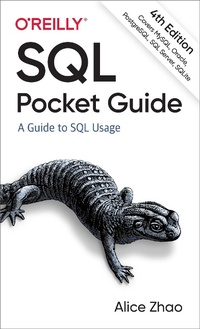
SQL Pocket Guide
4th Edition
Published on 26. August 2021
356 pages
978-1-4920-9037-3 (ISBN)
Description

If you use SQL in your day-to-day work as a data analyst, data scientist, or data engineer, this popular pocket guide is your ideal on-the-job reference. You''ll find many examples that address the language''s complexities, along with key aspects of SQL used in Microsoft SQL Server, MySQL, Oracle Database, PostgreSQL, and SQLite.
In this updated edition, author Alice Zhao describes how these database management systems implement SQL syntax for both querying and making changes to a database. You''ll find details on data types and conversions, regular expression syntax, window functions, pivoting and unpivoting, and more.
- Quickly look up how to perform specific tasks using SQL
- Apply the book''s syntax examples to your own queries
- Update SQL queries to work in five different database management systems
- NEW: Connect Python and R to a relational database
- NEW: Look up frequently asked SQL questions in the "How Do I?" chapter
More details
Other editions
Additional editions
Book
09/2021
4th Edition
O'Reilly
€36.50
Shipment within 15-20 days
Previous edition
Content
- Cover
- Copyright
- Table of Contents
- Preface
- Why SQL?
- Goals of This Book
- Updates to the Fourth Edition
- Navigating This Book
- I. Basic Concepts
- II. Database Objects, Data Types, and Functions
- III. Advanced Concepts
- Conventions Used in This Book
- Using Code Examples
- O'Reilly Online Learning
- How to Contact Us
- Acknowledgments
- Chapter 1. SQL Crash Course
- What Is a Database?
- SQL
- NoSQL
- Database Management Systems (DBMS)
- A SQL Query
- SQL Statements
- SQL Queries
- The SELECT Statement
- Order of Execution
- A Data Model
- Chapter 2. Where Can I Write SQL Code?
- RDBMS Software
- Which RDBMS to Choose?
- What Is a Terminal Window?
- SQLite
- MySQL
- Oracle
- PostgreSQL
- SQL Server
- Database Tools
- Connect a Database Tool to a Database
- Other Programming Languages
- Connect Python to a Database
- Connect R to a Database
- Chapter 3. The SQL Language
- Comparison to Other Languages
- ANSI Standards
- SQL Terms
- Keywords and Functions
- Identifiers and Aliases
- Statements and Clauses
- Expressions and Predicates
- Comments, Quotes, and Whitespace
- Sublanguages
- Chapter 4. Querying Basics
- The SELECT Clause
- Selecting Columns
- Selecting All Columns
- Selecting Expressions
- Selecting Functions
- Aliasing Columns
- Qualifying Columns
- Selecting Subqueries
- DISTINCT
- The FROM Clause
- From Multiple Tables
- From Subqueries
- Why Use a Subquery in the FROM Clause?
- The WHERE Clause
- Multiple Predicates
- Filtering on Subqueries
- The GROUP BY Clause
- The HAVING Clause
- The ORDER BY Clause
- The LIMIT Clause
- Chapter 5. Creating, Updating, and Deleting
- Databases
- Data Model Versus Schema
- Display Names of Existing Databases
- Display Name of Current Database
- Switch to Another Database
- Create a Database
- Delete a Database
- Creating Tables
- Create a Simple Table
- Display Names of Existing Tables
- Create a Table That Does Not Already Exist
- Create a Table with Constraints
- Create a Table with Primary and Foreign Keys
- Create a Table with an Automatically Generated Field
- Insert the Results of a Query into a Table
- Insert Data from a Text File into a Table
- Modifying Tables
- Rename a Table or Column
- Display, Add, and Delete Columns
- Display, Add, and Delete Rows
- Display, Add, Modify, and Delete Constraints
- Update a Column of Data
- Update Rows of Data
- Update Rows of Data with the Results of a Query
- Delete a Table
- Indexes
- Book Index Versus SQL Index Comparison
- Create an Index to Speed Up Queries
- Views
- Create a View to Save the Results of a Query
- Transaction Management
- Double-Check Changes Before a COMMIT
- Undo Changes with a ROLLBACK
- Chapter 6. Data Types
- How to Choose a Data Type
- Numeric Data
- Numeric Values
- Integer Data Types
- Decimal Data Types
- Floating Point Data Types
- String Data
- String Values
- Character Data Types
- Unicode Data Types
- Datetime Data
- Datetime Values
- Datetime Data Types
- Other Data
- Boolean Data
- External Files (Images, Documents, etc.)
- Chapter 7. Operators and Functions
- Operators
- Logical Operators
- Comparison Operators
- Math Operators
- Aggregate Functions
- Numeric Functions
- Apply Math Functions
- Generate Random Numbers
- Round and Truncate Numbers
- Convert Data to a Numeric Data Type
- String Functions
- Find the Length of a String
- Change the Case of a String
- Trim Unwanted Characters Around a String
- Concatenate Strings
- Search for Text in a String
- Extract a Portion of a String
- Replace Text in a String
- Delete Text from a String
- Use Regular Expressions
- Convert Data to a String Data Type
- Datetime Functions
- Return the Current Date or Time
- Add or Subtract a Date or Time Interval
- Find the Difference Between Two Dates or Times
- Extract a Part of a Date or Time
- Determine the Day of the Week of a Date
- Round a Date to the Nearest Time Unit
- Convert a String to a Datetime Data Type
- Null Functions
- Return an Alternative Value if There Is a Null Value
- Chapter 8. Advanced Querying Concepts
- Case Statements
- Display Values Based on If-Then Logic for a Single Column
- Display Values Based on If-Then Logic for Multiple Columns
- Grouping and Summarizing
- GROUP BY Basics
- Aggregate Rows into a Single Value or List
- ROLLUP, CUBE, and GROUPING SETS
- Window Functions
- Aggregate Function
- Window Function
- Rank the Rows in a Table
- Return the First Value in Each Group
- Return the Second Value in Each Group
- Return the First Two Values in Each Group
- Return the Prior Row Value
- Calculate the Moving Average
- Calculate the Running Total
- Pivoting and Unpivoting
- Break Up the Values of a Column into Multiple Columns
- List the Values of Multiple Columns in a Single Column
- Chapter 9. Working with Multiple Tables and Queries
- Joining Tables
- Join Basics and INNER JOIN
- LEFT JOIN, RIGHT JOIN, and FULL OUTER JOIN
- USING and NATURAL JOIN
- CROSS JOIN and Self Join
- Union Operators
- UNION
- EXCEPT and INTERSECT
- Common Table Expressions
- CTEs Versus Subqueries
- Recursive CTEs
- Chapter 10. How Do I.?
- Find the Rows Containing Duplicate Values
- Return All Unique Combinations
- Return Only the Rows with Duplicate Values
- Select Rows with the Max Value for Another Column
- Concatenate Text from Multiple Fields into a Single Field
- Concatenate Text from Fields in a Single Row
- Concatenate Text from Fields in Multiple Rows
- Find All Tables Containing a Specific Column Name
- Update a Table Where the ID Matches Another Table
- Index
