

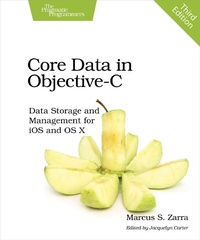
Core Data in Objective-C
Description

Core Data is Apple's data storage framework: it's powerful, built-in, and can integrate with iCloud. Discover all of Core Data's powerful capabilities, learn fundamental principles including thread and memory management, and add Core Data to both your iOS and OS X projects. All examples in this edition are based on Objective-C and are up-to-date for the latest versions of OS X El Capitan and iOS 9.
Core Data expert Marcus Zarra walks you through a fully developed application based around the Core Data APIs. You'll build on this application throughout the book, learning key Core Data principles such as NSPredicate, NSFetchRequest, thread management, and memory management.
Start with the basics of Core Data and learn how to use it to develop your application. Then delve deep into the API details. Explore how to get Core Data integrated into your application properly, and work with this flexible API to create convenience methods to improve your application's maintainability. Reduce your migration difficulties, integrate your Core Data app with iCloud and Watch Kit, and use Core Data in a queue-based environment. By the end of the book, you'll have built a full-featured application, gained a complete understanding of Core Data, and learned how to integrate your application into the iPhone/iPad platform.
This third edition updates all examples for OS X El Capitan and iOS 9, and gets you up to speed on changes in multithreading and batch processing. There's a new chapter on efficiently importing data from a network location, and a new discussion of how best to pre-load data into your application.
What You Need:
Mac OS X El Capitan and iOS 9 and a basic working knowledge of Objective-C
More details
Other editions
Additional editions
Person
Marcus S. Zarra has spoken at numerous conferences around the globe and has taught Objective-C at top U.S. colleges. Marcus has been developing iOS applications since day one, and was one of the few developers to have an application available in the App Store on the first day. Outside of Apple, no one has been working with Core Data longer or on more applications.
Content
- Cover
- Table of Contents
- Introduction
- Is This Book for You?
- What Is Core Data?
- Online Resources
- 1. Building a Foundation
- The Storyboard
- The Recipe List
- The Recipe Detail
- The Edit Workflow
- Ready for Core Data
- 2. Under the Hood of Core Data
- Introducing the NSManagedObjectModel
- Integrating with the NSPersistentStoreCoordinator
- Adding the NSManagedObjectContext
- Working with NSManagedObject Instances
- Building an NSFetchRequest
- NSSortDescriptor
- Wrapping Up
- 3. iOS: NSFetchedResultsController
- How to Use the NSFetchedResultsController
- Under the Hood of the NSFetchedResultsController
- Building Our Own: ZSContextWatcher
- Wrapping Up
- 4. Versioning and Migration
- Some Maintenance Before We Migrate
- A Simple Migration
- The Difference Between Light and Heavy Migrations
- A Heavy/Manual Migration
- Fundamentals of Core Data Versioning
- Progressive Data Migration (An Academic Exercise)
- Wrapping Up
- 5. Performance Tuning
- Persistent Store Types
- Optimizing Your Data Model
- Fetching
- Faulting
- Access Patterns
- Wrapping Up
- 6. Threading
- Threading and Core Data
- Working on the Main Queue
- Working off the Main Queue
- Interqueue Communication
- Parent/Child NSManagedObjectContext Design
- Export Operation
- Import Operation
- Asynchronous Saving
- Debug Concurrency Checking
- Wrapping Up
- 7. Bulk Changes
- Running with Scissors
- Doing Bulk Updates
- Notifying the Application of Changes
- Bulk Deletes
- Things to Consider When Using the Bulk Change APIs
- Wrapping Up
- 8. Using Core Data with iCloud
- Introducing the UIManagedDocument
- Direct NSManagedObjectContext to iCloud
- Consuming Changes from iCloud
- Under the Hood
- Migrating an Existing Application
- Desktop iCloud Integration
- Issues with Data Quantities
- Sharing Data Between iOS and OS X
- Wrapping Up
- 9. Adding a Desktop Foundation
- Our Application
- Our Application Design
- Sharing the Data Model
- Building the Controller Layer
- Building the User Interface
- Adding a Splash of Code
- Wrapping Up
- 10. OS X: Bindings, KVC, and KVO
- Key Value Coding
- Key Value Observing
- Cocoa Bindings and Core Data
- Other Interface Elements That Use KVO, KVC, and Core Data
- Wrapping Up
- 11. Spotlight, Quick Look, and Core Data
- Integrating with Spotlight
- Integrating with Quick Look
- Putting It All Together
- Wrapping Up
- 12. Dynamic Parameters
- Building the Xcode Example Project
- The DocumentPreferences Object
- Using Document Preferences
- Wrapping Up
- Bibliography
- Index
- - A -
- - B -
- - C -
- - D -
- - E -
- - F -
- - G -
- - H -
- - I -
- - J -
- - K -
- - L -
- - M -
- - N -
- - O -
- - P -
- - Q -
- - R -
- - S -
- - T -
- - U -
- - V -
- - W -
- - X -
- - Z -
