

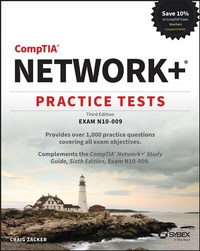
CompTIA Network+ Practice Tests
Description

Assess and improve your networking skillset with proven Sybex practice tests
In the freshly revised Third Edition of CompTIA Network+ Practice Tests Exam N10-009, IT expert and author Craig Zacker delivers a set of accessible and useful practice tests for the updated Network+ Exam N10-009. You'll prepare for the exam, learn the information you need in an industry interview, and get ready to excel in your first networking role.
These practice tests gauge your skills in deploying wired and wireless devices; understanding network documentation and the purpose of network services; work with datacenter, cloud, and virtual networking concepts; monitor network activity; and more.
This book also offers:
- Comprehensive coverage of all five domain areas of the updated Network+ exam, including network concepts, implementation, operations, security, and troubleshooting
- Practical and efficient preparation for the Network+ exam with hundreds of domain-by-domain questions
- Access to the Sybex interactive learning environment and online test bank
Perfect for anyone preparing for the CompTIA Network+ Exam N10-009, the CompTIA Network+ Practice Tests Exam N10-009 is also an indispensable resource for network administrators seeking to enhance their skillset with new, foundational skills in a certification endorsed by industry leaders around the world.
And save 10% when you purchase your CompTIA exam voucher with our exclusive WILEY10 coupon code.
More details
Other editions
Additional editions
Person
ABOUT THE AUTHOR
Craig Zacker, is the author or co-author of dozens of books, manuals, articles, and web sites on computer and networking topics.
Content
Introduction xiii
Chapter 1 Networking Concepts 1
1.1 Explain concepts related to the Open Systems Interconnection (OSI) reference model 8
1.2 Compare and contrast networking appliances, applications, and functions 15
1.3 Summarize cloud concepts and connectivity options 25
1.4 Explain common networking ports, protocols, services, and traffic types 29
1.5 Compare and contrast transmission media and transceivers 37
1.6 Compare and contrast network topologies, architectures, and types 48
1.7 Given a scenario, use appropriate IPv4 network addressing 53
1.8 Summarize evolving use cases for modern network environments 59
Chapter 2 Network Implementation 63
2.1 Explain characteristics of routing technologies 66
2.2 Given a scenario, configure switching technologies and features 73
2.3 Given a scenario, select and configure wireless devices and technologies 83
2.4 Explain important factors of physical installations 94
Chapter 3 Network Operations 103
3.1 Explain the purpose of organizational processes and procedures 108
3.2 Given a scenario, use network monitoring technologies 118
3.3 Explain disaster recovery (DR) concepts 124
3.4 Given a scenario, implement IPv4 and IPv 6 network services 131
3.5 Compare and contrast network access and management methods 138
Chapter 4 Network Security 145
4.1 Explain the importance of basic network security concepts 148
4.2 Summarize various types of attacks and their impact to the network 160
4.3 Given a scenario, apply network security features, defense techniques, and solutions 167
Chapter 5 Network Troubleshooting 177
5.1 Explain the troubleshooting methodology 181
5.2 Given a scenario, troubleshoot common cabling and physical interface issues 187
5.3 Given a scenario, troubleshoot common issues with network services 201
5.4 Given a scenario, troubleshoot common performance issues 211
5.5 Given a scenario, use the appropriate tool or protocol to solve networking issues 219
Chapter 6 Practice Test 1 241
Chapter 7 Practice Test 2 267
Appendix Answers to Review Questions 293
Chapter 1: Networking Concepts 294
Chapter 2: Network Implementation 328
Chapter 3: Network Operations 351
Chapter 4: Network Security 375
Chapter 5: Network Troubleshooting 396
Chapter 6: Practice Test 1 428
Chapter 7: Practice Test 2 443
Index 457
