

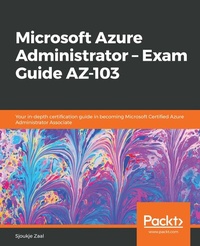
Microsoft Azure Administrator ??? Exam Guide AZ-103
Your in-depth certification guide in becoming Microsoft Certified Azure Administrator Associate
1st Edition
Published on 3. June 2024
452 pages
978-1-83882-555-3 (ISBN)
Description

Manage Microsoft Azure cloud services that span storage, security, networking, and compute cloud capabilities and ace the AZ-103 Exam Key Features - Learn features and concepts related to Azure's administration services
- Gain an understanding of different Azure services related to infrastructure, applications, and environments
- Test your knowledge by taking mock tests with up-to-date exam questions
Book DescriptionMicrosoft Azure Administrator - Exam Guide AZ-103 will cover all the exam objectives that will help you achieve Microsoft Azure Administrator certification. Whether you want to pass the AZ-103 exam or simply want hands-on experience in administering Azure, this study guide will help you achieve your goal. It covers the latest features and capabilities related to configuring, managing, and securing Azure resources. Following Microsoft's AZ-103 exam syllabus, this guide is divided into five modules. The first module helps you understand how to manage Azure subscriptions and resources. You will be able to configure Azure subscription policies at Azure subscription level and even learn how to use Azure policies for resource groups. Later, the book covers techniques related to implementing and managing storage in Azure. You will be able to create and configure backup policies and perform restore operations. The next module will guide you through creating, configuring, and deploying virtual machines for Windows and Linux. In the last two modules, you will learn about configuring and monitoring virtual networks and managing identities. The book concludes with effective mock tests, along with answers to them to help you confidently pass the exam. By the end of this book, you will have developed the skills you need to pass Exam AZ-103 and gain the corresponding certification.What you will learn - Configure Azure subscription policies and manage resource groups
- Monitor activity logs by using Log Analytics
- Modify and deploy Azure Resource Manager (ARM) templates
- Protect your data with Azure Site Recovery
- Learn how to manage identities in Azure
- Monitor and troubleshoot virtual network connectivity
- Manage Azure Active Directory Connect, password sync, and password writeback
Who this book is forThis book is for Azure administrators, systems administrators or anyone preparing for AZ 103 exam and wants to master Azure's various administration features. Readers should have proficiency in working with PowerShell, CLI and other day-to-day Azure administration tasks.
- Gain an understanding of different Azure services related to infrastructure, applications, and environments
- Test your knowledge by taking mock tests with up-to-date exam questions
Book DescriptionMicrosoft Azure Administrator - Exam Guide AZ-103 will cover all the exam objectives that will help you achieve Microsoft Azure Administrator certification. Whether you want to pass the AZ-103 exam or simply want hands-on experience in administering Azure, this study guide will help you achieve your goal. It covers the latest features and capabilities related to configuring, managing, and securing Azure resources. Following Microsoft's AZ-103 exam syllabus, this guide is divided into five modules. The first module helps you understand how to manage Azure subscriptions and resources. You will be able to configure Azure subscription policies at Azure subscription level and even learn how to use Azure policies for resource groups. Later, the book covers techniques related to implementing and managing storage in Azure. You will be able to create and configure backup policies and perform restore operations. The next module will guide you through creating, configuring, and deploying virtual machines for Windows and Linux. In the last two modules, you will learn about configuring and monitoring virtual networks and managing identities. The book concludes with effective mock tests, along with answers to them to help you confidently pass the exam. By the end of this book, you will have developed the skills you need to pass Exam AZ-103 and gain the corresponding certification.What you will learn - Configure Azure subscription policies and manage resource groups
- Monitor activity logs by using Log Analytics
- Modify and deploy Azure Resource Manager (ARM) templates
- Protect your data with Azure Site Recovery
- Learn how to manage identities in Azure
- Monitor and troubleshoot virtual network connectivity
- Manage Azure Active Directory Connect, password sync, and password writeback
Who this book is forThis book is for Azure administrators, systems administrators or anyone preparing for AZ 103 exam and wants to master Azure's various administration features. Readers should have proficiency in working with PowerShell, CLI and other day-to-day Azure administration tasks.
More details
Other editions
Additional editions
Sjoukje Zaal
Microsoft Azure Administrator ??? Exam Guide AZ-103
Your in-depth certification guide in becoming Microsoft Certified Azure Administrator Associate
Book
05/2019
Packt Publishing
€52.20
Shipment within 3-4 weeks
Person
Zaal Sjoukje :
Sjoukje Zaal is head of the Microsoft Cloud Center of Excellence, Microsoft Regional Director, and Microsoft Azure MVP with over 20 years' experience in architecture, development, consultancy, and design-related roles. She currently works at Capgemini, a global leader in consultancy, technology services, and digital transformation. She loves to share her knowledge and is active in the Microsoft community as a co-founder of the user groups Tech Daily Chronicle, Global XR Community, and the Mixed Reality User Group. She is also a board member of Azure Thursdays and Global Azure. Sjoukje is an international speaker and is involved in organizing many events. She has written several books and writes blogs.
Sjoukje Zaal is head of the Microsoft Cloud Center of Excellence, Microsoft Regional Director, and Microsoft Azure MVP with over 20 years' experience in architecture, development, consultancy, and design-related roles. She currently works at Capgemini, a global leader in consultancy, technology services, and digital transformation. She loves to share her knowledge and is active in the Microsoft community as a co-founder of the user groups Tech Daily Chronicle, Global XR Community, and the Mixed Reality User Group. She is also a board member of Azure Thursdays and Global Azure. Sjoukje is an international speaker and is involved in organizing many events. She has written several books and writes blogs.
Content
Table of Contents - Managing Azure Subscriptions and Resource Groups
- Analyzing Resource Utilization and Consumption
- Managing Role-Based Access Control
- Creating and Configuring Storage Accounts
- Importing and Exporting Data to Azure
- Configuring Azure Files and Implementing Azure Backup
- Creating and Configuring VMs for Windows and Linux
- Managing Azure VMs and VM Backups
- Implementing and Managing Virtual Networking
- Integrating On-Premise Networks with Azure Virtual Networks
- Monitoring and Troubleshooting Virtual Networking
- Azure Security Groups and Azure DNS
- Implementing Azure Load Balancer
- Managing Azure Active Directory
- Implementing and Managing Hybrid Identities
- Implementing Multi-Factor Authentication
- Mockup Test Questions
- Analyzing Resource Utilization and Consumption
- Managing Role-Based Access Control
- Creating and Configuring Storage Accounts
- Importing and Exporting Data to Azure
- Configuring Azure Files and Implementing Azure Backup
- Creating and Configuring VMs for Windows and Linux
- Managing Azure VMs and VM Backups
- Implementing and Managing Virtual Networking
- Integrating On-Premise Networks with Azure Virtual Networks
- Monitoring and Troubleshooting Virtual Networking
- Azure Security Groups and Azure DNS
- Implementing Azure Load Balancer
- Managing Azure Active Directory
- Implementing and Managing Hybrid Identities
- Implementing Multi-Factor Authentication
- Mockup Test Questions
