

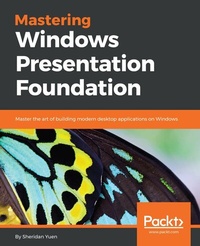
Mastering Windows Presentation Foundation
Master the art of building modern desktop applications on Windows
Published on 8. July 2025
568 pages
978-1-78588-577-8 (ISBN)
Description

Master the art of building modern desktop applications on Windows
Key Features
[*] Learn how to use the MVVM software architectural pattern and see the benefits of using it with Windows Presentation Fountain (WPF)
[*] Explore various ways to enhance efficiency through performance tuning and UI automation
[*] Obtain a deep understanding of data validation and understand various methods that suit different situations
Book DescriptionWindows Presentation Foundation is rich in possibilities when it comes to delivering an excellent user experience. This book will show you how to build professional-grade applications that look great and work smoothly. We start by providing you with a foundation of knowledge to improve your workflow - this includes teaching you how to build the base layer of the application, which will support all that comes after it. We'll also cover the useful details of data binding. Next, we cover the user interface and show you how to get the most out of the built-in and custom WPF controls. The final section of the book demonstrates ways to polish your applications, from adding practical animations and data validation to improving application performance. The book ends with a tutorial on how to deploy your applications and outlines potential ways to apply your new-found knowledge so you can put it to use right away.What you will learn
[*] Use MVVM to improve workflow
[*] Create visually stunning user interfaces
[*] Perform data binds proficiently
[*] Implement advanced data validation
[*] Locate and resolve errors quickly
[*] Master practical animations
[*] Improve your applications' performance
Who this book is forThis book is for working developers with a moderate level of knowledge about Windows Presentation Foundation. It will also be of special interest to ambitious individuals who want to know more about application architecture. It is also suitable for those who just want to learn how to build visually stunning user interfaces.
Key Features
[*] Learn how to use the MVVM software architectural pattern and see the benefits of using it with Windows Presentation Fountain (WPF)
[*] Explore various ways to enhance efficiency through performance tuning and UI automation
[*] Obtain a deep understanding of data validation and understand various methods that suit different situations
Book DescriptionWindows Presentation Foundation is rich in possibilities when it comes to delivering an excellent user experience. This book will show you how to build professional-grade applications that look great and work smoothly. We start by providing you with a foundation of knowledge to improve your workflow - this includes teaching you how to build the base layer of the application, which will support all that comes after it. We'll also cover the useful details of data binding. Next, we cover the user interface and show you how to get the most out of the built-in and custom WPF controls. The final section of the book demonstrates ways to polish your applications, from adding practical animations and data validation to improving application performance. The book ends with a tutorial on how to deploy your applications and outlines potential ways to apply your new-found knowledge so you can put it to use right away.What you will learn
[*] Use MVVM to improve workflow
[*] Create visually stunning user interfaces
[*] Perform data binds proficiently
[*] Implement advanced data validation
[*] Locate and resolve errors quickly
[*] Master practical animations
[*] Improve your applications' performance
Who this book is forThis book is for working developers with a moderate level of knowledge about Windows Presentation Foundation. It will also be of special interest to ambitious individuals who want to know more about application architecture. It is also suitable for those who just want to learn how to build visually stunning user interfaces.
All prices
More details
Edition
Digital original
Language
English
Place of publication
Birmingham
United Kingdom
Target group
US School Grade: College Graduate Student
Edition type
Digital original
File size
3,61 MB
ISBN-13
978-1-78588-577-8 (9781785885778)
Copyright in bibliographic data and cover images is held by Nielsen Book Services Limited or by the publishers or by their respective licensors: all rights reserved.
Schweitzer Classification
Other editions
New editions
Sheridan Yuen
Mastering Windows Presentation Foundation
Build responsive UIs for desktop applications with WPF
E-Book
06/2024
2nd Edition
Packt Publishing Limited
€33.99
Available for download
Additional editions
Sheridan Yuen
Mastering Windows Presentation Foundation
Master the art of building modern desktop applications on Windows
Book
01/2017
Packt Publishing
€71.00
Shipment within 3-4 weeks
Person
Yuen Sheridan :
Sheridan Yuen is a Microsoft .NET MCTS and Oracle Java SCJP certified software developer, living in London, England. His passion for coding made him stand out from the crowd right from the start. Since his second year at university, he was employed as a teaching assistant for the first year student coding workshops and has been returning as a guest lecturer. Among other prestigious positions, he was the primary software developer for the Ministry of Sound group for four years, working on their main music business application, responsible for creating their multi-award-winning albums. This application managed to increase its users' productivity by up to 80% in some cases. In addition to this, he architected a unique ticket scanning application for their award-winning nightclub, making it the first club in the world to introduce scanned ticket entry across all streams for their clients. Coming from a musical background and being a qualified audio engineer, with experience of record production and digital audio, this post was a perfect union. He soon became a popular figure in the C# and WPF sections of the Stack Overflow, "question and answer" website, being awarded enough reputation by the community members to raise him too well within the top half percent of all users. While authoring this book and other projects has kept him away for some time, he is keen to return to continue to help new users to get to grips with WPF.
Sheridan Yuen is a Microsoft .NET MCTS and Oracle Java SCJP certified software developer, living in London, England. His passion for coding made him stand out from the crowd right from the start. Since his second year at university, he was employed as a teaching assistant for the first year student coding workshops and has been returning as a guest lecturer. Among other prestigious positions, he was the primary software developer for the Ministry of Sound group for four years, working on their main music business application, responsible for creating their multi-award-winning albums. This application managed to increase its users' productivity by up to 80% in some cases. In addition to this, he architected a unique ticket scanning application for their award-winning nightclub, making it the first club in the world to introduce scanned ticket entry across all streams for their clients. Coming from a musical background and being a qualified audio engineer, with experience of record production and digital audio, this post was a perfect union. He soon became a popular figure in the C# and WPF sections of the Stack Overflow, "question and answer" website, being awarded enough reputation by the community members to raise him too well within the top half percent of all users. While authoring this book and other projects has kept him away for some time, he is keen to return to continue to help new users to get to grips with WPF.
Content
Table of Contents
A Smarter Way Of Working With WPF
Debugging WPF Applications
Writing Custom Application Frameworks
Becoming Proficient With Data Binding
Using The Right Controls for The Job
Mastering Practical Animations
Creating Visually Appealing User Interfaces
Implementing Responsive Data Validation
Investigating Real World Examples
Improving Application Performance
Deploying Your Masterpiece Application
What's Next?
A Smarter Way Of Working With WPF
Debugging WPF Applications
Writing Custom Application Frameworks
Becoming Proficient With Data Binding
Using The Right Controls for The Job
Mastering Practical Animations
Creating Visually Appealing User Interfaces
Implementing Responsive Data Validation
Investigating Real World Examples
Improving Application Performance
Deploying Your Masterpiece Application
What's Next?

