

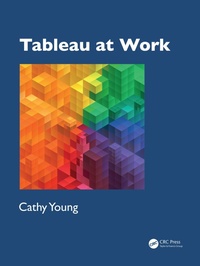
Tableau at Work
1st Edition
Published on 5. June 2025
390 pages
978-1-040-34357-9 (ISBN)
Description

With data and AI increasingly at the forefront of business today, you have a significant advantage when you can manage data, and uncover and communicate data insights effectively. By thoroughly cataloging, indexing, and cross-referencing material, this book flattens the steep Tableau learning curve, starting you on your data journey and serving as a comprehensive reference and study guide.
Where do I start with Tableau?
How do I prepare and connect to data files that are constantly changing? How do I share Tableau files with co-workers, and what is tall data?
How do I test whether the calculations and aggregations are correct?
How can I create vibrant charts with sorting, color, axis labels, annotations, mark labels, trend lines, tooltips, or reference lines?
The book includes over 60 worksheets and guides to deliver 40 quality charts and dashboards. In addition, there are another 60 focused and on-point examples, covering everything from context filters and weighted average calculations to transparent shapes and colors with placeholder fields. Similarly, nine step-by-step dashboard guides illustrate parameters, containers, buttons, actions, and more. With over 800 diagrams and images, clear explanations are provided for concepts including: Measures and Dimensions; Discrete vs. Continuous; Aggregation; Joins, Blends, and Relationships; Order of Operations; Mark Types and Color, Size, Text, Detail, and Tooltip Tiles; Actions, Sets, Links, Highlighting, and Parameters; Reference Lines and Trend Lines; Dashboard Layout, Containers, Filtering, and Interactivity.
Tableau at Work is the perfect book for anyone who wants a comprehensive guide and reference to Tableau, from beginners and novices all the way to advanced and professional users. Many of the Tableau workbooks can be downloaded from the author's Tableau Public profile and for more information you can also visit the author's website (www.TableauAtWork.com).
Where do I start with Tableau?
How do I prepare and connect to data files that are constantly changing? How do I share Tableau files with co-workers, and what is tall data?
How do I test whether the calculations and aggregations are correct?
How can I create vibrant charts with sorting, color, axis labels, annotations, mark labels, trend lines, tooltips, or reference lines?
The book includes over 60 worksheets and guides to deliver 40 quality charts and dashboards. In addition, there are another 60 focused and on-point examples, covering everything from context filters and weighted average calculations to transparent shapes and colors with placeholder fields. Similarly, nine step-by-step dashboard guides illustrate parameters, containers, buttons, actions, and more. With over 800 diagrams and images, clear explanations are provided for concepts including: Measures and Dimensions; Discrete vs. Continuous; Aggregation; Joins, Blends, and Relationships; Order of Operations; Mark Types and Color, Size, Text, Detail, and Tooltip Tiles; Actions, Sets, Links, Highlighting, and Parameters; Reference Lines and Trend Lines; Dashboard Layout, Containers, Filtering, and Interactivity.
Tableau at Work is the perfect book for anyone who wants a comprehensive guide and reference to Tableau, from beginners and novices all the way to advanced and professional users. Many of the Tableau workbooks can be downloaded from the author's Tableau Public profile and for more information you can also visit the author's website (www.TableauAtWork.com).
Reviews / Votes
"Tableau at Work is the perfect book for anyone who wants a comprehensive guide and reference to Tableau, from beginners and novices all the way to advanced and professional users. With data and AI increasingly at the forefront of business today, you have a significant advantage when you can manage data, and uncover and communicate data insights effectively. By thoroughly cataloging, indexing, and cross-referencing material, this book flattens the steep Tableau learning curve, starting you on your data journey and serving as a comprehensive reference and study guide." --The Textbook & Academic Authors Association (TAA) Blog, May 2025"The detailed walkthroughs are great and are something I wish I had when I first started learning Tableau. Having a book like this will decrease the learning curve of Tableau." --Scott Eaton, Data Visualization Manager, JP Morgan Chase & Co.
"I just finished reading Tableau at Work by Cathy Young and the content is as practical and digestive for a novice like myself, or it can challenge the mind of the most advanced level analyst. The abundance of depictions and hyperlinks not only creates the most user-friendly learning experience, they also partner well by enhancing the author's organic ability to simplify complex ideas and make them more accessible to readers. Step-by-step instructions will guide learners through each task, reduce errors, build confidence, and breaks complex processes into manageable actions, making success achievable for beginners. Users will be empowered to work independently and confidently. Definitely recommend for beginners and up also, as an added bonus, it's a steal! If you're ready to embark on the next chapter in your career, then this is THE move to make." --Latonya Marshall, JP Morgan Chase & Co.
More details
Edition
1. Auflage
Language
English
Place of publication
London
United Kingdom
Publishing group
Taylor & Francis Ltd
Target group
College/higher education
Professional and scholarly
Illustrations
50 Tables, black and white; 784 Line drawings, color; 62 Line drawings, black and white; 784 Illustrations, color; 62 Illustrations, black and white
File size
399,81 MB
ISBN-13
978-1-040-34357-9 (9781040343579)
Copyright in bibliographic data and cover images is held by Nielsen Book Services Limited or by the publishers or by their respective licensors: all rights reserved.
Schweitzer Classification
Other editions
Additional editions


Person
Cathy Young is a Data Analyst at JPMorgan CHASE and an award-winning author who has published books on Python, Tableau, Apple devices, and smart home technology. Her book Apple Watch Series 4: Telling Time & So Much More is the eLit Awards 2019 Silver Medal Winner. Cathy is a Tableau Ambassador for 2025.
Content
Author biography
Introduction
1. The Tableau Workspace
2. Data Sources
3. Tableau Terminology
4. The Language of Data
5. A Chart With a View
6. Storytelling With Charts
7. Visual Details
8. Filter & Sort
9. Dates
10. Table Calculations
11. Calculations
12. Formatting
13. Labeling & Text
14. Dashboards
15. Interactivity
Introduction
1. The Tableau Workspace
2. Data Sources
3. Tableau Terminology
4. The Language of Data
5. A Chart With a View
6. Storytelling With Charts
7. Visual Details
8. Filter & Sort
9. Dates
10. Table Calculations
11. Calculations
12. Formatting
13. Labeling & Text
14. Dashboards
15. Interactivity
