

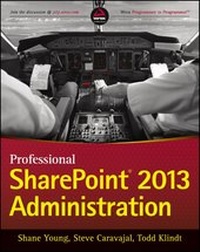
Professional SharePoint 2013 Administration
Published on 8. April 2013
840 pages
978-1-118-65504-7 (ISBN)
Description

SharePoint admin author gurus return to prepare you forworking with the new features of SharePoint 2013!
The new iteration of SharePoint boasts exciting new features.However, any new version also comes with its fair share ofchallenges and that's where this book comes in. The team ofSharePoint admin gurus returns to presents a fully updated resourcethat prepares you for making all the new SharePoint 2013 featureswork right. They cover all of the administration components ofSharePoint 2013 in detail, and present a clear understanding of howthey affect the role of the administrator.
* Compares and contrasts SharePoint 2013 to earlier versions
* Helps make your SharePoint 2013 installation smooth andsuccessful
* Addresses managing customizations
* Looks at SharePoint 2013 for Internet sites
* Includes an introduction to SQL Server 2012
Professional SharePoint 2013 Administration enhances yourSharePoint skill set and immerses you in the new content of theplatform.
The new iteration of SharePoint boasts exciting new features.However, any new version also comes with its fair share ofchallenges and that's where this book comes in. The team ofSharePoint admin gurus returns to presents a fully updated resourcethat prepares you for making all the new SharePoint 2013 featureswork right. They cover all of the administration components ofSharePoint 2013 in detail, and present a clear understanding of howthey affect the role of the administrator.
* Compares and contrasts SharePoint 2013 to earlier versions
* Helps make your SharePoint 2013 installation smooth andsuccessful
* Addresses managing customizations
* Looks at SharePoint 2013 for Internet sites
* Includes an introduction to SQL Server 2012
Professional SharePoint 2013 Administration enhances yourSharePoint skill set and immerses you in the new content of theplatform.
All prices
More details
Other editions
Additional editions
Shane Young | Steve Caravajal | Todd Klindt
Professional SharePoint 2013 Administration
Book
05/2013
Wrox Press
€47.00
Shipment within 15-20 days
Persons
Shane Young is a Microsoft SharePoint MVP and one of thebest-known SharePoint administrators. He is a frequent speaker atMicrosoft TechEd and other SharePoint Conferences. He has taughthundreds of students the art of SharePoint Administration throughhis company SharePoint 911, owned by RackSpace, and his SharePointAdmin blog.
Steve Caravajal, PhD, is a Director and ProductivityArchitect with the Microsoft Corporation. He has 23+ years'experience in technology and product development, consulting, andtraining. He is an Adjunct Professor who teaches enterprisearchitecture, public and private cloud technology, and softwaredevelopment. He has several patents and published articles, speaksat conferences, and has written several books.
Todd Klindt is a Microsoft SharePoint MVP who speaksregularly at Microsoft TechEd and other SharePoint conferencesinternationally. He has written articles for TechNetmagazine, Windows IT Pro magazine, and co-written severalbooks.
Wrox Professional guides are written by workingdevelopers to address everyday needs. They provide examples,practical solutions, and expert education in new technologies, alldesigned to help programmers do a better job.
Steve Caravajal, PhD, is a Director and ProductivityArchitect with the Microsoft Corporation. He has 23+ years'experience in technology and product development, consulting, andtraining. He is an Adjunct Professor who teaches enterprisearchitecture, public and private cloud technology, and softwaredevelopment. He has several patents and published articles, speaksat conferences, and has written several books.
Todd Klindt is a Microsoft SharePoint MVP who speaksregularly at Microsoft TechEd and other SharePoint conferencesinternationally. He has written articles for TechNetmagazine, Windows IT Pro magazine, and co-written severalbooks.
Wrox Professional guides are written by workingdevelopers to address everyday needs. They provide examples,practical solutions, and expert education in new technologies, alldesigned to help programmers do a better job.
Content
1 What's New in SharePoint 2013
2 Architecture and Capacity Planning
3 Installing and Configuring SharePoint
4 Understanding Service Applications
5 Upgrading to SharePoint 2013
6 Claims Identity Management and Security
7 Administering SharePoint with Windows PowerShell
8 Governance
9 Configuring SharePoint for HighAvailability Backups
10 Managing SharePoint Developer Solutions and Features
11 Managing Apps and the New App Model
12 Branding SharePoint
13 Configuring and Managing Enterprise Search
14 Configuring User Profiles and Social Computing
15 The Office Web Applications for SharePoint
16 Workflows in SharePoint
17 Integrating Office Clients with SharePoint
18 Working with SharePoint Designer
19 Troubleshooting SharePoint
20 Monitoring and Analytics
21 SharePoint for Internet Sites
22 Introduction to SQL Server 2012
23 Configuring Sharepoint for Business Intelligence
24 Business Intelligence Overview
2 Architecture and Capacity Planning
3 Installing and Configuring SharePoint
4 Understanding Service Applications
5 Upgrading to SharePoint 2013
6 Claims Identity Management and Security
7 Administering SharePoint with Windows PowerShell
8 Governance
9 Configuring SharePoint for HighAvailability Backups
10 Managing SharePoint Developer Solutions and Features
11 Managing Apps and the New App Model
12 Branding SharePoint
13 Configuring and Managing Enterprise Search
14 Configuring User Profiles and Social Computing
15 The Office Web Applications for SharePoint
16 Workflows in SharePoint
17 Integrating Office Clients with SharePoint
18 Working with SharePoint Designer
19 Troubleshooting SharePoint
20 Monitoring and Analytics
21 SharePoint for Internet Sites
22 Introduction to SQL Server 2012
23 Configuring Sharepoint for Business Intelligence
24 Business Intelligence Overview
