

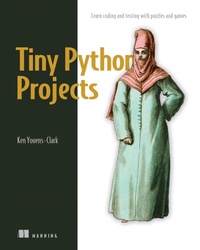
Tiny Python Projects
Learn coding and testing with puzzles and games
1st Edition
Published on 21. July 2020
440 pages
978-1-63835-083-5 (ISBN)
Description

"Tiny Python Projects is a gentle and amusing introduction to Python that will firm up key programming concepts while also making you giggle."-Amanda Debler, Schaeffler
Key Features
Learn new programming concepts through 21-bitesize programs
Build an insult generator, a Tic-Tac-Toe AI, a talk-like-a-pirate program, and more
Discover testing techniques that will make you a better programmer
Code-along with free accompanying videos on YouTube
Purchase of the print book includes a free eBook in PDF, Kindle, and ePub formats from Manning Publications.
About The Book
The 21 fun-but-powerful activities in Tiny Python Projects teach Python fundamentals through puzzles and games. You'll be engaged and entertained with every exercise, as you learn about text manipulation, basic algorithms, and lists and dictionaries, and other foundational programming skills. Gain confidence and experience while you create each satisfying project.
Instead of going quickly through a wide range of concepts, this book concentrates on the most useful skills, like text manipulation, data structures, collections, and program logic with projects that include a password creator, a word rhymer, and a Shakespearean insult generator. Author Ken Youens-Clark also teaches you good programming practice, including writing tests for your code as you go.
What You Will Learn
Write command-line Python programs
Manipulate Python data structures
Use and control randomness
Write and run tests for programs and functions
Download testing suites for each project
This Book Is Written For
For readers familiar with the basics of Python programming.
About The Author
Ken Youens-Clark is a Senior Scientific Programmer at the University of Arizona. He has an MS in Biosystems Engineering and has been programming for over 20 years.
Table of Contents
1 How to write and test a Python program
2 The crow's nest: Working with strings
3 Going on a picnic: Working with lists
4 Jump the Five: Working with dictionaries
5 Howler: Working with files and STDOUT
6 Words count: Reading files and STDIN, iterating lists, formatting strings
7 Gashlycrumb: Looking items up in a dictionary
8 Apples and Bananas: Find and replace
9 Dial-a-Curse: Generating random insults from lists of words
10 Telephone: Randomly mutating strings
11 Bottles of Beer Song: Writing and testing functions
12 Ransom: Randomly capitalizing text
13 Twelve Days of Christmas: Algorithm design
14 Rhymer: Using regular expressions to create rhyming words
15 The Kentucky Friar: More regular expressions
16 The Scrambler: Randomly reordering the middles of words
17 Mad Libs: Using regular expressions
18 Gematria: Numeric encoding of text using ASCII values
19 Workout of the Day: Parsing CSV files, creating text table output
20 Password strength: Generating a secure and memorable password
21 Tic-Tac-Toe: Exploring state
22 Tic-Tac-Toe redux: An interactive version with type hints
Key Features
Learn new programming concepts through 21-bitesize programs
Build an insult generator, a Tic-Tac-Toe AI, a talk-like-a-pirate program, and more
Discover testing techniques that will make you a better programmer
Code-along with free accompanying videos on YouTube
Purchase of the print book includes a free eBook in PDF, Kindle, and ePub formats from Manning Publications.
About The Book
The 21 fun-but-powerful activities in Tiny Python Projects teach Python fundamentals through puzzles and games. You'll be engaged and entertained with every exercise, as you learn about text manipulation, basic algorithms, and lists and dictionaries, and other foundational programming skills. Gain confidence and experience while you create each satisfying project.
Instead of going quickly through a wide range of concepts, this book concentrates on the most useful skills, like text manipulation, data structures, collections, and program logic with projects that include a password creator, a word rhymer, and a Shakespearean insult generator. Author Ken Youens-Clark also teaches you good programming practice, including writing tests for your code as you go.
What You Will Learn
Write command-line Python programs
Manipulate Python data structures
Use and control randomness
Write and run tests for programs and functions
Download testing suites for each project
This Book Is Written For
For readers familiar with the basics of Python programming.
About The Author
Ken Youens-Clark is a Senior Scientific Programmer at the University of Arizona. He has an MS in Biosystems Engineering and has been programming for over 20 years.
Table of Contents
1 How to write and test a Python program
2 The crow's nest: Working with strings
3 Going on a picnic: Working with lists
4 Jump the Five: Working with dictionaries
5 Howler: Working with files and STDOUT
6 Words count: Reading files and STDIN, iterating lists, formatting strings
7 Gashlycrumb: Looking items up in a dictionary
8 Apples and Bananas: Find and replace
9 Dial-a-Curse: Generating random insults from lists of words
10 Telephone: Randomly mutating strings
11 Bottles of Beer Song: Writing and testing functions
12 Ransom: Randomly capitalizing text
13 Twelve Days of Christmas: Algorithm design
14 Rhymer: Using regular expressions to create rhyming words
15 The Kentucky Friar: More regular expressions
16 The Scrambler: Randomly reordering the middles of words
17 Mad Libs: Using regular expressions
18 Gematria: Numeric encoding of text using ASCII values
19 Workout of the Day: Parsing CSV files, creating text table output
20 Password strength: Generating a secure and memorable password
21 Tic-Tac-Toe: Exploring state
22 Tic-Tac-Toe redux: An interactive version with type hints
More details
Other editions
Additional editions
Book
11/2020
Manning Publications
€37.50
Shipment within 10-20 days
Person
Ken Youens-Clark is a Senior Scientific Programmer at the University of Arizona. He has an MS in Biosystems Engineering and has been programming for over 20 years.
Content
- Intro
- Tiny Python Projects
- Copyright
- brief contents
- contents
- front matter
- preface
- Why write Python?
- Why did I write this book?
- acknowledgments
- about this book
- Who should read this book
- How this book is organized: A roadmap
- About the code
- Software/hardware requirements
- iiveBook discussion forum
- Other online resources
- about the author
- about the cover
- 0 Getting started: Introduction and installation guide
- Writing command-line programs
- Using test-driven development
- Setting up your environment
- Code examples
- Getting the code
- Installing modules
- Code formatters
- Code linters
- How to start writing new programs
- Why not Notebooks?
- The scope of topics we'll cover
- Why not object-oriented programming?
- A note about the lingo
- 1 How to write and test a Python program
- 1.1 Creating your first program
- 1.2 Comment lines
- 1.3 Testing your program
- 1.4 Adding the #! (shebang) line
- 1.5 Making a program executable
- 1.6 Understanding $PATH
- 1.6.1 Altering your $PATH
- 1.7 Adding a parameter and help
- 1.8 Making the argument optional
- 1.9 Running our tests
- 1.10 Adding the main() function
- 1.11 Adding the get_args() function
- 1.11.1 Checking style and errors
- 1.12 Testing hello.py
- 1.13 Starting a new program with new.py
- 1.14 Using template.py as an alternative to new.py
- Summary
- 2 The crow's nest: Working with strings
- 2.1 Getting started
- 2.1.1 How to use the tests
- 2.1.2 Creating programs with new.py
- 2.1.3 Write, test, repeat
- 2.1.4 Defining your arguments
- 2.1.5 Concatenating strings
- 2.1.6 Variable types
- 2.1.7 Getting just part of a string
- 2.1.8 Finding help in the REPL
- 2.1.9 String methods
- 2.1.10 String comparisons
- 2.1.11 Conditional branching
- 2.1.12 String formatting
- 2.1.13 Time to write
- 2.2 Solution
- 2.3 Discussion
- 2.3.1 Defining the arguments with get_args()
- 2.3.2 The main() thing
- 2.3.3 Classifying the first character of a word
- 2.3.4 Printing the results
- 2.3.5 Running the test suite
- 2.4 Going further
- Summary
- 3 Going on a picnic: Working with lists
- 3.1 Starting the program
- 3.2 Writing picnic.py
- 3.3 Introducing lists
- 3.3.1 Adding one element to a list
- 3.3.2 Adding many elements to a list
- 3.3.3 Indexing lists
- 3.3.4 Slicing lists
- 3.3.5 Finding elements in a list
- 3.3.6 Removing elements from a list
- 3.3.7 Sorting and reversing a list
- 3.3.8 Lists are mutable
- 3.3.9 Joining a list
- 3.4 Conditional branching with if/elif/else
- 3.4.1 Time to write
- 3.5 Solution
- 3.6 Discussion
- 3.6.1 Defining the arguments
- 3.6.2 Assigning and sorting the items
- 3.6.3 Formatting the items
- 3.6.4 Printing the items
- 3.7 Going further
- Summary
- 4 Jump the Five: Working with dictionaries
- 4.1 Dictionaries
- 4.1.1 Creating a dictionary
- 4.1.2 Accessing dictionary values
- 4.1.3 Other dictionary methods
- 4.2 Writing jump.py
- 4.3 Solution
- 4.4 Discussion
- 4.4.1 Defining the parameters
- 4.4.2 Using a dict for encoding
- 4.4.3 Various ways to process items in a series
- 4.4.4 (Not) using str.replace()
- 4.5 Going further
- Summary
- 5 Howler: Working with files and STDOUT
- 5.1 Reading files
- 5.2 Writing files
- 5.3 Writing howler.py
- 5.4 Solution
- 5.5 Discussion
- 5.5.1 Defining the arguments
- 5.5.2 Reading input from a file or the command line
- 5.5.3 Choosing the output file handle
- 5.5.4 Printing the output
- 5.5.5 A low-memory version
- 5.6 Going further
- Summary
- 6 Words count: Reading files and STDIN, iterating lists, formatting strings
- 6.1 Writing wc.py
- 6.1.1 Defining file inputs
- 6.1.2 Iterating lists
- 6.1.3 What you're counting
- 6.1.4 Formatting your results
- 6.2 Solution
- 6.3 Discussion
- 6.3.1 Defining the arguments
- 6.3.2 Reading a file using a for loop
- 6.4 Going further
- Summary
- 7 Gashlycrumb: Looking items up in a dictionary
- 7.1 Writing gashlycrumb.py
- 7.2 Solution
- 7.3 Discussion
- 7.3.1 Handling the arguments
- 7.3.2 Reading the input file
- 7.3.3 Using a dictionary comprehension
- 7.3.4 Dictionary lookups
- 7.4 Going further
- Summary
- 8 Apples and Bananas: Find and replace
- 8.1 Altering strings
- 8.1.1 Using the str.replace() method
- 8.1.2 Using str.translate()
- 8.1.3 Other ways to mutate strings
- 8.2 Solution
- 8.3 Discussion
- 8.3.1 Defining the parameters
- 8.3.2 Eight ways to replace the vowels
- 8.4 Refactoring with tests
- 8.5 Going further
- Summary
- 9 Dial-a-Curse: Generating random insults from lists of words
- 9.2 Writing abuse.py
- 9.1.1 Validating arguments
- 9.1.2 Importing and seeding the random module
- 9.1.3 Defining the adjectives and nouns
- 9.1.4 Taking random samples and choices
- 9.1.5 Formatting the output
- 9.2 Solution
- 9.3 Discussion
- 9.3.1 Defining the arguments
- 9.3.2 Using parser.error()
- 9.3.3 Program exit values and STDERR
- 9.3.4 Controlling randomness with random.seed()
- 9.3.5 Iterating with range() and using throwaway variables
- 9.3.6 Constructing the insults
- 9.4 Going further
- Summary
- 10 Telephone: Randomly mutating strings
- 10.1 Writing telephone.py
- 10.1.1 Calculating the number of mutations
- 10.1.2 The mutation space
- 10.1.3 Selecting the characters to mutate
- 10.1.4 Mutating a string
- 10.1.5 Time to write
- 10.2 Solution
- 10.3 Discussion
- 10.3.1 Mutating a string
- 10.3.2 Using a list instead of a str
- 10.4 Going further
- Summary
- 11 Bottles of Beer Song: Writing and testing functions
- 11.1 Writing bottles.py
- 11.1.1 Counting down
- 11.1.2 Writing a function
- 11.1.3 Writing a test for verse()
- 11.1.4 Using the verse() function
- 11.2 Solution
- 11.3 Discussion
- 11.3.1 Counting down
- 11.3.2 Test-driven development
- 11.3.3 The verse() function
- 11.3.4 Iterating through the verses
- 11.3.5 1,500 other solutions
- 11.4 Going further
- Summary
- 12 Ransom: Randomly capitalizing text
- 12.1 Writing ransom.py
- 12.1.1 Mutating the text
- 12.1.2 Flipping a coin
- 12.1.3 Creating a new string
- 12.2 Solution
- 12.3 Discussion
- 12.3.1 Iterating through elements in a sequence
- 12.3.2 Writing a function to choose the letter
- 12.3.3 Another way to write list.append()
- 12.3.4 Using a str instead of a list
- 12.3.5 Using a list comprehension
- 12.3.6 Using a map() function
- 12.4 Comparing methods
- 12.5 Going further
- Summary
- 13 Twelve Days of Christmas: Algorithm design
- 13.1 Writing twelve_days.py
- 13.1.1 Counting
- 13.1.2 Creating the ordinal value
- 13.1.3 Making the verses
- 13.1.4 Using the verse() function
- 13.1.5 Printing
- 13.1.6 Time to write
- 13.2 Solution
- 13.3 Discussion
- 13.3.1 Making one verse
- 13.3.2 Generating the verses
- 13.3.3 Printing the verses
- 13.4 Going further
- Summary
- 14 Rhymer: Using regular expressions to create rhyming words
- 14.1 Writing rhymer.py
- 14.1.1 Breaking a word
- 14.1.2 Using regular expressions
- 14.1.3 Using capture groups
- 14.1.4 Truthiness
- 14.1.5 Creating the output
- 14.2 Solution
- 14.3 Discussion
- 14.3.1 Stemming a word
- 14.3.2 Formatting and commenting the regular expression
- 14.3.3 Using the stemmer() function outside your program
- 14.3.4 Creating rhyming strings
- 14.3.5 Writing stemmer() without regular expressions
- 14.4 Going further
- Summary
- 15 The Kentucky Friar: More regular expressions
- 15.1 Writing friar.py
- 15.1.1 Splitting text using regular expressions
- 15.1.2 Shorthand classes
- 15.1.3 Negated shorthand classes
- 15.1.4 Using re.split() with a captured regex
- 15.1.5 Writing the fry() function
- 15.1.6 Using the fry() function
- 15.2 Solution
- 15.3 Discussion
- 15.3.1 Writing the fry() function manually
- 15.3.2 Writing the fry() function with regular expressions
- 15.4 Going further
- Summary
- 16 The scrambler: Randomly reordering the middles of words
- 16.1 Writing scrambler.py
- 16.1.1 Breaking the text into lines and words
- 16.1.2 Capturing, non-capturing, and optional groups
- 16.1.3 Compiling a regex
- 16.1.4 Scrambling a word
- 16.1.5 Scrambling all the words
- 16.2 Solution
- 16.3 Discussion
- 16.3.1 Processing the text
- 16.3.2 Scrambling a word
- 16.4 Going further
- Summary
- 17 Mad Libs:Using regular expressions
- 17.1 Writing mad.py
- 17.1.1 Using regular expressions to find the pointy bits
- 17.1.2 Halting and printing errors
- 17.1.3 Getting the values
- 17.1.4 Substituting the text
- 17.2 Solution
- 17.3 Discussion
- 17.3.1 Substituting with regular expressions
- 17.3.2 Finding the placeholders without regular expressions
- 17.4 Going further
- Summary
- 18 Gematria: Numeric encoding of text using ASCII values
- 18.1 Writing gematria.py
- 18.1.1 Cleaning a word
- 18.1.2 Ordinal character values and ranges
- 18.1.3 Summing and reducing
- 18.1.4 Using functools.reduce
- 18.1.5 Encoding the words
- 18.1.6 Breaking the text
- 18.2 Solution
- 18.3 Discussion
- 18.3.1 Writing word2num()
- 18.3.2 Sorting
- 18.3.3 Testing
- 18.4 Going further
- Summary
- 19 Workout of the Day: Parsing CSV files, creating text table output
- 19.1 Writing wod.py
- 19.1.1 Reading delimited text files
- 19.1.2 Manually reading a CSV file
- 19.1.3 Parsing with the csv module
- 19.1.4 Creating a function to read a CSV file
- 19.1.5 Selecting the exercises
- 19.1.6 Formatting the output
- 19.1.7 Handling bad data
- 19.1.8 Time to write
- 19.2 Solution
- 19.3 Discussion
- 19.3.1 Reading a CSV file
- 19.3.2 Potential runtime errors
- 19.3.3 Using pandas.read_csv() to parse the file
- 19.3.4 Formatting the table
- 19.4 Going further
- Summary
- 20 Password strength: Generating a secure and memorable password
- 20.1 Writing password.py
- 20.1.1 Creating a unique list of words
- 20.1.2 Cleaning the text
- 20.1.3 Using a set
- 20.1.4 Filtering the words
- 20.1.5 Titlecasing the words
- 20.1.6 Sampling and making a password
- 20.1.7 l33t-ify
- 20.1.8 Putting it all together
- 20.2 Solution
- 20.3 Discussion
- 20.3.1 Cleaning the text
- 20.3.2 A king's ransom
- 20.3.3 How to l33t()
- 20.3.4 Processing the files
- 20.3.5 Sampling and creating the passwords
- 20.4 Going further
- Summary
- 21 Tic-Tac-Toe: Exploring state
- 21.1 Writing tictactoe.py
- 21.1.1 Validating user input
- 21.1.2 Altering the board
- 21.1.3 Printing the board
- 21.1.4 Determining a winner
- 21.2 Solution
- 21.2.1 Validating the arguments and mutating the board
- 21.2.2 Formatting the board
- 21.2.3 Finding the winner
- 21.3 Going further
- Summary
- 22 Tic-Tac-Toe redux: An interactive version with type hints
- 22.1 Writing itictactoe.py
- 22.1.1 Tuple talk
- 22.1.2 Named tuples
- 22.1.3 Adding type hints
- 22.1.4 Type verification with Mypy
- 22.1.5 Updating immutable structures
- 22.1.6 Adding type hints to function definitions
- 22.2 Solution
- 22.2.1 A version using TypedDict
- 22.2.2 Thinking about state
- 22.3 Going further
- Summary
- Epilogue
- Appendix. Using argparse
- A.1 Types of arguments
- A.2 Using a template to start a program
- A.3 Using argparse
- A.3.1 Creating the parser
- A.3.2 Creating a positional parameter
- A.3.3 Creating an optional string parameter
- A.3.4 Creating an optional numeric parameter
- A.3.5 Creating an optional file parameter
- A.3.6 Creating a flag option
- A.3.7 Returning from get_args
- A.4 Examples using argparse
- A.4.1 A single positional argument
- A.4.2 Two different positional arguments
- A.4.3 Restricting values using the choices option
- A.4.4 Two of the same positional arguments
- A.4.5 One or more of the same positional arguments
- A.4.6 File arguments
- A.4.7 Manually checking arguments
- A.4.8 Automatic help
- Summary
- index
