

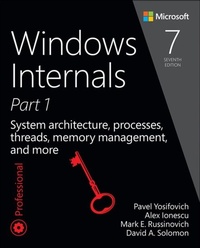
Windows Internals
System architecture, processes, threads, memory management, and more, Part 1
7th Edition
Published on 5. May 2017
800 pages
978-0-13-398646-4 (ISBN)
Description

The definitive guide-fully updated for Windows 10 and Windows Server 2016
Delve inside Windows architecture and internals, and see how core components work behind the scenes. Led by a team of internals experts, this classic guide has been fully updated for Windows 10 and Windows Server 2016.
Whether you are a developer or an IT professional, you'll get critical, insider perspectives on how Windows operates. And through hands-on experiments, you'll experience its internal behavior firsthand-knowledge you can apply to improve application design, debugging, system performance, and support.
This book will help you:
? Understand the Window system architecture and its most important entities, such as processes and threads
? Examine how processes manage resources and threads scheduled for execution inside processes
? Observe how Windows manages virtual and physical memory
? Dig into the Windows I/O system and see how device drivers work and integrate with the rest of the system
? Go inside the Windows security model to see how it manages access, auditing, and authorization, and learn about the new mechanisms in Windows 10 and Server 2016
Delve inside Windows architecture and internals, and see how core components work behind the scenes. Led by a team of internals experts, this classic guide has been fully updated for Windows 10 and Windows Server 2016.
Whether you are a developer or an IT professional, you'll get critical, insider perspectives on how Windows operates. And through hands-on experiments, you'll experience its internal behavior firsthand-knowledge you can apply to improve application design, debugging, system performance, and support.
This book will help you:
? Understand the Window system architecture and its most important entities, such as processes and threads
? Examine how processes manage resources and threads scheduled for execution inside processes
? Observe how Windows manages virtual and physical memory
? Dig into the Windows I/O system and see how device drivers work and integrate with the rest of the system
? Go inside the Windows security model to see how it manages access, auditing, and authorization, and learn about the new mechanisms in Windows 10 and Server 2016
All prices
More details
Series
Edition
7th edition
Language
English
Place of publication
Boston
United States
Publishing group
Pearson Education (US)
Target group
College/higher education
File size
84,59 MB
ISBN-13
978-0-13-398646-4 (9780133986464)
Copyright in bibliographic data and cover images is held by Nielsen Book Services Limited or by the publishers or by their respective licensors: all rights reserved.
Schweitzer Classification
Other editions
Additional editions
Pavel Yosifovich | Mark E. Russinovich | Alex Ionescu
Windows Internals: System architecture, processes, threads, memory management, and more, Part 1
System architecture, processes, threads, memory management, and more, Part 1
Book
05/2017
7th Edition
Microsoft Press
€56.99
Shipment within 10-20 days
Persons
Andrea Allievi (Greater Seattle, WA Area) is a Senior Kernel Engineer with more than 15 years of experience in the field. He works in the Windows Core OS team at Microsoft, where he designs and develops robust Windows kernel Security features. He is also active in the security research community and often speaks at conferences, including Recon and Blue Hat. He started as a Security Researcher in small Italian companies such as TgSoft and SaferBytes. He then moved to the Talos group at Cisco Systems, where his time was split between the development of anti-virus and anti-rootkit tools and security research of offensive and defensive technologies, particularly in the Windows' kernel. In that time, after the design of the first UEFI Bootkit and the bypass of the Windows 8.1 Kernel Patch Protection, he became an internationally recognised expert in the operating system's internals.
Alex Ionescu (Greater Seattle, WA Area) is a Senior Vice President of Endpoint Security at CrowdStrike, and an internationally recognised expert in low-level system software, operating system research and kernel development, security training, and reverse engineering. He teaches Windows Internals courses around the world and is active in the security research community through conference talks and bug bounty programs.
Mark E. Russinovich (Seattle, WA Area) is a Technical Fellow in the Windows Azure Group at Microsoft, focusing on the Microsoft Cloud. He is a widely recognised expert in operating systems, distributed systems, and cybersecurity. Russinovich is co-author of the popular Windows Internals series of books and Windows Sysinternals Administrator's Reference. He joined Microsoft when it acquired Winternals, a software company he co-founded in 1996. He created the popular Sysinternals tools.
David A. Solomon (Los Angeles, CA Area), coauthor of the Windows Internals book series, has taught Windows internals to thousands of developers and IT professionals worldwide, including Microsoft staff. He is a regular speaker at Microsoft conferences, including TechNet and PDC.
Alex Ionescu (Greater Seattle, WA Area) is a Senior Vice President of Endpoint Security at CrowdStrike, and an internationally recognised expert in low-level system software, operating system research and kernel development, security training, and reverse engineering. He teaches Windows Internals courses around the world and is active in the security research community through conference talks and bug bounty programs.
Mark E. Russinovich (Seattle, WA Area) is a Technical Fellow in the Windows Azure Group at Microsoft, focusing on the Microsoft Cloud. He is a widely recognised expert in operating systems, distributed systems, and cybersecurity. Russinovich is co-author of the popular Windows Internals series of books and Windows Sysinternals Administrator's Reference. He joined Microsoft when it acquired Winternals, a software company he co-founded in 1996. He created the popular Sysinternals tools.
David A. Solomon (Los Angeles, CA Area), coauthor of the Windows Internals book series, has taught Windows internals to thousands of developers and IT professionals worldwide, including Microsoft staff. He is a regular speaker at Microsoft conferences, including TechNet and PDC.
Content
Chapter 1: Concepts and tools
Windows operating system versions
Foundation concepts and terms
Digging into Windows internals
Conclusion
Chapter 2: System architecture
Requirements and design goals
Operating system model
Architecture overview
Virtualization-based security architecture overview
Key system components
Conclusion
Chapter 3: Processes and jobs
Creating a process
Process internals
Protected processes
Minimal and Pico processes
Trustlets (secure processes)
Flow of CreateProcess
Terminating a process
Image loader
Jobs
Conclusion
Chapter 4: Threads
Creating threads
Thread internals
Examining thread activity
Thread scheduling
Group-based scheduling
Worker factories (thread pools)
Conclusion
Chapter 5: Memory management
Introduction to the memory manager
Services provided by the memory manager
Kernel-mode heaps (system memory pools)
Heap manager
Virtual address space layouts
Address translation
Page fault handling
Stacks
Virtual address descriptors
NUMA
Section objects
Working sets
Page frame number database
Physical memory limits
Memory compression
Memory partitions
Memory combining
Memory enclaves
Proactive memory management (SuperFetch)
Conclusion
Chapter 6: I/O system
I/O system components
Interrupt Request Levels and Deferred Procedure Calls
Device drivers
I/O processing
Driver Verifier
The Plug and Play manager
General driver loading and installation
The Windows Driver Foundation
The power manager
Conclusion
Chapter 7: Security
Security ratings
Security system components
Virtualization-based security
Protecting objects
The AuthZ API
Account rights and privileges
Access tokens of processes and threads
Security auditing
AppContainers
Logon
User Account Control and virtualization
Exploit mitigations
Application Identification
AppLocker
Software Restriction Policies
Kernel Patch Protection
PatchGuard
HyperGuard
Conclusion
Windows operating system versions
Foundation concepts and terms
Digging into Windows internals
Conclusion
Chapter 2: System architecture
Requirements and design goals
Operating system model
Architecture overview
Virtualization-based security architecture overview
Key system components
Conclusion
Chapter 3: Processes and jobs
Creating a process
Process internals
Protected processes
Minimal and Pico processes
Trustlets (secure processes)
Flow of CreateProcess
Terminating a process
Image loader
Jobs
Conclusion
Chapter 4: Threads
Creating threads
Thread internals
Examining thread activity
Thread scheduling
Group-based scheduling
Worker factories (thread pools)
Conclusion
Chapter 5: Memory management
Introduction to the memory manager
Services provided by the memory manager
Kernel-mode heaps (system memory pools)
Heap manager
Virtual address space layouts
Address translation
Page fault handling
Stacks
Virtual address descriptors
NUMA
Section objects
Working sets
Page frame number database
Physical memory limits
Memory compression
Memory partitions
Memory combining
Memory enclaves
Proactive memory management (SuperFetch)
Conclusion
Chapter 6: I/O system
I/O system components
Interrupt Request Levels and Deferred Procedure Calls
Device drivers
I/O processing
Driver Verifier
The Plug and Play manager
General driver loading and installation
The Windows Driver Foundation
The power manager
Conclusion
Chapter 7: Security
Security ratings
Security system components
Virtualization-based security
Protecting objects
The AuthZ API
Account rights and privileges
Access tokens of processes and threads
Security auditing
AppContainers
Logon
User Account Control and virtualization
Exploit mitigations
Application Identification
AppLocker
Software Restriction Policies
Kernel Patch Protection
PatchGuard
HyperGuard
Conclusion
