

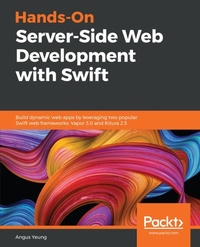
Hands-On Server-Side Web Development with Swift
Build dynamic web apps by leveraging two popular Swift web frameworks: Vapor 3.0 and Kitura 2.5
Published on 23. September 2024
404 pages
978-1-78934-586-5 (ISBN)
Description

No detailed description available for "Hands-On Server-Side Web Development with Swift".
More details
Edition
Digital original
Language
English
Place of publication
Birmingham
United Kingdom
Target group
Professional and scholarly
US School Grade: College Graduate Student
Edition type
Digital original
File size
16,62 MB
ISBN-13
978-1-78934-586-5 (9781789345865)
Copyright in bibliographic data and cover images is held by Nielsen Book Services Limited or by the publishers or by their respective licensors: all rights reserved.
Schweitzer Classification
Other editions
Additional editions
Angus Yeung
Hands-On Server-Side Web Development with Swift
Build dynamic web apps by leveraging two popular Swift web frameworks: Vapor 3.0 and Kitura 2.5
Book
11/2018
Packt Publishing
€56.90
Article exhausted; check different version
Person
Yeung Angus :
Angus Yeung works for Intel, and is responsible for the architectural design of backend cloud services for virtual reality sports broadcasting. He is also a computer science lecturer at San Jose State University. Prior to Intel, he held CTO and engineering director positions at several companies, including a start-up he founded in 2002. Angus' technical interests include mobile computing, distributed computing, computer vision, and artificial intelligence. He holds an BS, MS, and PHD in Electrical Engineering from Univ. of Rochester, and an MBA from UC Berkeley. Angus owns 18 pending and granted patents. Angus lives with his lovely wife and three handsome boys in Palo Alto, California.
Angus Yeung works for Intel, and is responsible for the architectural design of backend cloud services for virtual reality sports broadcasting. He is also a computer science lecturer at San Jose State University. Prior to Intel, he held CTO and engineering director positions at several companies, including a start-up he founded in 2002. Angus' technical interests include mobile computing, distributed computing, computer vision, and artificial intelligence. He holds an BS, MS, and PHD in Electrical Engineering from Univ. of Rochester, and an MBA from UC Berkeley. Angus owns 18 pending and granted patents. Angus lives with his lovely wife and three handsome boys in Palo Alto, California.
Content
Table of Contents
Introducing Server-Side Swift
Getting Started with Vapor and Kitura
Building Your First Web App
Debugging and Testing
Setting Up Routes and Controllers
Working with Template Engines
Bootstrapping Your Design
Employing Storage Framework
Adding Authentication
Understanding Technologies for Web Services
Designing for API Gateway
Deploying to the Cloud
Developing an iPhone Client
Developing Microservices
Appendix A
Appendix B
Introducing Server-Side Swift
Getting Started with Vapor and Kitura
Building Your First Web App
Debugging and Testing
Setting Up Routes and Controllers
Working with Template Engines
Bootstrapping Your Design
Employing Storage Framework
Adding Authentication
Understanding Technologies for Web Services
Designing for API Gateway
Deploying to the Cloud
Developing an iPhone Client
Developing Microservices
Appendix A
Appendix B
