

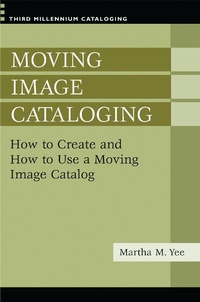
Moving Image Cataloging
How to Create and How to Use a Moving Image Catalog
1st Edition
Published on 30. October 2007
288 pages
978-0-313-09721-8 (ISBN)
Description

Libraries, archives, and museums hold a wide variety of moving images. all of which require the same level of attention to issues of organization and access as their print counterparts. Consequently, the people who create collection level records and metadata for these resources need to be equally conversant in the principles of cataloging. Martha Yee covers both descriptive (AACR2R, AMIM, and FIAF rules) and subject cataloging (with a focus on LCSH). In the process, the reader is encouraged to think critically and to be prepared to make decisions in ambiguous situations where solutions to problems are not always obvious or clearly dictated by specific rules.
More details
Series
Edition
1. Auflage
Language
English
Place of publication
New York
United States
Publishing group
Bloomsbury Publishing Plc
Target group
Professional and scholarly
ISBN-13
978-0-313-09721-8 (9780313097218)
Copyright in bibliographic data and cover images is held by Nielsen Book Services Limited or by the publishers or by their respective licensors: all rights reserved.
Schweitzer Classification
Other editions
Additional editions
Book
10/2007
Libraries Unlimited Inc
€57.60
Shipment within 3-4 weeks
Person
Martha M. Yee is Cataloging Supervisor at the UCLA Film and Television Archive, as well as an adjunct instructor in the Department of Information Studies, Graduate School of Education and Information Studies, University of California, Los Angeles.
Content
Illustrations
Introduction
Chapter 1: Introduction to Moving Image Cataloging
Chapter 2: Introduction to A Data Structure Standard; How to Create a Cataloging Record; Automation Complexities and OPAC Searching
Chapter 3: Moving Image Works, Expressions and Manifestations; Introduction to Uniform Titles; Relationships; Represented and Presented Works
Chapter 4: Work Identification and Authorship; Authority Control
Chapter 5: Complications with Names of Persons and Corporate Bodies; Location of FRBR Entities; OPAC Searching Complications
Chapter 6: Introduction to Subject Analysis
Chapter 7: More on Subject Analysis
Chapter 8: Newsfilm access; OPAC searching
Chapter 9: Subject Access to Fiction; Genre/Form Access
Chapter 10: Digitization and the Future of Cataloging
Exercise Answers
Glossary
Bibliography of Works Consulted
Cataloging Standards Bibliography
Index
Introduction
Chapter 1: Introduction to Moving Image Cataloging
Chapter 2: Introduction to A Data Structure Standard; How to Create a Cataloging Record; Automation Complexities and OPAC Searching
Chapter 3: Moving Image Works, Expressions and Manifestations; Introduction to Uniform Titles; Relationships; Represented and Presented Works
Chapter 4: Work Identification and Authorship; Authority Control
Chapter 5: Complications with Names of Persons and Corporate Bodies; Location of FRBR Entities; OPAC Searching Complications
Chapter 6: Introduction to Subject Analysis
Chapter 7: More on Subject Analysis
Chapter 8: Newsfilm access; OPAC searching
Chapter 9: Subject Access to Fiction; Genre/Form Access
Chapter 10: Digitization and the Future of Cataloging
Exercise Answers
Glossary
Bibliography of Works Consulted
Cataloging Standards Bibliography
Index
