

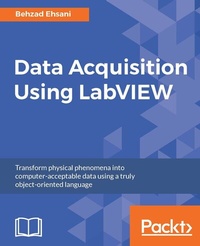
Data Acquisition Using LabVIEW
Transform physical phenomena into computer-acceptable data using a truly object-oriented language
Published on 8. July 2025
150 pages
978-1-78217-217-8 (ISBN)
Description

Transform physical phenomena into computer-acceptable data using a truly object-oriented language
Key Features
[*] Create your own data acquisition system independently using LabVIEW and build interactive dashboards
[*] Collect data using National Instrument's and third-party, open source, affordable hardware
[*] Step-by-step real-world examples using various tools that illustrate the fundamentals of data acquisition
Book DescriptionNI LabVIEW's intuitive graphical interface eliminates the steep learning curve associated with text-based languages such as C or C++. LabVIEW is a proven and powerful integrated development environment to interact with measurement and control hardware, analyze data, publish results, and distribute systems. This hands-on tutorial guide helps you harness the power of LabVIEW for data acquisition. This book begins with a quick introduction to LabVIEW, running through the fundamentals of communication and data collection. Then get to grips with the auto-code generation feature of LabVIEW using its GUI interface. You will learn how to use NI-DAQmax Data acquisition VIs, showing how LabVIEW can be used to appropriate a true physical phenomenon (such as temperature, light, and so on) and convert it to an appropriate data type that can be manipulated and analyzed with a computer. You will also learn how to create Distribution Kit for LabVIEW, acquainting yourself with various debugging techniques offered by LabVIEW to help you in situations where bugs are not letting you run your programs as intended. By the end of the book, you will have a clear idea how to build your own data acquisition system independently and much more.What you will learn
[*] Create a virtual instrument which highlights common functionality of LabVIEW
[*] Get familiarized with common buses such as Serial, GPIB, and SCPI commands
[*] Staircase signal acquisition using NI-DAQmx
[*] Discover how to measure light intensity and distance
[*] Master LabVIEW debugging techniques
[*] Build a data acquisition application complete with an installer and required drivers
[*] Utilize open source microcontroller Arduino and a 32-bit Arduino compatible Uno32 using LabVIEW programming environment
Who this book is forIf you are an engineer, scientist, experienced hobbyist, or student, you will highly benefit from the content and examples illustrated in this book. A working knowledge of precision testing, measurement instruments, and electronics, as well as a background in computer fundamentals and programming is expected.
Key Features
[*] Create your own data acquisition system independently using LabVIEW and build interactive dashboards
[*] Collect data using National Instrument's and third-party, open source, affordable hardware
[*] Step-by-step real-world examples using various tools that illustrate the fundamentals of data acquisition
Book DescriptionNI LabVIEW's intuitive graphical interface eliminates the steep learning curve associated with text-based languages such as C or C++. LabVIEW is a proven and powerful integrated development environment to interact with measurement and control hardware, analyze data, publish results, and distribute systems. This hands-on tutorial guide helps you harness the power of LabVIEW for data acquisition. This book begins with a quick introduction to LabVIEW, running through the fundamentals of communication and data collection. Then get to grips with the auto-code generation feature of LabVIEW using its GUI interface. You will learn how to use NI-DAQmax Data acquisition VIs, showing how LabVIEW can be used to appropriate a true physical phenomenon (such as temperature, light, and so on) and convert it to an appropriate data type that can be manipulated and analyzed with a computer. You will also learn how to create Distribution Kit for LabVIEW, acquainting yourself with various debugging techniques offered by LabVIEW to help you in situations where bugs are not letting you run your programs as intended. By the end of the book, you will have a clear idea how to build your own data acquisition system independently and much more.What you will learn
[*] Create a virtual instrument which highlights common functionality of LabVIEW
[*] Get familiarized with common buses such as Serial, GPIB, and SCPI commands
[*] Staircase signal acquisition using NI-DAQmx
[*] Discover how to measure light intensity and distance
[*] Master LabVIEW debugging techniques
[*] Build a data acquisition application complete with an installer and required drivers
[*] Utilize open source microcontroller Arduino and a 32-bit Arduino compatible Uno32 using LabVIEW programming environment
Who this book is forIf you are an engineer, scientist, experienced hobbyist, or student, you will highly benefit from the content and examples illustrated in this book. A working knowledge of precision testing, measurement instruments, and electronics, as well as a background in computer fundamentals and programming is expected.
All prices
More details
Edition
Digital original
Language
English
Place of publication
Birmingham
United Kingdom
Target group
Professional and scholarly
US School Grade: College Graduate Student
Edition type
Digital original
File size
15,33 MB
ISBN-13
978-1-78217-217-8 (9781782172178)
Copyright in bibliographic data and cover images is held by Nielsen Book Services Limited or by the publishers or by their respective licensors: all rights reserved.
Schweitzer Classification
Other editions
Additional editions
Behzad Ehsani
Data Acquisition Using LabVIEW
Book
12/2016
Packt Publishing
€44.90
Shipment within 3-4 weeks
Persons
Yang Yik :
Yik Yang is a test engineer living in Chicago who has specialized in automation and data analysis. Having worked in multiple fields such as semiconductor, automotive, and power, he has experience with different types of automation and understands what are the industries' needs.He started his career after receiving his Bachelor's and Master's degrees in Electrical Engineering at Virginia Tech. In his career, he worked on automation projects that used CompactDAQ, PXI, FPGA, and so on in LabVIEW. He has also spent a lot of time with Lean Six Sigma and statistical analysis with JMP. He is a certified Professional Engineer (PE) in North Carolina and a Certified LabVIEW Developer (CLD).Ehsani Behzad :
Behzad Ehsani is a computer engineering graduate who lives in the Silicon Valley in San Jose, California. He was born in Iran and came to the US with no money, planning to finish school in 4 years and go back to Iran as an engineer. That was 35 years ago! He worked night shifts at McDonald's and went to school in the morning. He recalls those years as a foggy dream (Fresno has foggy mornings). For all of those who remember what went on 35 years ago in Iran and the hostage crisis in US, it all may be (and, to an extent, is) the propaganda of one side or the other, but for Behzad, it had an immediate consequence. Being an Iranian was unimaginable during those years of his life, unimaginable in the sense that one would have to be in that position to know what each Iranian in the US, even those who had nothing to do with the events, had to endure. Immediately after the hostage crisis, Behzad had to drop out of university. After being fired from McDonalds for being an Iranian, he worked many blue-collar jobs, from pizza places to Italian restaurants and tutoring in first- and second-grade schools, and came to the conclusion that he should try his skills as a mechanic. This was another turning point for him, since he soon met an American girlfriend in school, and the relationship ended with a citizenship after about 10 years. Behzad went back to his old routine; working at a gas station and going to school part time. He started studying electrical engineering. However, there was another revolution that took place: Sacramento State University was the first university that completely separated computer engineering from electrical engineering. Although it cost Behzad some units, he transferred his major to computer engineering. Connecting a telephone headset and a monitor to a central computer that took up several rooms was the most exciting thing for him. Many years later, personal computers were introduced, and Behzad describes opening a Mac SE with two floppies as one of the most delightful days of his life. Behzad was recruited as an engineer when Packard Bell opened a giant PC manufacturing company. While Behzad was in Sacramento, Silicon Valley was forming, and when he received a call from Apple Computers for a senior position, life became much better for him. Afterward, Behzad left Apple to work at Spectra Physics and, finally, he moved to work for Sentient Energy in Burlingame, by the San Francisco airport.
Yik Yang is a test engineer living in Chicago who has specialized in automation and data analysis. Having worked in multiple fields such as semiconductor, automotive, and power, he has experience with different types of automation and understands what are the industries' needs.He started his career after receiving his Bachelor's and Master's degrees in Electrical Engineering at Virginia Tech. In his career, he worked on automation projects that used CompactDAQ, PXI, FPGA, and so on in LabVIEW. He has also spent a lot of time with Lean Six Sigma and statistical analysis with JMP. He is a certified Professional Engineer (PE) in North Carolina and a Certified LabVIEW Developer (CLD).Ehsani Behzad :
Behzad Ehsani is a computer engineering graduate who lives in the Silicon Valley in San Jose, California. He was born in Iran and came to the US with no money, planning to finish school in 4 years and go back to Iran as an engineer. That was 35 years ago! He worked night shifts at McDonald's and went to school in the morning. He recalls those years as a foggy dream (Fresno has foggy mornings). For all of those who remember what went on 35 years ago in Iran and the hostage crisis in US, it all may be (and, to an extent, is) the propaganda of one side or the other, but for Behzad, it had an immediate consequence. Being an Iranian was unimaginable during those years of his life, unimaginable in the sense that one would have to be in that position to know what each Iranian in the US, even those who had nothing to do with the events, had to endure. Immediately after the hostage crisis, Behzad had to drop out of university. After being fired from McDonalds for being an Iranian, he worked many blue-collar jobs, from pizza places to Italian restaurants and tutoring in first- and second-grade schools, and came to the conclusion that he should try his skills as a mechanic. This was another turning point for him, since he soon met an American girlfriend in school, and the relationship ended with a citizenship after about 10 years. Behzad went back to his old routine; working at a gas station and going to school part time. He started studying electrical engineering. However, there was another revolution that took place: Sacramento State University was the first university that completely separated computer engineering from electrical engineering. Although it cost Behzad some units, he transferred his major to computer engineering. Connecting a telephone headset and a monitor to a central computer that took up several rooms was the most exciting thing for him. Many years later, personal computers were introduced, and Behzad describes opening a Mac SE with two floppies as one of the most delightful days of his life. Behzad was recruited as an engineer when Packard Bell opened a giant PC manufacturing company. While Behzad was in Sacramento, Silicon Valley was forming, and when he received a call from Apple Computers for a senior position, life became much better for him. Afterward, Behzad left Apple to work at Spectra Physics and, finally, he moved to work for Sentient Energy in Burlingame, by the San Francisco airport.
Content
Table of Contents
Labview Basics
Most Common communication Buses
Using the DAQ Assistant to Automatically Generate Labview Code
DAQ programming using Labview
DAQ debugging techniques
Real world DAQ programming techniques
Real Time issues
DAQ at a Distance- Network and Distributed Systems
Alternate software for DAQ
Non-National Instrument devices DAQ
Labview and Simple Microcontrollers
Labview Basics
Most Common communication Buses
Using the DAQ Assistant to Automatically Generate Labview Code
DAQ programming using Labview
DAQ debugging techniques
Real world DAQ programming techniques
Real Time issues
DAQ at a Distance- Network and Distributed Systems
Alternate software for DAQ
Non-National Instrument devices DAQ
Labview and Simple Microcontrollers

