

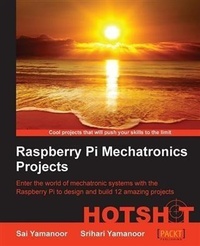
Raspberry Pi Embedded Projects Hotshot
Enter the world of mechatronic systems with the Raspberry Pi to design and build 12 amazing projects
1st Edition
Published on 5. August 2025
250 pages
978-1-84969-623-4 (ISBN)
Description

Key FeaturesBook DescriptionThis book is targeted towards beginners and intermediate designers of mechatronic systems and embedded system design. Some familiarity with the Raspberry Pi and Python programming is preferred but not required.What you will learn - Prototype electronic circuits to solve problems using the Raspberry Pi
- Learn simple prototyping tools such as a laser cutter to build mechanisms that interface with the Raspberry Pi
- Interface with standard development platforms such as the Arduino and different operating systems
- Build simple tools that will help you in your daytoday life
- Learn the nuts and bolts details of mechatronic system development through examples like a Christmas light controller and a personal health monitor
- Get to grips with the practical implementation of robotics and home automation
- Troubleshoot problems that arise during the implementation of your projects
Who this book is forThis book is targeted towards beginners and intermediate designers of mechatronic systems and embedded system design. Some familiarity with the Raspberry Pi and Python programming is preferred but not required.
- Learn simple prototyping tools such as a laser cutter to build mechanisms that interface with the Raspberry Pi
- Interface with standard development platforms such as the Arduino and different operating systems
- Build simple tools that will help you in your daytoday life
- Learn the nuts and bolts details of mechatronic system development through examples like a Christmas light controller and a personal health monitor
- Get to grips with the practical implementation of robotics and home automation
- Troubleshoot problems that arise during the implementation of your projects
Who this book is forThis book is targeted towards beginners and intermediate designers of mechatronic systems and embedded system design. Some familiarity with the Raspberry Pi and Python programming is preferred but not required.
More details
Other editions
Additional editions
Sai Yamanoor
Raspberry Pi Embedded Projects Hotshot
Book
02/2015
Packt Publishing
€55.50
Shipment within 3-4 weeks
Content
- Intro
- Raspberry Pi Mechatronics Projects HOTSHOT
- Table of Contents
- Raspberry Pi Mechatronics Projects HOTSHOT
- Credits
- About the Authors
- About the Reviewers
- www.PacktPub.com
- Support files, eBooks, discount offers, and more
- Why subscribe?
- Free access for Packt account holders
- Preface
- What this book covers
- What you need for this book
- Who this book is for
- Conventions
- Mission briefing
- Why is it awesome?
- Your Hotshot objectives
- Mission checklist
- Task 1
- Prepare for lift off
- Engage thrusters
- Objective complete - mini debriefing
- Classified intel
- Reader feedback
- Customer support
- Downloading the example code
- Downloading the color images of this book
- Errata
- Piracy
- Questions
- 1. Hello World
- A quick introduction to the Raspberry Pi
- Features of a Raspberry Pi
- Where can I buy a Raspberry Pi?
- Requirements to get started with the Raspberry Pi
- Operating systems on the Raspberry Pi
- Getting started with Raspbian
- Downloading Raspbian
- Flashing image on to the SD card
- Windows
- Linux
- A command-line interface-based approach
- Identifying the SD card mount point
- Unmount the SD card
- Flash the SD card
- GUI-based approach
- Setting up the Raspberry Pi
- Mission briefing
- Why is it awesome?
- Your Hotshot objectives
- Mission checklist
- Hunting and gathering
- Engage thrusters
- Objective complete - mini debriefing
- Setting up the GPIO
- Engage thrusters
- Installing GPIO libraries
- Objective complete - mini debriefing
- GPIO programming using Python
- Engage thrusters
- An alternative to quick2wire - RPi.GPIO
- Objective complete - mini debriefing
- Electrical output of our program
- Engage thrusters
- Objective complete - mini debriefing
- Introduction to the Pi Crust - a prototyping platform for the Raspberry Pi
- Mission accomplished
- Hotshot challenge
- 2. A Raspberry WebIDE Example
- Mission briefing
- Why is it awesome?
- Your Hotshot objectives
- Mission checklist
- Installation, features, and usage of the Occidentalis operating system from Adafruit
- Prepare for lift off
- Engage thrusters
- Objective complete - mini debriefing
- Setup of a remote login into the Raspberry Pi
- Prepare for lift off
- Engage thrusters
- Objective complete - mini debriefing
- Installation of the Raspberry Pi WebIDE
- Engage thrusters
- Objective complete - mini debriefing
- Python development on the WebIDE
- Prepare for lift off
- Quick introduction to the I2C interface
- Configuring the I2C interface on the Raspberry Pi
- Engage thrusters
- Objective complete - mini debriefing
- Test and debugging examples using the WebIDE
- Prepare for lift off
- Engage thrusters
- Objective complete - mini debriefing
- Mission accomplished
- Hotshot challenge
- 3. The Arduino Raspberry Pi Interface
- Mission briefing
- Why is it awesome?
- Where can you buy an Arduino?
- Your Hotshot objectives
- Mission checklist
- Installing the Arduino IDE
- Prepare for lift off
- Engage thrusters
- Objective complete - mini debriefing
- Programming the Arduino using the Raspberry Pi
- Prepare for lift off
- Engage thrusters
- Objective complete - mini debriefing
- Raspberry Pi AlaMode
- Prepare for lift off
- Engage thrusters
- Objective complete - mini debriefing
- The Weasley weather clock
- Prepare for lift off
- Engage thrusters
- Objective complete - mini debriefing
- Controlling the stepper using the Arduino
- Prepare for lift off
- Engage thrusters
- Counterclockwise rotation of the stepper motor
- Objective complete - mini debriefing
- Controlling the RGB LED Strip using the Arduino
- Prepare for lift off
- Engage thrusters
- Objective complete - mini debriefing
- I2C Communication using the Arduino (optional)
- Prepare for lift off
- Engage thrusters
- The 7-Segment display
- 8x8 LED matrix
- BlinkM
- Proximity sensor
- Objective complete - mini debriefing
- Serial port communication with the Raspberry Pi
- Engage thrusters
- Python program for the Weasley clock
- Arduino acknowledgement to control signal
- Control flow for the weather clock
- Temperature data
- Control of the RGB LED strip
- Control of stepper via serial port
- Programming the weather forecast position
- 8x8 matrix control
- BlinkM control
- Objective complete - mini debriefing
- Mission accomplished
- Hotshot challenge
- 4. Christmas Light Sequencer
- Mission briefing
- Why is it awesome?
- Your objectives
- Mission checklist
- Interface the devices to the Raspberry Pi
- Prepare for lift off
- Engage thrusters
- Connecting multiple appliances to the Raspberry Pi
- Objective complete - mini debriefing
- Setting up the digitally addressable RGB matrix
- Prepare for lift off
- Where can I buy them?
- Engage thrusters
- How does it work?
- Lighting up the RGB LED strip
- An Arduino-based control
- Objective complete - mini debriefing
- Interface of an audio device
- Prepare for lift off
- Engage thrusters
- Objective complete - mini debriefing
- Installing the web server
- Prepare for lift off
- Engage thrusters
- Objective complete - mission debriefing
- Interfacing the web server
- Prepare for lift off
- Engage thrusters
- Objective complete - mini debriefing
- Mission accomplished
- References
- 5. Internet of Things Example - An E-mail Alert Water Fountain
- Mission briefing
- Why is it awesome?
- Your objectives
- Mission checklist
- Prepare for lift off
- Engage thrusters
- Objective complete - mini debriefing
- Installation of the Flask framework
- Prepare for lift off
- Engage thrusters
- Objective complete - mini debriefing
- Controlling RGB LEDs from a web page
- Prepare for lift off
- Engage thrusters
- Objective complete - mini debriefing
- Setup of the e-mail alerts in the fountain
- Prepare for lift off
- Engage thrusters
- Objective complete - mini debriefing
- Mission accomplished
- Hotshot challenge
- 6. Raspberry Pi as a Personal Assistant
- Mission briefing
- Why is it awesome?
- Your objectives
- Mission checklist
- Setting up the e-mail feed parser
- Prepare for lift off
- Engage thrusters
- Setting up the parser for reminders and events
- Prepare for lift off
- Engage thrusters
- Designing an enclosure design for the personal assistant
- Prepare for lift off
- Engage thrusters
- Setting up the assembly for the dish monitor
- Prepare for lift off
- Engage thrusters
- Objective complete - mini debriefing
- Setting up sensors for the key alert system
- Prepare for lift off
- Engage thrusters
- Objective complete - mini debriefing
- Mission accomplished
- Hotshot challenges
- References
- 7. Raspberry Pi-based Line Following Robot
- Mission briefing
- Why is it awesome?
- Your Hotshot objectives
- Mission checklist
- Assembly of the Pi Plate for the line following robot
- Prepare for lift off
- Engage thrusters
- Objective complete - mini debriefing
- Sensor selection, interface, and data interpretation
- Engage thrusters
- Light Dependent Resistors
- Infrared emitter/detector
- Machine-vision-based line following robot
- Sensor selection
- Objective complete - mission debriefing
- Implementation of line following logic based on sensor data
- Prepare for lift off
- Engage thrusters
- Objective complete - mini debriefing
- Testing the motor driver circuit
- Prepare for lift off
- Engage thrusters
- Objective complete - mini debriefing
- Preparation of the line following course
- Prepare for lift off
- Engage thrusters
- Use electrical tape and build a track
- Designing the chassis for the line following robot
- Prepare for lift off
- Engage thrusters
- Objective complete - mini debriefing
- A step-by-step assembly of the robot
- Prepare for lift off
- Engage thrusters
- Objective complete - mini debriefing
- Mission accomplished
- Hotshot challenge
- References
- 8. Connect Four Desktop Game using Raspberry Pi
- Mission briefing
- Why is it awesome?
- Your objectives
- Mission checklist
- Hello world example with the pygame
- Prepare for lift off
- Engage thrusters
- Playing sounds using the pygame module
- Building menus using the pygame module
- Objective complete - mini debriefing
- Getting started with the Connect Four game (UI and sound effects)
- Prepare for lift off
- Engage Thrusters
- Adding a menu for the game
- Adding sounds to the game
- Objective complete - mission debriefing
- Interfacing game inputs using the PiFace module
- Prepare for lift off
- Engage thrusters
- Objective complete - mini debriefing
- A brief description of the Connect Four Game AI
- Prepare for lift off
- Engage thrusters
- Main game loop
- Objective complete - mini debriefing
- Marquee design and control (optional)
- Prepare for lift off
- Engage thrusters
- Objective complete - mini debriefing
- Setup of the switches using a cardboard box
- Prepare for lift off
- Engage thrusters
- Objective complete - mini debriefing
- Mission accomplished
- Hotshot challenge
- References
- 9. The Raspberry Pi-enabled Pet/Wildlife Monitor
- Mission briefing
- Why is it awesome?
- Your objectives
- Mission checklist
- Installing and testing the python-twisted framework
- Prepare for lift off
- Engage thrusters
- Objective complete - mini debriefing
- Setting up and testing Spark Core to interact with appliances
- Prepare for lift off
- Engage Thrusters
- Objective complete - mini debriefing
- Installing and testing the Google Coder project on the Raspberry Pi
- Prepare for lift off
- Engage thrusters
- Objective complete - objective complete
- A brief overview of a bird feeder that triggers a camera
- Prepare for lift off
- Engage thrusters
- Objective complete - mini debriefing
- Alternatives and project ideas to consider
- Mission accomplished
- Hotshot challenge
- 10. Raspberry Pi Personal Health Monitor
- Mission briefing
- Why is it awesome?
- Your Hotshot objectives
- Mission checklist
- Setting up a web server to record health parameters
- Prepare for lift off
- Engage thrusters
- Objective complete - mini debriefing
- A simple exercise tool using the Raspberry Pi
- Prepare for lift off
- Engage thrusters
- A mini project idea
- Objective complete - mini debriefing
- Setting up an e-mail feed parser to refill a prescription as well as remind the user about an upcoming doctor's appointment
- Engage thrusters
- Setting up a reminder for doctor's appointments
- Objective complete - mini debriefing
- A simple tool that reminds a person to take his/her pills
- Prepare for lift off
- Engage thrusters
- Other project ideas
- Objective complete - mini debriefing
- Mission accomplished
- Hotshot challenge
- 11. Home Automation using Raspberry Pi
- Mission briefing
- Why is it awesome?
- Your objectives
- Mission checklist
- A simple example that controls limited indoor and outdoor lighting in the evening
- Prepare for lift off
- Software prerequisites
- Engage thrusters
- Objective complete - mini debriefing
- Alternative solutions and some project ideas to consider
- A customary web server example
- Prepare for lift off
- Engage thrusters
- Objective complete - mini debriefing
- Turning on a lawn sprinkler only when there is no rain forecast!
- Prepare for lift off
- Engage thrusters
- Objective complete - mini debriefing
- Gaining remote access to your Raspberry Pi to control appliances
- Some project ideas to consider
- Mission accomplished
- 12. Using a Raspberry Pi for Science and Education
- Mission briefing
- Why is it awesome?
- Your Hotshot objectives
- Improving your vocabulary using the Raspberry Pi
- Prepare for lift off
- Engage thrusters
- Objective complete - mini debriefing
- Raspberry Pi and Khan Academy
- Some ideas to consider
- Building a science fair exhibit using the Raspberry Pi
- Prepare for lift off
- Engage thrusters
- Objective complete - mini debriefing
- Some simple educational experiments using the Raspberry Pi
- Hotshot challenge
- 13. Tips and Tricks
- Mission briefing
- Why is it awesome?
- Your objectives
- Mission checklist
- Setting up Raspberry Pi as a development platform
- #1 - Simple trick for Python development via remote login
- #2 Web development using Google Coder
- #3 Adafruit Occidentalis
- #4 Java Development using the Raspberry Pi
- #5 The Thingbox project
- Remotely logging in the Raspberry Pi from anywhere on the Internet
- Problems that might be encountered while using Raspberry Pi
- SD card corruption
- Power issues
- Devices powered by USB
- Cool add-on hardware sources developed for the Raspberry Pi platform
- The Raspberry Pi model B versus B+, model A versus A+
- Project ideas that can be implemented over a weekend
- Useful resources for the Raspberry Pi
- Raspberry Pi Foundation's forums:
- Raspberry Pi Stack Exchange:
- Element 14's Raspberry Pi community:
- Mission accomplished
- Index
