

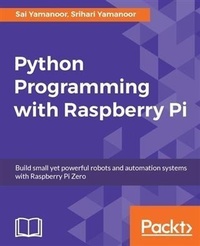
Python Programming with Raspberry Pi
Build small yet powerful robots and automation systems with Raspberry Pi Zero
Published on 13. January 2025
312 pages
978-1-78646-915-1 (ISBN)
Description

Become a master of Python programming using the small yet powerful Raspberry Pi Zero
Key Features
[*]This is the first book on the market that teaches Python programming with Raspberry Pi Zero
[*]Develop exciting applications such as a mobile robot and home automation controller using Python
[*]This step-by-step guide helps you make the most out of Raspberry Pi Zero using Python programming
Book DescriptionRaspberry Pi Zero is a super-small and super-affordable product from Raspberry Pi that is packed with a plethora of features and has grabbed the notice of programmers, especially those who use Python. This step-by-step guide will get you developing practical applications in Python using a Raspberry Pi Zero. It will become a valuable resource as you learn the essential details of interfacing sensors and actuators to a Raspberry Pi, as well as acquiring and displaying data. You will get started by writing a Python program that blinks an LED at 1-second intervals. Then you will learn to write simple logic to execute tasks based upon sensor data (for example, to control a motor) and retrieve data from the web (such as to check e-mails to provide a visual alert). Finally, you will learn to build a home automation system with Python where different appliances are controlled using the Raspberry Pi. The examples discussed in each chapter of this book culminate in a project that help improve the quality of people's lives.What you will learn
Configure Raspberry Pi using Python
Control loops to blink an LED using simple arithmetic operations
Understand how interface sensors, actuators, and LED displays work
Get to grips with every aspect of Python programming using practical examples
Explore machine vision, data visualization, and scientific computations
Build a mobile robot using the Raspberry Pi as the controller
Build a voice-activated home automation controller
Who this book is forThis book is aimed at hobbyists and programmers who want to learn Python programming and develop applications using the Pi Zero. They should have basic familiarity with electronics.
Key Features
[*]This is the first book on the market that teaches Python programming with Raspberry Pi Zero
[*]Develop exciting applications such as a mobile robot and home automation controller using Python
[*]This step-by-step guide helps you make the most out of Raspberry Pi Zero using Python programming
Book DescriptionRaspberry Pi Zero is a super-small and super-affordable product from Raspberry Pi that is packed with a plethora of features and has grabbed the notice of programmers, especially those who use Python. This step-by-step guide will get you developing practical applications in Python using a Raspberry Pi Zero. It will become a valuable resource as you learn the essential details of interfacing sensors and actuators to a Raspberry Pi, as well as acquiring and displaying data. You will get started by writing a Python program that blinks an LED at 1-second intervals. Then you will learn to write simple logic to execute tasks based upon sensor data (for example, to control a motor) and retrieve data from the web (such as to check e-mails to provide a visual alert). Finally, you will learn to build a home automation system with Python where different appliances are controlled using the Raspberry Pi. The examples discussed in each chapter of this book culminate in a project that help improve the quality of people's lives.What you will learn
Configure Raspberry Pi using Python
Control loops to blink an LED using simple arithmetic operations
Understand how interface sensors, actuators, and LED displays work
Get to grips with every aspect of Python programming using practical examples
Explore machine vision, data visualization, and scientific computations
Build a mobile robot using the Raspberry Pi as the controller
Build a voice-activated home automation controller
Who this book is forThis book is aimed at hobbyists and programmers who want to learn Python programming and develop applications using the Pi Zero. They should have basic familiarity with electronics.
More details
Edition
Digital original
Language
English
Place of publication
Birmingham
United Kingdom
Target group
Professional and scholarly
US School Grade: College Graduate Student
Edition type
Digital original
File size
53,75 MB
ISBN-13
978-1-78646-915-1 (9781786469151)
Copyright in bibliographic data and cover images is held by Nielsen Book Services Limited or by the publishers or by their respective licensors: all rights reserved.
Schweitzer Classification
Other editions
Additional editions
Sai Yamanoor | Srihari Yamanoor
Python Programming with Raspberry Pi
Book
04/2017
Packt Publishing
€46.20
Shipment within 3-4 weeks
Persons
Yamanoor Srihari :
Srihari Yamanoor is a mechanical engineer, working on medical devices, sustainability, and robotics in the San Francisco Bay Area. He completed his undergraduate studies in mechanical engineering from PSG College of Technology, Coimbatore, India and graduate studies in mechanical engineering at Stanford University. He is certified in SolidWorks, simulation, sustainable design, PDM as well as in quality and reliability engineering and auditing. His has a wide range of interests, from DIY, crowdfunding, AI, travelling, photography to gardening and ecology.Yamanoor Sai :
Sai Yamanoor is an embedded systems engineer working for a private startup school in the San Francisco Bay Area, where he builds devices that help students achieve their full potential. He completed his undergraduate work in mechatronics engineering from Sri Krishna College of Engineering and Technology, Coimbatore, India and his graduate studies in mechanical engineering at Carnegie Mellon University, Pittsburgh PA. His interests, deeply rooted in DIY and open software and hardware cultures, include developing gadgets and apps that improve the quality of life, Internet of Things, crowdfunding, education, and new technologies. In his spare time, he plays with various devices and architectures, such as the Raspberry Pi, Arduino, Galileo, Android devices and others. Sai has earlier published a book titled Raspberry Pi Mechatronics Projects.
Srihari Yamanoor is a mechanical engineer, working on medical devices, sustainability, and robotics in the San Francisco Bay Area. He completed his undergraduate studies in mechanical engineering from PSG College of Technology, Coimbatore, India and graduate studies in mechanical engineering at Stanford University. He is certified in SolidWorks, simulation, sustainable design, PDM as well as in quality and reliability engineering and auditing. His has a wide range of interests, from DIY, crowdfunding, AI, travelling, photography to gardening and ecology.Yamanoor Sai :
Sai Yamanoor is an embedded systems engineer working for a private startup school in the San Francisco Bay Area, where he builds devices that help students achieve their full potential. He completed his undergraduate work in mechatronics engineering from Sri Krishna College of Engineering and Technology, Coimbatore, India and his graduate studies in mechanical engineering at Carnegie Mellon University, Pittsburgh PA. His interests, deeply rooted in DIY and open software and hardware cultures, include developing gadgets and apps that improve the quality of life, Internet of Things, crowdfunding, education, and new technologies. In his spare time, he plays with various devices and architectures, such as the Raspberry Pi, Arduino, Galileo, Android devices and others. Sai has earlier published a book titled Raspberry Pi Mechatronics Projects.
Content
Table of Contents
Getting Started with Python and the Raspberry Pi Zero
Arithmetic operations, Loops and Blinky Lights
Conditional Statements, Functions and Lists
Communication Interfaces
Data Types & Object-oriented Programming in Python
File I/O and Python utilities
Requests and Web frameworks
Awesome things you could develop using Python
Let
Home Automation using the Raspberry Pi Zero
Tips and Tricks
Getting Started with Python and the Raspberry Pi Zero
Arithmetic operations, Loops and Blinky Lights
Conditional Statements, Functions and Lists
Communication Interfaces
Data Types & Object-oriented Programming in Python
File I/O and Python utilities
Requests and Web frameworks
Awesome things you could develop using Python
Let
Home Automation using the Raspberry Pi Zero
Tips and Tricks
