

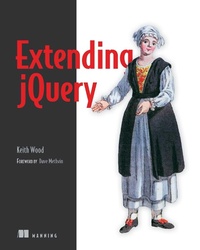
Extending jQuery
1st Edition
Published on 11. August 2013
312 pages
978-1-63835-132-0 (ISBN)
Description

Summary
Extending jQuery teaches you to build custom extensions to the jQuery library. It covers all the extension points within jQuery and provides guidelines and techniques on how to make use of them. You'll not only discover how to write plugins, but how to design them for maximum reuse. You'll also learn how to write new widgets and effects for jQuery UI. Along the way, you'll explore extensions in key areas including Ajax, events, animation, and validation.
About the Technology
jQuery, the most popular JavaScript library, helps make client-side scripting of HTML easy. It offers many built-in abilities to traverse and alter the DOM, but it can't do everything. Fortunately, you can tap into jQuery's numerous extension points to create your own selectors and filters, plugins, animations, and more.
About this Book
Extending jQuery teaches you to build custom extensions to the jQuery library. In it, you'll discover how to write plugins and how to design them for maximum reuse. You'll also learn to write new widgets and effects for the jQuery UI. Along the way, you'll explore extensions in key areas including Ajax, events, animation, and validation.
This book assumes intermediate-level knowledge of jQuery and JavaScript. No experience writing plugins or other extensions is required.
Purchase of the print book includes a free eBook in PDF, Kindle, and ePub formats from Manning Publications.
What's Inside
About the Author
Keith Wood has developed over 20 jQuery plugins including the original Datepicker, World Calendar, Countdown, and SVG.
Table of Contents
PART 1 SIMPLE EXTENSIONS
Extending jQuery teaches you to build custom extensions to the jQuery library. It covers all the extension points within jQuery and provides guidelines and techniques on how to make use of them. You'll not only discover how to write plugins, but how to design them for maximum reuse. You'll also learn how to write new widgets and effects for jQuery UI. Along the way, you'll explore extensions in key areas including Ajax, events, animation, and validation.
About the Technology
jQuery, the most popular JavaScript library, helps make client-side scripting of HTML easy. It offers many built-in abilities to traverse and alter the DOM, but it can't do everything. Fortunately, you can tap into jQuery's numerous extension points to create your own selectors and filters, plugins, animations, and more.
About this Book
Extending jQuery teaches you to build custom extensions to the jQuery library. In it, you'll discover how to write plugins and how to design them for maximum reuse. You'll also learn to write new widgets and effects for the jQuery UI. Along the way, you'll explore extensions in key areas including Ajax, events, animation, and validation.
This book assumes intermediate-level knowledge of jQuery and JavaScript. No experience writing plugins or other extensions is required.
Purchase of the print book includes a free eBook in PDF, Kindle, and ePub formats from Manning Publications.
What's Inside
- Create jQuery UI widgets and effects
- Make extensions available for distribution and reuse
- Build your own libraries
About the Author
Keith Wood has developed over 20 jQuery plugins including the original Datepicker, World Calendar, Countdown, and SVG.
Table of Contents
PART 1 SIMPLE EXTENSIONS
- jQuery extensions
- A first plugin
- Selectors and filters
- Plugin principles
- Collection plugins
- Function plugins
- Test, package, and document your plugin
- jQuery UI widgets
- jQuery UI mouse interactions
- jQuery UI effects
- Animating properties
- Extending Ajax
- Extending events
- Creating validation rules
More details
Other editions
Additional editions
Keith Wood
Extending jQuery
Book
08/2013
Manning Publications
€42.00
Article exhausted; check different version
Person
Keith Wood has developed over 20 jQuery plugins including the original Datepicker, World Calendar, Countdown, and SVG.
Content
- Intro
- Copyright
- Brief Table of Contents
- Table of Contents
- Foreword
- Preface
- Acknowledgments
- About this Book
- About the Cover Illustration
- Part 1. Simple extensions
- Chapter 1. jQuery extensions
- Chapter 2. A first plugin
- Chapter 3. Selectors and filters
- Part 2. Plugins and functions
- Chapter 4. Plugin principles
- Chapter 5. Collection plugins
- Chapter 6. Function plugins
- Chapter 7. Test, package, and document your plugin
- Part 3. Extending jQuery UI
- Chapter 8. jQuery UI widgets
- Chapter 9. jQuery UI mouse interactions
- Chapter 10. jQuery UI effects
- Part 4. Other extensions
- Chapter 11. Animating properties
- Chapter 12. Extending Ajax
- Chapter 13. Extending events
- Chapter 14. Creating validation rules
- Appendix. Regular expressions
- Glossary
- Index
- List of Figures
- List of Tables
- List of Listings
