

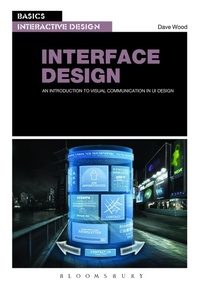
Basics Interactive Design: Interface Design
An Introduction to Visual Communication in Ui Design
Published on 30. January 2014
184 pages
978-2-940447-57-2 (ISBN)
Description

If you want to design successful user interfaces then you need clear and effective visual communication. Interface Design will help you achieve this using a range of incisive case studies, interviews with professional designers and clear hands-on advice to help you produce user-focused front-end designs for a range of digital media interfaces.
This book introduces the major elements of graphic design for digital media - layout, colour, iconography, imagery and typography, and shows how these visual communication basics can combine to produce positive interactive user experiences. With practical advice on improving communication between designers and developer, and a tantalizing look at designing interactivity for all five senses, this is a must-have introduction to developing interfaces that users will love.
This book introduces the major elements of graphic design for digital media - layout, colour, iconography, imagery and typography, and shows how these visual communication basics can combine to produce positive interactive user experiences. With practical advice on improving communication between designers and developer, and a tantalizing look at designing interactivity for all five senses, this is a must-have introduction to developing interfaces that users will love.
Reviews / Votes
Interface Design: An introduction to visual communication in UI design delivers real examples of the process of designing for UI and interactive projects. Seeing and learning from real examples of maps and diagramming while outlining critical components of the UI design process at various stages, makes this book an incredibly important resource for anyone wanting to learn about and implement a UI strategy - especially for graphic designers who were educated in the print world but want to make the transition to working on UI and interactive projects.Applying the information in this book can absolutely make any designer a more valuable and strategic contributor to current and prospective clients and employers. This book is easy to follow, provides a clear understanding of what to expect in each chapter, offers insight into key questions to be asked throughout the UI process and is loaded with relevant and applicable content and insight. This is not only a book, but also an incredibly useful learning tool that can be utilized on a daily basis. * Sean Brennan, Project Manager, Haneke Design, Tampa, Florida, USA *
More details
Series
Language
English
Place of publication
United States
Publishing group
Bloomsbury Publishing PLC (Digital)
Target group
Professional and scholarly
College/higher education
Illustrations
200 colour illus
File size
116,11 MB
ISBN-13
978-2-940447-57-2 (9782940447572)
Copyright in bibliographic data and cover images is held by Nielsen Book Services Limited or by the publishers or by their respective licensors: all rights reserved.
Schweitzer Classification
Other editions
Additional editions
Dave Wood
Basics Interactive Design: Interface Design
An introduction to visual communication in UI design
Book
09/2019
Bloomsbury Visual Arts
€50.94
Shipment within 15-20 days
Person
Dave Wood is a UK-based digital design and visual communication lecturer. He is completing a practice-based PhD at Edinburgh College of Art, researching interaction design from a visual communication perspective.
Content
Introduction
Chapter 1: Visual communication: a standard in designing interaction; Communication; Designing for interactive flow; Users are king (you are not); Interview: Steve Krug; Case study: We Print Paper website
Chapter 2: Finding the flow: designing interaction; Graphical user interfaces; Information architecture; Hierarchical structures; Testing, testing: early design iterations; Interview: Greg Gibson; Case study: Testing of VedderPrice.com's visual hierarchy; Exercise: Finding the flow
Chapter 3: Graphic design for digital media; Gridding interactivity; Type as interface; Colouring the screen; Imagery and the pixel; Iconography and metaphor; Going with the motion; Interview: Mike Kus; Case study: Designing a Blu-ray DVD UI; Exercise: Visually communicating interactivity
Chapter 4 Designing the aesthetic user experience; Design and the user; Content copy and the user; UI semiotics; Internationalization; Interview: Kristin Kramer; Case study: WorldSkills interactive kiosk; Exercise: Deconstructing UI semiotics
Chapter 5: Collaborating with the developer; The principles of designing modularity; Modularizing the aesthetic; Interview: Alan Bridge; Case study: Preparing a website design for a developer; Exercise: Outlining modularity
Chapter 6: Augmenting human capabilities through interfaces; QR codes - print meets interaction; Augmented interaction; The touch-screen world; Interview: Kate HoCase study: Designing the BBC iPlayer iPhone app; Exercise: Concept design for an AR smartphone app
Conclusion; Glossary; Index
Chapter 1: Visual communication: a standard in designing interaction; Communication; Designing for interactive flow; Users are king (you are not); Interview: Steve Krug; Case study: We Print Paper website
Chapter 2: Finding the flow: designing interaction; Graphical user interfaces; Information architecture; Hierarchical structures; Testing, testing: early design iterations; Interview: Greg Gibson; Case study: Testing of VedderPrice.com's visual hierarchy; Exercise: Finding the flow
Chapter 3: Graphic design for digital media; Gridding interactivity; Type as interface; Colouring the screen; Imagery and the pixel; Iconography and metaphor; Going with the motion; Interview: Mike Kus; Case study: Designing a Blu-ray DVD UI; Exercise: Visually communicating interactivity
Chapter 4 Designing the aesthetic user experience; Design and the user; Content copy and the user; UI semiotics; Internationalization; Interview: Kristin Kramer; Case study: WorldSkills interactive kiosk; Exercise: Deconstructing UI semiotics
Chapter 5: Collaborating with the developer; The principles of designing modularity; Modularizing the aesthetic; Interview: Alan Bridge; Case study: Preparing a website design for a developer; Exercise: Outlining modularity
Chapter 6: Augmenting human capabilities through interfaces; QR codes - print meets interaction; Augmented interaction; The touch-screen world; Interview: Kate HoCase study: Designing the BBC iPlayer iPhone app; Exercise: Concept design for an AR smartphone app
Conclusion; Glossary; Index
