

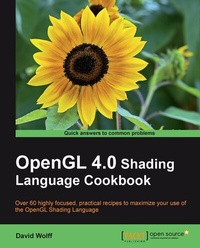
OpenGL 4.0 Shading Language Cookbook
With over 60 recipes, this Cookbook will teach you both the elementary and finer points of the OpenGL Shading Language, and get you familiar with the specific features of GLSL 4.0. A totally practical, hands-on guide.
1st Edition
Published on 13. January 2025
340 pages
978-1-84951-477-4 (ISBN)
Description

With over 60 recipes, this Cookbook will teach you both the elementary and finer points of the OpenGL Shading Language, and get you familiar with the specific features of GLSL 4.0. A totally practical, hands-on guide.Key Features - A full set of recipes demonstrating simple and advanced techniques for producing high-quality, real-time 3D graphics using GLSL 4.0
- How to use the OpenGL Shading Language to implement lighting and shading techniques
- Use the new features of GLSL 4.0 including tessellation and geometry shaders
- How to use textures in GLSL as part of a wide variety of techniques from basic texture mapping to deferred shading
- Simple, easy-to-follow examples with GLSL source code, as well as a basic description of the theory behind each technique
Book DescriptionThe OpenGL Shading Language (GLSL) is a programming language used for customizing parts of the OpenGL graphics pipeline that were formerly fixed-function, and are executed directly on the GPU. It provides programmers with unprecedented flexibility for implementing effects and optimizations utilizing the power of modern GPUs. With version 4.0, the language has been further refined to provide programmers with greater flexibility, and additional features have been added such as an entirely new stage called the tessellation shader. The OpenGL Shading Language 4.0 Cookbook provides easy-to-follow examples that first walk you through the theory and background behind each technique then go on to provide and explain the GLSL and OpenGL code needed to implement it. Beginning level through to advanced techniques are presented including topics such as texturing, screen-space techniques, lighting, shading, tessellation shaders, geometry shaders, and shadows. The OpenGL Shading Language 4.0 Cookbook is a practical guide that takes you from the basics of programming with GLSL 4.0 and OpenGL 4.0, through basic lighting and shading techniques, to more advanced techniques and effects. It presents techniques for producing basic lighting and shading effects; examples that demonstrate how to make use of textures for a wide variety of effects and as part of other techniques; examples of screen-space techniques, shadowing, tessellation and geometry shaders, noise, and animation. The OpenGL Shading Language 4.0 Cookbook provides examples of modern shading techniques that can be used as a starting point for programmers to expand upon to produce modern, interactive, 3D computer graphics applications.What you will learn - Compile, install, and communicate with shader programs
- Use new features of GLSL 4.0 such as subroutines and uniform blocks
- Implement basic lighting and shading techniques such as diffuse and specular shading, per-fragment shading, and spotlights
- Apply single or multiple textures
- Use textures as environment maps for simulating reflection or refraction
- Implement screen-space techniques such as gamma correction, blur filters, and deferred shading
- Implement geometry and tessellation shaders
- Learn shadowing techniques including shadow mapping and screen space ambient occlusion
- Use noise in shaders
- Use shaders for animation
Who this book is forIf you are an OpenGL programmer looking to use the modern features of GLSL 4.0 to create real-time, three-dimensional graphics, then this book is for you. Familiarity with OpenGL programming, along with the typical 3D coordinate systems, projections, and transformations is assumed. It can also be useful for experienced GLSL programmers who are looking to implement the techniques that are presented here.
- How to use the OpenGL Shading Language to implement lighting and shading techniques
- Use the new features of GLSL 4.0 including tessellation and geometry shaders
- How to use textures in GLSL as part of a wide variety of techniques from basic texture mapping to deferred shading
- Simple, easy-to-follow examples with GLSL source code, as well as a basic description of the theory behind each technique
Book DescriptionThe OpenGL Shading Language (GLSL) is a programming language used for customizing parts of the OpenGL graphics pipeline that were formerly fixed-function, and are executed directly on the GPU. It provides programmers with unprecedented flexibility for implementing effects and optimizations utilizing the power of modern GPUs. With version 4.0, the language has been further refined to provide programmers with greater flexibility, and additional features have been added such as an entirely new stage called the tessellation shader. The OpenGL Shading Language 4.0 Cookbook provides easy-to-follow examples that first walk you through the theory and background behind each technique then go on to provide and explain the GLSL and OpenGL code needed to implement it. Beginning level through to advanced techniques are presented including topics such as texturing, screen-space techniques, lighting, shading, tessellation shaders, geometry shaders, and shadows. The OpenGL Shading Language 4.0 Cookbook is a practical guide that takes you from the basics of programming with GLSL 4.0 and OpenGL 4.0, through basic lighting and shading techniques, to more advanced techniques and effects. It presents techniques for producing basic lighting and shading effects; examples that demonstrate how to make use of textures for a wide variety of effects and as part of other techniques; examples of screen-space techniques, shadowing, tessellation and geometry shaders, noise, and animation. The OpenGL Shading Language 4.0 Cookbook provides examples of modern shading techniques that can be used as a starting point for programmers to expand upon to produce modern, interactive, 3D computer graphics applications.What you will learn - Compile, install, and communicate with shader programs
- Use new features of GLSL 4.0 such as subroutines and uniform blocks
- Implement basic lighting and shading techniques such as diffuse and specular shading, per-fragment shading, and spotlights
- Apply single or multiple textures
- Use textures as environment maps for simulating reflection or refraction
- Implement screen-space techniques such as gamma correction, blur filters, and deferred shading
- Implement geometry and tessellation shaders
- Learn shadowing techniques including shadow mapping and screen space ambient occlusion
- Use noise in shaders
- Use shaders for animation
Who this book is forIf you are an OpenGL programmer looking to use the modern features of GLSL 4.0 to create real-time, three-dimensional graphics, then this book is for you. Familiarity with OpenGL programming, along with the typical 3D coordinate systems, projections, and transformations is assumed. It can also be useful for experienced GLSL programmers who are looking to implement the techniques that are presented here.
All prices
More details
Other editions
Additional editions
David Wolff
OpenGL 4.0 Shading Language Cookbook
Book
07/2011
Packt Publishing
€63.40
Shipment within 3-4 weeks
Content
- Intro
- OpenGL 4.0 Shading Language Cookbook
- Table of Contents
- OpenGL 4.0 Shading Language Cookbook
- Credits
- About the Author
- About the Reviewers
- www.PacktPub.com
- Support files, eBooks, discount offers and more
- Why subscribe?
- Free access for Packt account holders
- Preface
- What this book covers
- What you need for this book
- Who this book is for
- Conventions
- Reader feedback
- Customer support
- Downloading the example code for this book
- Errata
- Piracy
- Questions
- 1. Getting Started with GLSL 4.0
- Introduction
- The OpenGL Shading Language
- Profiles: Core vs. Compatibility
- Using the GLEW Library to access the latest OpenGL functionality
- Getting ready
- How to do it...
- How it works...
- There's more...
- GLEW visualinfo
- GLEW glewinfo
- Checking for extension availability at runtime
- See also
- Using the GLM library for mathematics
- Getting ready
- How to do it...
- How it works...
- There's more...
- Using the GLM types as input to OpenGL
- See also
- Determining the GLSL and OpenGL version
- How to do it...
- How it works...
- There's more...
- See also
- Compiling a shader
- Getting ready
- How to do it...
- How it works...
- There's more...
- Deleting a shader object
- See also
- Linking a shader program
- Getting ready
- How to do it...
- How it works...
- There's more...
- Deleting a shader program
- See also
- Sending data to a shader using per-vertex attributes and vertex buffer objects
- Getting ready
- How to do it...
- How it works...
- There's more...
- Using layout qualifiers
- Using element arrays
- Interleaved arrays
- See also
- Getting a list of active vertex input attributes and indices
- Getting ready
- How to do it...
- How it works...
- There's more...
- See also
- Sending data to a shader using uniform variables
- Getting ready
- How to do it...
- How it works...
- There's more...
- See also
- Getting a list of active uniform variables
- Getting ready
- How to do it...
- How it works...
- There's more...
- See also
- Using uniform blocks and uniform buffer objects
- Getting ready
- How to do it...
- How it works...
- There's more...
- Using an instance name with a uniform block
- Using layout qualifiers with uniform blocks
- See also
- Building a C++ shader program class
- Getting ready
- How to do it...
- How it works...
- See also
- 2. The Basics of GLSL Shaders
- Introduction
- Vertex and fragment shaders
- Replicating the old fixed functionality
- Implementing diffuse, per-vertex shading with a single point light source
- Getting ready
- How to do it...
- How it works...
- There's more...
- See also
- Implementing per-vertex ambient, diffuse, and specular (ADS) shading
- Getting ready
- How to do it...
- How it works...
- There's more...
- Using a non-local viewer
- Per-vertex vs. Per-fragment
- Directional lights
- Light attenuation with distance
- See also
- Using functions in shaders
- Getting ready
- How to do it...
- How it works...
- There's more...
- The const qualifier
- Function overloading
- Passing arrays or structures to a function
- See also
- Implementing two-sided shading
- Getting ready
- How to do it...
- How it works...
- There's more...
- Using two-sided rendering for debugging
- See also
- Implementing flat shading
- How to do it...
- How it works...
- See also
- Using subroutines to select shader functionality
- Getting ready
- How to do it...
- How it works...
- There's more...
- See also
- Discarding fragments to create a perforated look
- Getting ready
- How to do it...
- How it works...
- See also
- 3. Lighting, Shading Effects, and Optimizations
- Introduction
- Shading with multiple positional lights
- Getting ready
- How to do it...
- How it works...
- See also
- Shading with a directional light source
- Getting ready
- How to do it...
- How it works...
- There's more...
- See also
- Using per-fragment shading for improved realism
- Getting ready
- How to do it...
- How it works...
- There's more...
- See also
- Using the halfway vector for improved performance
- Getting ready
- How to do it...
- How it works...
- There's more...
- See also
- Simulating a spotlight
- Getting ready
- How to do it...
- How it works...
- See also
- Creating a cartoon shading effect
- Getting ready
- How to do it...
- How it works...
- There's more...
- See also
- Simulating fog
- Getting ready
- How to do it...
- How it works...
- There's more...
- Computing distance from the eye
- See also
- 4. Using Textures
- Introduction
- Applying a 2D texture
- Getting ready
- How to do it...
- How it works...
- There's more...
- See also
- Applying multiple textures
- Getting ready
- How to do it...
- How it works...
- There's more...
- See also
- Using alpha maps to discard pixels
- Getting ready
- How to do it...
- How it works...
- There's more...
- See also
- Using normal maps
- Getting ready
- How to do it...
- How it works...
- See also
- Simulating reflection with cube maps
- Getting ready
- How to do it...
- How it works...
- There's more...
- See also
- Simulating refraction with cube maps
- Getting ready
- How to do it...
- How it works...
- There's more...
- The Fresnel equations
- Chromatic aberration
- Both sides of the object?
- See also
- Image-based lighting
- Getting ready
- How to do it...
- How it works...
- There's more...
- See also
- Applying a projected texture
- Getting ready
- How to do it...
- How it works...
- There's more...
- See also
- Rendering to a texture
- Getting ready
- How to do it...
- How it works...
- There's more...
- See also
- 5. Image Processing and Screen Space Techniques
- Introduction
- Applying an edge detection filter
- Getting ready
- How to do it...
- How it works...
- There's more...
- Optimization techniques
- See also
- Applying a Gaussian blur filter
- Getting ready
- How to do it...
- How it works...
- There's more...
- See also
- Creating a "bloom" effect
- Getting ready
- How to do it...
- How it works...
- There's more...
- Using low-res textures
- See also
- Using gamma correction to improve image quality
- How to do it...
- How it works...
- There's more...
- Using multisample anti-aliasing
- Getting ready
- How to do it...
- How it works...
- There's more...
- Using deferred shading
- Getting ready
- How to do it...
- How it works...
- There's more...
- See also
- 6. Using Geometry and Tessellation Shaders
- Introduction
- The shader pipeline extended
- The geometry shader
- The tessellation shaders
- Point sprites with the geometry shader
- Getting ready
- How to do it...
- How it works...
- There's more...
- Drawing a wireframe on top of a shaded mesh
- Getting ready
- How to do it...
- How it works...
- There's more...
- See also
- Drawing silhouette lines using the geometry shader
- Getting ready
- How to do it...
- How it works...
- There's more...
- See also
- Tessellating a curve
- Getting ready
- How to do it...
- How it works...
- There's more...
- Tessellating a 2D quad
- Getting ready
- How to do it...
- How it works...
- See also
- Tessellating a 3D surface
- Getting ready
- How to do it...
- How it works...
- See also
- Tessellating based on depth
- Getting ready
- How to do it...
- How it works...
- There's more...
- See also
- 7. Shadows
- Introduction
- Rendering shadows with shadow maps
- Getting ready
- How to do it...
- How it works...
- There's more...
- Aliasing
- Rendering back faces only for the shadow map
- See also
- Anti-aliasing shadow edges with PCF
- Getting ready
- How to do it...
- How it works...
- There's more...
- See also
- Creating soft shadow edges with random sampling
- Getting ready
- How to do it...
- How it works...
- There's more...
- See also
- Improving realism with prebaked ambient occlusion
- Getting ready
- How to do it...
- How it works...
- There's more...
- Screen-space ambient occlusion
- Another technique for dynamic ambient occlusion
- 8. Using Noise in Shaders
- Introduction
- Creating a noise texture using libnoise
- Getting ready
- How to do it...
- How it works...
- There's more...
- See also
- Creating a seamless noise texture
- Getting ready
- How to do it...
- How it works...
- There's more...
- See also
- Creating a cloud-like effect
- Getting ready
- How to do it...
- How it works...
- There's more...
- See also
- Creating a wood grain effect
- Getting ready
- How to do it...
- How it works...
- There's more...
- See also
- Creating a disintegration effect
- Getting ready
- How to do it...
- How it works...
- See also
- Creating a paint-spatter effect
- Getting ready
- How to do it...
- How it works...
- There's more...
- See also
- Creating a night-vision effect
- Getting ready
- How to do it...
- How it works...
- There's more...
- See also
- 9. Animation and Particles
- Introduction
- Animating a surface with vertex displacement
- Getting ready
- How to do it...
- How it works...
- There's more...
- See also
- Creating a particle fountain
- Getting ready
- How to do it...
- How it works...
- There's more...
- See also
- Creating a particle system using transform feedback
- Getting ready
- How to do it...
- How it works...
- There's more...
- Querying transform feedback results
- Recycling particles
- See also
- Creating a particle system using instanced particles
- Getting ready
- How to do it...
- How it works...
- There's more...
- See also
- Simulating fire with particles
- Getting ready
- How to do it...
- How it works...
- There's more...
- See also
- Simulating smoke with particles
- Getting ready
- How to do it...
- How it works...
- See also
- Index

