
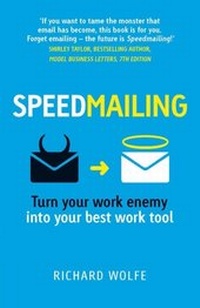
Speedmailing
Description
Alles über E-Books | Antworten auf Fragen rund um E-Books, Kopierschutz und Dateiformate finden Sie in unserem Info- & Hilfebereich.
DREAMING OF AN EMPTY INBOX, BUT DON'T KNOW HOW TO MAKE IT HAPPEN?
We're bombarded with messages every day, but no one tells you how to improve these vital email skills. In less than 100 pages, this handy book will help you discover how to regain control of your email - and get back to your job - in five simple steps.
Email doesn't have to be overwhelming. With Speedmailing's five-step process you can manage emails quickly and efficiently.
The benefits of Speedmailing:
. Empties your inbox every day
. Increases your productivity and peace of mind
. Keeps your to-do list in one place
. Maintains a system of reminders
. Makes sure nothing slips through the gaps
. Improves communication
. Decreases post-holiday stress
. Works on any platform or device
CONTROL YOUR EMAIL: DON'T LET EMAIL CONTROL YOU.
All prices
More details
Other editions
Additional editions
Person
Richard Wolfe set up Email Handyman in 2008 to help people deal more effectively with their daily deluge of email. They offer in-house and online workshops for individuals and companies in 7 languages and over 10 countries worldwide. Richard is fascinated with how we create technology to increase our productivity and then often seem to achieve the opposite. Richard has a passion for finding easy ways to make technology work for us rather than against us. After business school and many years in the Internet industry, Richard decided to dedicate himself to helping people use one of the most ubiquitous technologies around today: Email.
Content
Introduction: The Benefits of Speedmailing
Benefits of Speedmailing
How to Master your Inbox
Tips & Tricks
5 Processing Steps
Step 1: Turn off pop-up email notifications.
Step 2: Process your inbox just a couple of times a day.
Step 3: Empty your inbox each time.
Step 4: Sort emails into 4 action-related folders.
Step 5: File all emails that no longer need your attention in a single folder.
The Ground Rules of Speedmailing
The 3 Golden Rules
1. One email at a time - think quick and use shortcuts.
2. Follow the 2-minute rule.
3. Review all folders once a week.
Lifesaver rule: The Back-from-Holiday Crunch
Search: A Speedmailer's best friend
Kick off your search with Ctrl+E (or Ctrl+F)
The Spacebar is your biggest search friend
Too many and the minus trick
Too few and the blue line
Turn on conversation view
The Dos and Don'ts of Speedmailing
When Receiving Email
When Sending Email
When Replying to Email
Inbox Management Tips

System requirements
File format: PDF
Copy-Protection: Adobe-DRM (Digital Rights Management)
System requirements:
- Computer (Windows; MacOS X; Linux): Install the free reader Adobe Digital Editions prior to download (see eBook Help).
- Tablet/smartphone (Android; iOS): Install the free app Adobe Digital Editions or the app PocketBook before downloading (see eBook Help).
- E-reader: Bookeen, Kobo, Pocketbook, Sony, Tolino and many more (only limited: Kindle).
The file format PDF always displays a book page identically on any hardware. This makes PDF suitable for complex layouts such as those used in textbooks and reference books (images, tables, columns, footnotes). Unfortunately, on the small screens of e-readers or smartphones, PDFs are rather annoying, requiring too much scrolling.
This eBook uses Adobe-DRM, a „hard” copy protection. If the necessary requirements are not met, unfortunately you will not be able to open the eBook. You will therefore need to prepare your reading hardware before downloading.
Please note: We strongly recommend that you authorise using your personal Adobe ID after installation of any reading software.
For more information, see our eBook Help page.
File format: PDF
Copy protection: Watermark-DRM (Digital Rights Management)
System requirements:
- Computer (Windows; MacOS X; Linux): Use the free software Adobe Reader, Adobe Digital Editions, or any other PDF viewer of your choice (see eBook Help).
- Tablet/Smartphone (Android; iOS): Install the free app Adobe Digital Editions or another reading app for eBooks, e.g., PocketBook (see eBook Help).
- E-reader: Bookeen, Kobo, Pocketbook, Sony, Tolino and many more (only limited: Kindle).
The file format PDF always displays a book page identically on any hardware. This makes PDF suitable for complex layouts such as those used in textbooks and reference books (images, tables, columns, footnotes). Unfortunately, on the small screens of e-readers or smartphones, PDFs are rather annoying, requiring too much scrolling.
This eBook uses Watermark-DRM, a „soft” copy protection. This means that there are no technical restrictions to prevent illegal distribution. However, there is a personalised watermark embedded in the eBook that can be used to identify the purchaser of the eBook in the event of misuse and to provide evidence for legal purposes.
For more information, see our eBook Help page.