

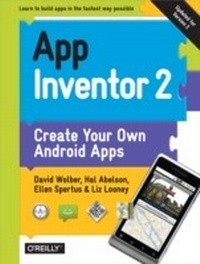
App Inventor 2
Create Your Own Android Apps
1st Edition
Published on 13. October 2014
362 pages
978-1-4919-0723-8 (ISBN)
Description

Yes, you can create your own apps for Android devicesand its easy to do. This extraordinary book introduces you to App Inventor 2, a powerful visual tool that lets anyone build apps. Learn App Inventor basics hands-on with step-by-step instructions for building more than a dozen fun projects, including a text answering machine app, a quiz app, and an app for finding your parked car!The second half of the book features an Inventors Manual to help you understand the fundamentals of app building and computer science. App Inventor 2 makes an excellent textbook for beginners and experienced developers alike.Use programming blocks to build appslike working on a puzzleCreate custom multi-media quizzes and study guidesDesign games and other apps with 2D graphics and animationMake a custom tour of your city, school, or workplaceControl a LEGO MINDSTORMS NXT robot with your phoneBuild location-aware apps by working with your phones sensorsExplore apps that incorporate information from the Web
More details
Other editions
Additional editions
Book
11/2014
2nd Edition
O'Reilly
€37.50
Shipment within 10-20 days
Content
- Cover
- Copyright
- Table of Contents
- Foreword
- Preface
- A Blocks Language for Mobile Phones
- What Can You Do with App Inventor?
- Why App Inventor Works
- What Kind of Apps Can You Build?
- Who Can Build Apps?
- Conventions Used in This Book
- Using Code Examples
- O'Reilly Safari
- How to Contact Us
- Acknowledgments
- Part I. AI2 Tutorials
- Chapter 1. HelloPurr
- What You'll Learn
- The App Inventor Environment
- Designing the Components
- Making a Label
- Adding the Button
- Adding the Meow Sound
- Live Testing
- Adding Behaviors to the Components
- Making the Kitty Meow
- Adding a Purr
- Shaking the Device
- Downloading the App to Your Android Device
- Sharing the App
- Variations
- Summary
- Chapter 2. PaintPot
- What You'll Learn
- Getting Started
- Designing the Components
- Creating the Color Buttons
- Using Arrangements for Better Layouts
- Adding the Canvas
- Arranging the Bottom Buttons and the Camera Component
- Adding Behaviors to the Components
- Adding the Touch Event to Draw a Dot
- Adding the Drag Event That Draws a Line
- Changing the Color
- Letting the User Take a Picture
- Changing the Dot Size
- Referencing the dotSize Variable in DrawCircle
- Changing the Value of dotSize
- The Complete App: PaintPot
- Variations
- Summary
- Chapter 3. MoleMash
- What You'll Build
- What You'll Learn
- Getting Started
- Designing the Components
- Placing the Action Components
- Placing the Label Components
- Adding Behaviors to the Components
- Moving the Mole
- Creating the MoveMole Procedure
- Calling MoveMole When the App Starts
- Calling MoveMole every Second
- Keeping Score
- Procedural Abstraction
- Resetting the Score
- Vibrating When the Mole Is Touched
- The Complete App: MoleMash
- Variations
- Summary
- Chapter 4. No Texting While Driving
- What You'll Learn
- Getting Started
- Designing the Components
- Adding Behaviors to the Components
- Auto-Responding to a Text
- Entering a Custom Response
- Storing the Custom Response Persistently
- Retrieving the Custom Response When the App Opens
- Speaking the Incoming Texts Aloud
- Adding Location Information to the Response
- Sending the Location as Part of the Response
- The Complete App: No Texting While Driving
- Variations
- Summary
- Chapter 5. Ladybug Chase
- What You'll Build
- What You'll Learn
- Designing the Components
- Getting Started
- Placing the Initial Components
- Adding Behaviors to the Components
- Moving the Ladybug
- Displaying the Energy Level
- Starvation
- Adding an Aphid
- Programming the Ladybug to Eat the Aphid
- Detecting a Ladybug-Aphid Collision
- The Return of the Aphid
- Adding a Restart Button
- Adding the Frog
- The Return of the Ladybug
- Adding Sound Effects
- The Complete App: Ladybug Chase
- Variations
- Summary
- Chapter 6. Paris Map Tour
- What You'll Learn
- Designing the Components
- Setting the Properties of ActivityStarter
- Adding Behaviors to the Components
- Creating a List of Destinations
- Letting the User Choose a Destination
- Opening Maps with a Search URL
- The Complete App: Map Tour with Activity Starter
- A Virtual Tour with the Web Viewer
- Finding the URL for Specific Maps
- Defining the URLs List
- Modifying the ListPicker.AfterPicking Behavior
- The Complete App: Map Tour (Web Viewer)
- Variations
- Summary
- Chapter 7. Android, Where's My Car?
- What You'll Learn
- Getting Started
- Designing the Components
- Adding Behaviors to the Components
- Displaying the Current Location
- Recording the Current Location
- Displaying Directions to the Remembered Location
- Storing the Remembered Location Persistently
- Retrieving the Remembered Location When the App Launches
- The Complete App: Android, Where's My Car?
- Variations
- Summary
- Chapter 8. Presidents Quiz
- What You'll Learn
- Getting Started
- Designing the Components
- Adding Behaviors to the Components
- Defining the Question and Answer Lists
- Defining the Index Variable
- Displaying the First Question
- Iterating Through the Questions
- Making the Quiz Easy to Modify
- Switching the Image for Each Question
- Checking the User's Answers
- The Complete App: The Presidents Quiz
- Variations
- Summary
- Chapter 9. Xylophone
- What You'll Build
- What You'll Learn
- Getting Started
- Designing the Components
- Creating the Keyboard
- Creating the First Note Buttons
- Adding the Sound Component
- Connecting the Sounds to the Buttons
- Instructing Android to Load the Sounds
- Implementing the Remaining Notes
- Recording and Playing Back Notes
- Adding the Components
- Recording Notes and Times
- Playing Back Notes
- Playing Back Notes with Proper Delays
- The Complete App: Xylophone
- Variations
- Summary
- Chapter 10. MakeQuiz and TakeQuiz
- What You'll Learn
- Getting Started
- Designing the Components
- Adding Behaviors to the Components
- Creating Empty Question and Answer Lists
- Recording the User's Entries
- Blanking Out the Question and Answer
- Displaying Question-Answer Pairs on Multiple Lines
- Calling the displayQAs Procedure
- Saving the QAs Persistently on the Web
- Loading Data from the Database
- The Complete App: MakeQuiz
- TakeQuiz: An App for Taking the Quiz in the Database
- How the Blocks Work
- The Complete App: TakeQuiz
- Variations
- Summary
- Chapter 11. Broadcast Hub
- What You'll Learn
- Getting Started
- Designing the Components
- Adding Behaviors to the Components
- Responding to Incoming Texts
- Adding Numbers to the Broadcast List
- Broadcasting the Messages
- Beautifying the List Display
- Logging the Broadcasted Texts
- Storing the BroadcastList in a Database
- Loading the BroadcastList from a Database
- The Complete App: Broadcast Hub
- Variations
- Summary
- Chapter 12. Robot Remote
- What You'll Learn
- Getting Started
- Designing the Components
- Non-Visible Components
- Visible Components
- Adding Behaviors to the Components
- Connecting to the NXT
- Displaying the List of Robots
- Making the Bluetooth Connection
- Disconnecting from the NXT
- Driving the NXT
- Using the Ultrasonic Sensor to Detect Obstacles
- Variations
- Summary
- Chapter 13. Amazon at the Bookstore
- What You'll Learn
- What is an API?
- Getting Started
- Designing the Components
- Programming the App's Behavior
- Searching by Keyword
- Searching by ISBN
- Don't Leave Your Users Hanging
- Scanning a Book
- Improving the Display
- The Complete App: Amazon at the Bookstore
- Customizing the API
- Variations
- Summary
- Part II. Inventor's Manual
- Chapter 14. Understanding an App's Architecture
- Components
- Behavior
- An App as a Recipe
- An App as a Set of Event Handlers
- Event Types
- User-Initiated Events
- Initialization Events
- Timer Events
- Animation Events
- External Events
- Event Handlers Can Ask Questions
- Event Handlers Can Repeat Blocks
- Event Handlers Can Remember Things
- Event Handlers Can Interact with the Web
- Summary
- Chapter 15. Engineering and Debugging an App
- Software Engineering Principles
- Solve Real Problems
- Build a Prototype and Show Users
- Incremental Development
- Design Before Coding
- Comment Your Code
- Divide, Layer, and Conquer
- Understand Your Language: Tracking with Pen and Paper
- Debugging an App
- Watching Variables
- Testing Individual Blocks
- Incremental Development with Do It
- Disabling Blocks
- Summary
- Chapter 16. Programming Your App's Memory
- Named Memory Slots
- Properties
- Defining Variables
- Setting and Getting a Variable
- Setting a Variable to an Expression
- Incrementing a Variable
- Building Complex Expressions
- Displaying Variables
- Local Variables
- Summary
- Chapter 17. Creating Animated Apps
- Adding a Canvas Component to Your App
- The Canvas Coordinate System
- Animating Objects with Timer Events
- Creating Movement
- Speed
- Collision Detection
- EdgeReached
- CollidingWith and NoLongerCollidingWith
- Interactive Animation
- Specifying Sprite Animation Without a Clock Timer
- Summary
- Chapter 18. Programming Your App to Make Decisions: Conditional Blocks
- Testing Conditions with if and else if Blocks
- Programming an Either/Or Decision
- Programming Conditions Within Conditions
- Programming Complex Conditions
- Summary
- Chapter 19. Programming Lists of Data
- Creating a List Variable
- Selecting an Item in a List
- Using an Index to Traverse a List
- Example: Traversing a List of Paint Colors
- Creating Input Forms and Dynamic Data
- Defining a Dynamic List
- Adding an Item
- Displaying a List
- Removing an Item from a List
- Lists of Lists
- Summary
- Chapter 20. Repeating Blocks
- Controlling an App's Execution: Branching and Looping
- Iterating Functions on a List with for each
- A Closer Look at Looping
- Writing Maintainable Code
- Using for each to Display a List
- The while-do Block
- Using while-do to Compute a Formula
- Summary
- Chapter 21. Defining Procedures and Reusing Blocks
- Eliminating Redundancy
- Defining a Procedure
- Calling a Procedure
- The Program Counter
- Adding Parameters to Your Procedure
- Returning Values from a Procedure
- Reusing Blocks Among Apps
- The distanceBetweenPoints Procedure
- Summary
- Chapter 22. Working with Databases
- Storing Persistent Data in TinyDB
- Retrieving Data from TinyDB
- Shared Data and TinyWebDB
- Storing Data by Using TinyWebDB
- Requesting and Processing Data with TinyWebDB
- GetValue-GotValue in Action
- A More Complex GetValue/GotValue Example
- Requesting Data with Various Tags
- Setting Up a Web Database
- Summary
- Chapter 23. Reading and Responding to Sensors
- Creating Location-Aware Apps
- The Global Positioning System
- Sensing Location with App Inventor
- Checking Boundaries
- Location Information Providers: GPS, WiFi, and Cell ID
- Using the Orientation Sensor
- Using the Roll Parameter to Move an Object
- Moving in Any Direction by Using Heading and Magnitude
- Using the Phone As a Compass
- Using the Accelerometer
- Responding to the Device Shaking
- Using the AccelerometerSensor's Readings
- Detecting Free Fall
- Summary
- Chapter 24. Communicating with the Web
- The WebViewer Component
- The Web Component
- TinyWebDB and TinyWebDB-Compliant APIs
- Summary
- Index
- About the Authors
