

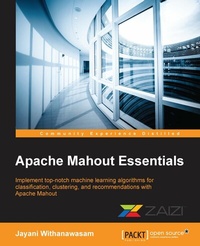
Apache Mahout Essentials
Implement top-notch machine learning algorithms for classification, clustering, and recommendations with Apache Mahout
Published on 8. July 2025
164 pages
978-1-78355-500-0 (ISBN)
Description

Key Features
Book DescriptionIf you are a Java developer or data scientist, haven't worked with Apache Mahout before, and want to get up to speed on implementing machine learning on big data, then this is the perfect guide for you.What you will learn
Get started with the fundamentals of Big Data, batch, and realtime data processing with an introduction to Mahout and its applications
Understand the key machine learning concepts behind algorithms in Apache Mahout
Apply machine learning algorithms provided by Apache Mahout in realworld practical scenarios
Implement and evaluate widelyused clustering, classification, and recommendation algorithms using Apache Mahout
Discover tips and tricks to improve the accuracy and performance of your results
Set up Apache Mahout in a production environment with Apache Hadoop
Glance at the Spark DSL advancements in Apache Mahout 1.0
Provide dynamic and interactive data visualizations for Apache Mahout
Build a recommendation engine for realtime use cases and use userbased and itembased recommendation algorithms
Who this book is for
Book DescriptionIf you are a Java developer or data scientist, haven't worked with Apache Mahout before, and want to get up to speed on implementing machine learning on big data, then this is the perfect guide for you.What you will learn
Get started with the fundamentals of Big Data, batch, and realtime data processing with an introduction to Mahout and its applications
Understand the key machine learning concepts behind algorithms in Apache Mahout
Apply machine learning algorithms provided by Apache Mahout in realworld practical scenarios
Implement and evaluate widelyused clustering, classification, and recommendation algorithms using Apache Mahout
Discover tips and tricks to improve the accuracy and performance of your results
Set up Apache Mahout in a production environment with Apache Hadoop
Glance at the Spark DSL advancements in Apache Mahout 1.0
Provide dynamic and interactive data visualizations for Apache Mahout
Build a recommendation engine for realtime use cases and use userbased and itembased recommendation algorithms
Who this book is for
All prices
More details
Edition
Digital original
Language
English
Place of publication
Birmingham
United Kingdom
Target group
Professional and scholarly
US School Grade: College Graduate Student
Edition type
Digital original
File size
4,73 MB
ISBN-13
978-1-78355-500-0 (9781783555000)
Copyright in bibliographic data and cover images is held by Nielsen Book Services Limited or by the publishers or by their respective licensors: all rights reserved.
Schweitzer Classification
Other editions
Additional editions
Jayani Withanawasam
Apache Mahout Essentials
Book
06/2015
Packt Publishing
€32.10
Shipment within 3-4 weeks
Person
Withanawasam Jayani :
Jayani Withanawasam is R&D engineer and a senior software engineer at Zaizi Asia, where she focuses on applying machine learning techniques to provide smart content management solutions. She is currently pursuing an MSc degree in artificial intelligence at the University of Moratuwa, Sri Lanka, and has completed her BE in software engineering (with first class honors) from the University of Westminster, UK. She has more than 6 years of industry experience, and she has worked in areas such as machine learning, natural language processing, and semantic web technologies during her tenure. She is passionate about working with semantic technologies and big data.
Jayani Withanawasam is R&D engineer and a senior software engineer at Zaizi Asia, where she focuses on applying machine learning techniques to provide smart content management solutions. She is currently pursuing an MSc degree in artificial intelligence at the University of Moratuwa, Sri Lanka, and has completed her BE in software engineering (with first class honors) from the University of Westminster, UK. She has more than 6 years of industry experience, and she has worked in areas such as machine learning, natural language processing, and semantic web technologies during her tenure. She is passionate about working with semantic technologies and big data.
Content
Table of Contents
Introduction
Clustering
Regression and Classification
Recommendations
Visualization
Best Practices
Introduction
Clustering
Regression and Classification
Recommendations
Visualization
Best Practices

