

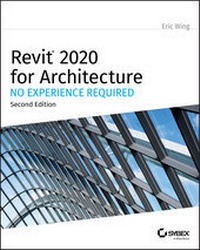
Revit 2020 for Architecture
No Experience Required
2nd Edition
Published on 12. November 2019
848 pages
978-1-119-56015-9 (ISBN)
Description

The updated 2020 edition of the popular step-by-step tutorial for Revit Architecture
Shortly after its first publication, Autodesk Revit for Architecture: No Experience Required quickly became the market-leading, real-world guide for learning and building with Revit--the powerful and sophisticated Building Information Modeling (BIM) software used by professionals the world over. Fully updated for Revit 2020, this popular, user-friendly book helps you learn the Revit interface, understand the fundamental concepts and features of the software, and design, document, and present a 3D BIM project. A continuous, step-by-step tutorial guides you through every phase of the project: from placing walls, doors, windows, structural elements, dimensions, and text, to generating documentation, advanced detailing, site grading, construction scheduling, material takeoffs, and much more.
Updated and revised to include new content, this invaluable guide covers all the fundamental skills every Revit user needs. Whether used as a complete, start-to-finish lesson or as a quick-reference for unfamiliar tasks, this book will help you:
* Learn each phase of designing, documenting, and presenting a four-story office building using a simple yet engaging continuous tutorial
* Follow the tutorial sequentially or jump to any chapter by downloading the project files from the Sybex website
* Use the start-to-finish tutorial project as a reference for your own real-world projects and to develop a powerful Revit skillset
* Gain thorough knowledge of Revit's essential concepts and features to make the move from 2D drafting to 3D building information modeling
* Get up to speed with advanced features, including new coverage of advanced walls, families, sites, topography, and more
Autodesk Revit 2020 for Architecture No Experience Required is the go-to guide for both professionals and students seeking to learn Revit's essential functions quickly and effectively, to understand real workplace projects, processes, and workflows, and to set the stage for continuing on to more advanced skills.
Shortly after its first publication, Autodesk Revit for Architecture: No Experience Required quickly became the market-leading, real-world guide for learning and building with Revit--the powerful and sophisticated Building Information Modeling (BIM) software used by professionals the world over. Fully updated for Revit 2020, this popular, user-friendly book helps you learn the Revit interface, understand the fundamental concepts and features of the software, and design, document, and present a 3D BIM project. A continuous, step-by-step tutorial guides you through every phase of the project: from placing walls, doors, windows, structural elements, dimensions, and text, to generating documentation, advanced detailing, site grading, construction scheduling, material takeoffs, and much more.
Updated and revised to include new content, this invaluable guide covers all the fundamental skills every Revit user needs. Whether used as a complete, start-to-finish lesson or as a quick-reference for unfamiliar tasks, this book will help you:
* Learn each phase of designing, documenting, and presenting a four-story office building using a simple yet engaging continuous tutorial
* Follow the tutorial sequentially or jump to any chapter by downloading the project files from the Sybex website
* Use the start-to-finish tutorial project as a reference for your own real-world projects and to develop a powerful Revit skillset
* Gain thorough knowledge of Revit's essential concepts and features to make the move from 2D drafting to 3D building information modeling
* Get up to speed with advanced features, including new coverage of advanced walls, families, sites, topography, and more
Autodesk Revit 2020 for Architecture No Experience Required is the go-to guide for both professionals and students seeking to learn Revit's essential functions quickly and effectively, to understand real workplace projects, processes, and workflows, and to set the stage for continuing on to more advanced skills.
More details
Other editions
Additional editions
Book
01/2020
2nd Edition
Sybex Inc.,U.S.
€57.00
Article exhausted; check for reprint
Content
- Cover
- Title Page
- Copyright
- About the Author
- About the Technical Editors
- Acknowledgments
- Contents
- Introduction
- Who Should Read This Book
- What You Need
- What Is Covered in This Book
- Contacting the Author
- Chapter 1 The Autodesk Revit World
- The Revit Interface
- The Revit Workflow
- Using the Ribbon
- The View Window
- Object Selection
- Modifying and Mirroring
- Building on Existing Geometry
- View Control and Object Display
- The Project Browser
- Windows
- File Types and Families
- System and Hosted Families (.rfa)
- Using Revit Template Files (.rte)
- Using Revit Family Files (.rft)
- Are You Experienced?
- Now you can. . .
- Chapter 2 Creating a Model
- Placing Walls
- Adding Exterior Walls
- Using Reference Planes
- Adding More Walls
- Adding Interior Walls
- Using Temporary Dimensions to Gain Control of Your Model
- Editing Wall Joins
- Displaying Wall Joins
- Disallowing Wall Joins
- Adding Doors and Windows
- Adding Doors
- Placing Openings in Your Walls
- Adding Windows
- Are You Experienced?
- Now you can. . .
- Chapter 3 Creating Views
- Creating Levels
- Adding Levels
- Understanding the Composition of a Level
- Making Other Level Adjustments
- Creating and Modifying Building Sections
- Adding a Building Section
- Making Building Modifications in a Section
- Adding Wall Sections
- Creating Detail Sections
- Using Crop Regions
- Splitting a Section Segment
- Creating Callouts
- Creating and Modifying a Camera View
- Adding a Camera View
- Modifying the Camera
- Creating an Elevation
- Interior Elevations
- Elevation Properties
- Annotation Properties
- Are You Experienced?
- Now you can. . .
- Chapter 4 Working with the Autodesk Revit Tools
- The Basic Edit Commands
- The Move Command
- The Copy Command
- The Rotate Command
- The Array Command
- Radial Array
- Linear Array
- The Mirror Command
- The Align Tool
- Locking an Alignment
- The Split Element Command
- The Trim Command
- The Offset Command
- Copy/Paste
- Creating the Plans
- Are You Experienced?
- Now you can. . .
- Chapter 5 Dimensioning and Annotating
- Dimensioning
- Aligned Dimensions
- Linear Dimensions
- Angular Dimensions
- Radial Dimensions
- Arc Length Dimensions
- Using Dimensions as a Layout Tool
- Constraining the Model
- Using Dimensions to Move Objects
- Using Dimension Text Overrides
- Placing Text and Annotations
- Adding Leader Text
- Changing the Leader Type
- Modifying the Text Placement
- Are You Experienced?
- Now you can. . .
- Chapter 6 Floors
- Placing a Floor Slab
- Creating the Slab
- Sketching the Slab
- Building a Floor by Layers
- Adding Materials
- Adding a Layer
- Splitting the Floor Materials
- Adding an Alternate Material
- Splitting and Painting
- Pitching a Floor to a Floor Drain
- Creating Shaft Openings
- Are You Experienced?
- Now you can. . .
- Chapter 7 Roofs
- Placing Roofs by Footprint
- Flat Roofs by Footprint
- Pitched Roofs by Footprint
- Creating a Sloping Roof
- Creating Roofs by Extrusion
- Adding a Roof Dormer
- Are You Experienced?
- Now you can. . .
- Chapter 8 Structural Items
- Adding Structural Grids
- Placing a Grid
- Adding Structural Columns
- Using Structural Framing
- Adding a Beam System
- Adding Bracing
- Understanding Foundation Systems
- Adding Structural Footings
- Structural Slabs
- Piers and Spread Footings
- Using Structural Views
- Are You Experienced?
- Now you can. . .
- Chapter 9 Ceilings and Interiors
- Creating Ceilings
- Modifying Ceiling Grids
- Setting Ceiling Element Properties
- Creating a Plan Region
- Creating a Custom Ceiling
- Creating Ceiling Openings and Soffits
- Creating a Ceiling Opening
- Creating a Soffit
- Adding Light Fixtures to Ceilings
- Adding Interior Design
- Adding Plumbing Fixtures and Furniture
- Adding Parabolic Troffers
- Adding Casework and Furniture
- Adding Alternate Floor Materials
- Separating the Floor
- Creating a Tile Material
- Are You Experienced?
- Now you can. . .
- Chapter 10 Stairs, Ramps, and Railings
- Creating Stairs by Using the Rise/Run Function
- Modifying Boundaries
- Configuring Railings
- Creating a Winding Staircase
- Stair and Railing Families
- Creating a Custom Railing System
- Creating Custom Stairs
- Adding a Custom Landing
- Adding a Gooseneck
- Adding Ramps
- Are You Experienced?
- Now you can. . .
- Chapter 11 Detailing
- Working with Line Weights
- Drafting on Top of the Detail
- Using Predefined Detail Components
- Materials
- Repeating Details
- Modifying a Detail Component
- Modifying Filled Regions
- Specifying Drafting Line Weights
- Adding Notes
- Adding Textual Notations
- Creating Blank Drafting Views
- Creating a Detail Group
- Adding a Section to Another View
- Importing AutoCAD Files into a Drafting View
- Adding 2D and 3D Lines to the Model
- Are You Experienced?
- Now you can. . .
- Chapter 12 Creating Specific Views and Match Lines
- Duplicating Views
- Creating Dependent Views
- Adjusting the Crop Regions
- Adjusting the Annotation Crop Region
- Adding Match Lines
- Match-Line Appearance
- Adding View References to a Match Line
- Using View Templates
- Are You Experienced?
- Now you can. . .
- Chapter 13 Creating Sheets and Printing
- Creating and Populating Sheets
- Sheet Organization
- Modifying a Viewport
- Viewport Properties
- Adding Revisions to a Sheet
- Addressing Project Information
- Generating a Cover Sheet
- Printing from Revit Architecture
- Are You Experienced?
- Now you can. . .
- Chapter 14 Creating Rooms and Area Plans
- Creating Rooms
- Configuring Properties
- Placing and Manipulating Room Tags
- Adding a Room Schedule
- Adding a Color-Fill Plan
- Adding Room Separators
- Creating an Area Plan
- Are You Experienced?
- Now you can. . .
- Chapter 15 Advanced Wall Topics
- Creating Compound Walls
- Adding Layers to the Compound Wall
- Adding Wall Sweeps
- Modifying a Wall's Profile in Place
- Manually Adding Host Sweeps
- Creating Stacked Walls
- Creating Curtain Walls
- Adding a Predefined Curtain Wall
- Adding a Blank Curtain Wall
- Creating Curtain Grids
- Are You Experienced?
- Now you can. . .
- Chapter 16 Schedules and Tags
- Creating Schedules
- Adding Fields to a Schedule
- Sorting and Grouping
- Controlling Headers
- Modifying Elements in a Schedule
- Modifying the Schedule's Appearance
- Creating Material Takeoffs
- Creating a Calculated Value Field
- Creating Key Legends
- Adding Legend Components
- Adding Tags
- Adding Tags Individually
- Using the Tag All Command
- Tagging by Material
- Using Multi-Category Tags
- Keynoting
- Keynoting by Element
- Are You Experienced?
- Now you can. . .
- Chapter 17 Rendering and Presentation
- Creating an Interior Rendering
- Creating Lighting Groups
- Creating Walkthroughs
- Exporting an Animation
- Creating a Solar Study
- Are You Experienced?
- Now you can. . .
- Index
- EULA
