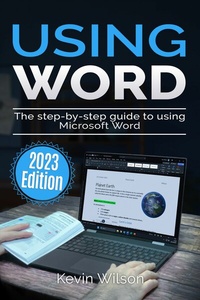
Using Microsoft Word - 2023 Edition
Description

Unlock the full potential of Microsoft Word with this comprehensive guide written by best-selling technology author and trainer Kevin Wilson. Whether you're a beginner or experienced user, this guide is updated to cover the latest features and will help you navigate and master Microsoft Word quickly and easily.
Using Microsoft Word is packed with easy-to-follow instructions, full color illustrative photos, screenshots, and helpful tips, including video demos for a hands-on learning experience. In this guide you'll learn:
- Easy Navigation: Start by opening Microsoft Word, mastering the ribbon menu and user interface for a streamlined workflow.
- Text Formatting: Learn to apply styles such as bold, italic, and underline for impactful text presentation, as well as applying font sizes, colors and paragraph styles.
- Document Editing Skills: Gain proficiency with cut, copy and paste, and effective clipboard use in Microsoft Word.
- Professional Document Design: Implement advanced design elements such as headers, footers, and watermarks in Microsoft Word.
- Structured Documents: Organize your work with page numbers, page breaks, tables of contents, and indexes.
- Visual Enhancements: Improve the readability of your Microsoft Word documents with page borders, line spacing, text alignment, and tab adjustments.
- List Management: Create bullet and numbered lists for clear content presentation.
- Team Collaboration: Utilize Microsoft Word's collaboration tools for effective teamwork on documents.
- Incorporate Graphics and Charts: Enrich your documents with Equations, WordArt, SmartArt, charts, shapes, and images.
- Templates: Use pre-designed templates and learn how to create your own.
- Mail Merge: Execute mail merges for letters, labels, and envelopes efficiently in Microsoft Word.
- Proofing and Language Tools: Ensure linguistic accuracy with Microsoft Word's spell check and grammar tools. Learn to save time with autocorrect and autotext.
- Content Enrichment: Enhance your work with thesaurus and researcher.
- Automation: Learn how to record and use macros to perform repetitive tasks
This guide is an indispensable resource for learning the intricacies of Microsoft Word, designed to enhance your abilities and provide you with the expertise necessary to craft professional-quality documents with ease. So scroll up and get your copy of Using Microsoft Word today!
All prices
More details
Other editions
Additional editions