

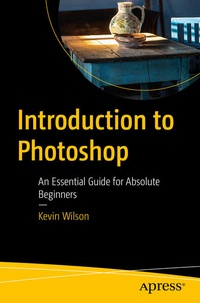
Introduction to Photoshop
An Essential Guide for Absolute Beginners
Published on 5. December 2022
XI, 266 pages
978-1-4842-8963-1 (ISBN)
Description

This full-color book is an essential guide to getting started with Adobe Photoshop. It's packed with tutorials, illustrations, and practical exercises to help you make sense of this complex and powerful software.
You'll start with the basics of Photoshop, including an overview of its myriad tools and other options. Next, you will learn about some of the common tasks that can be performed in Photoshop, such as how to touch up images and basic applications in photography. You'll also be walked through how to leverage Photoshop for special and 3D effects. Each and every technique author Kevin Wilson presents is illustrated step-by-step using screenshots with concise, easy to follow text. Downloadable sample photoshop files and images are also provided, to help you work your way through the book.
Whether you are a graphic design student, a photographer, or just a keen computer user, this book will provide you with a firm grasp of the underpinningfoundations of Photoshop and equip you with the skills needed to unleash its full power.
What You Will Learn
Students, those interested in starting graphic design, and photographers looking to enhance, clean up and manipulate their photos. No experience with image-manipulation software is needed.
You'll start with the basics of Photoshop, including an overview of its myriad tools and other options. Next, you will learn about some of the common tasks that can be performed in Photoshop, such as how to touch up images and basic applications in photography. You'll also be walked through how to leverage Photoshop for special and 3D effects. Each and every technique author Kevin Wilson presents is illustrated step-by-step using screenshots with concise, easy to follow text. Downloadable sample photoshop files and images are also provided, to help you work your way through the book.
Whether you are a graphic design student, a photographer, or just a keen computer user, this book will provide you with a firm grasp of the underpinningfoundations of Photoshop and equip you with the skills needed to unleash its full power.
What You Will Learn
- Understand Photoshop's many tools
- Use Photoshop to execute common image manipulation tasks
- Touch up photographs and other images in Photoshop
- Remove lens distortion and make photos look more professional
Students, those interested in starting graphic design, and photographers looking to enhance, clean up and manipulate their photos. No experience with image-manipulation software is needed.
More details
Series
Edition
First Edition
Language
English
Place of publication
Berkeley
United States
Publishing group
APRESS
Target group
Professional and scholarly
Product notice
Reflowable
Illustrations
XI, 266 p. 361 illus., 332 illus. in color.
File size
29,09 MB
ISBN-13
978-1-4842-8963-1 (9781484289631)
DOI
10.1007/978-1-4842-8963-1
Schweitzer Classification
Other editions
Additional editions
Book
12/2022
APress
€37.44
Shipment within 15-20 days
Person
With over 20 years' experience in the computer industry, Kevin Wilson has made a career out of technology and showing others how to use it. After earning a master's degree in computer science, software engineering, and multimedia systems, Kevin has held various positions in the IT industry including graphic & web design, digital film & photography, programming & software engineering, developing & managing corporate networks, building computer systems, and IT support. He currently teaches computer science at college and works as an IT trainer in England while researching for his PhD.
Content
Chapter 1: Getting Started with Photoshop.- Chapter 2: Common Tasks.- Chapter 3: Touching up Images.- Chapter 4: Using Layers.- Chapter 5: Special Effects.- Chapter 6: 3D Effects.- Chapter 7: Photoshop for Photography.- Chapter 8: Introduction to Lightroom Classic.- Chapter 9: Digital Images & Resolution.
