
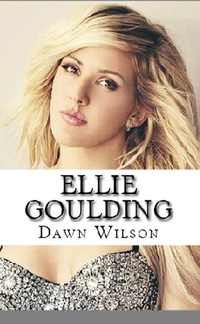
Ellie Goulding
Description
Alles über E-Books | Antworten auf Fragen rund um E-Books, Kopierschutz und Dateiformate finden Sie in unserem Info- & Hilfebereich.
Ellie began showing interest in the arts at a young age; she started playing the clarinet at 9 years old and at 14 began playing the guitar. She was active in theater while studying at the Lady Hawkins High School, where she played the scarecrow at a Wizard of Oz production. She later on attended school at the Hereford Sixth Form College where she learned how to write music; she also entered a singing a school singing competition and won. This led her to pursue drama, politics, and English at the University of Kent. Her university years further exposed Ellie to electronic music and she was eventually discovered by Jamie Lillywhite from Turn First Artists during a talent contest. She had a successful showcase for Sarah Stennett, head of Turn First Artists, after which she was advised to take a break from school in order to pursue a career in music. Lillywhite became Ellie Goulding's first manager and was also responsible for introducing her to Starsmith, a producer who later on became her chief collaborator and the main producer for her debut album, Lights.

More details
System requirements
File format: ePUB
Copy protection: Adobe-DRM (Digital Rights Management)
System requirements:
- Computer (Windows; MacOS X; Linux): Install the free reader Adobe Digital Editions prior to download (see eBook Help).
- Tablet/smartphone (Android; iOS): Install the free app Adobe Digital Editions or the app PocketBook before downloading (see eBook Help).
- E-reader: Bookeen, Kobo, Pocketbook, Sony, Tolino and many more (not Kindle).
The file format ePub works well for novels and non-fiction books – i.e., „flowing” text without complex layout. On an e-reader or smartphone, line and page breaks automatically adjust to fit the small displays.
This eBook uses Adobe-DRM, a „hard” copy protection. If the necessary requirements are not met, unfortunately you will not be able to open the eBook. You will therefore need to prepare your reading hardware before downloading.
Please note: We strongly recommend that you authorise using your personal Adobe ID after installation of any reading software.
For more information, see our ebook Help page.