

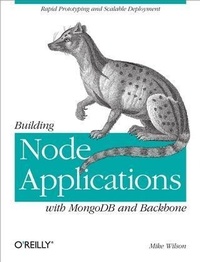
Building Node Applications with MongoDB and Backbone
Rapid Prototyping and Scalable Deployment
Published on 11. December 2012
204 pages
978-1-4493-3777-3 (ISBN)
Description

Build an application from backend to browser with Node.js, and kick open the doors to real-time event programming. With this hands-on book, youll learn how to create a social network application similar to LinkedIn and Facebook, but with a real-time twist. And youll build it with just one programming language: JavaScript.If youre an experienced web developer unfamiliar with JavaScript, the books first section introduces you to the projects core technologies: Node.js, Backbone.js, and the MongoDB data store. Youll then launch into the projecta highly responsive, highly scalable applicationguided by clear explanations and lots of code examples.Learn about key modules in Node.js for building real-time appsUse the Backbone.js framework to write clean browser code, and maintain better data integration with MongoDBStructure project files as a foundation for code that will arrive laterCreate user accounts and learn how to secure the dataUse Backbone.js templates to build the applications UIs, and integrate access control with Node.jsDevelop a contact list to help users link to and track other accountsUse Socket.io to create real-time chat functionalityExtend your UIs to give users up-to-the-minute information
More details
Other editions
Additional editions
Book
01/2013
1st Edition
O'Reilly
€20.00
Shipment within 10-20 days
Content
- Intro
- Copyright
- Table of Contents
- Preface
- Audience and Assumptions
- Organization
- Part I: Introduction
- Part II: Building a Social Network
- Conventions Used in This Book
- Using Code Examples
- Safari® Books Online
- How to Contact Us
- Part I. Introducing Node.js, Backbone.js, and MongoDB
- Chapter 1. Introduction and Overview
- Building a Social Network
- Model-View-Controller (MVC)
- Pure JavaScript
- Chapter 2. Node.js
- Installing Node.js
- Express
- Templates
- Events
- Socket.io
- Modules and CommonJS
- Chapter 3. Backbone.js
- Model
- View
- View Template
- Collection
- Sync
- Router and History
- Chapter 4. MongoDB
- Accessing Data
- Writing
- Querying
- Indexes
- MapReduce
- Working with Node.js
- Concurrent Access
- Part II. Building a Social Network
- Chapter 5. Setting Up the Project
- Directory Structure
- File Listing
- Package Definition
- Web Server
- Index Template
- Application JavaScript
- Chapter 6. Authentication
- Account
- Routing
- Checking for Authentication
- Authentication Handler
- Registration
- Registration Template
- Registration Handler
- Login
- Login Template
- Login Handler
- Forgot Password
- Forgot Password Template
- Forgot Password Handler
- Reset Password
- Reset Password Templates
- Reset Password Handler
- Putting It Together
- Node.js
- Chapter 7. The User Interface
- Account Details
- Account Details Template
- Account Details Handler
- Contact List
- Activity Stream
- Activity Stream Template
- Activity Stream Handler
- Data Model
- Putting It Together
- Backbone
- Node.js
- Chapter 8. Making Friends
- Contact List
- Contact List Template
- Contact List Handler
- Add Contact
- Add Contact Template
- Add Contact Handler
- Remove Contact
- Remove Contact Template
- Remove Contact Handler
- Commenting
- Comment Template
- Comment Handler
- Putting It Together
- Backbone
- Node.js
- Chapter 9. Chat
- Refactoring
- Connecting to the Chat Server
- Backbone
- Node.js
- Sending and Receiving Chat Messages
- Backbone
- Node.js
- Putting It Together
- Backbone
- Node.js
- Chapter 10. Activities in Real Time
- Adding Custom Events
- Triggering Events
- Adding Listeners
- Contact Login Notification
- Backbone.js
- Node.js
- Status Updates
- Backbone.js
- Node.js
- Putting It Together
- Backbone.js
- Node.js
- Static Files
- Glossary
- About the Author
