

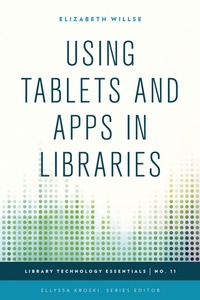
Using Tablets and Apps in Libraries
1st Edition
Published on 3. September 2015
156 pages
978-1-4422-4391-0 (ISBN)
Description

Over 52 million tablet devices were sold during the fourth quarter of 2012 and sales are predicted to continue to increase in years to come. These lightweight mobile computing devices are quickly becoming an integral part of patrons' everyday lives. Libraries are responding by incorporating them into their programs and services. Using Tablets and App in Libraries outlines how libraries can support this new BYOD (bring your own device) culture including offering app events and instruction, installing mounted tablets within the library, offering tablet lending programs, initiating tablet training programs for staff, and ways to evaluate and use quality apps.
Discover how you can implement a successful tablet program in your library. Through this comprehensive guide, readers will learn:
How to integrate the potential of tablet technology into existing library programs and staff workflowsHow to Host a Staff Training Technology Petting ZooHow to provide tablet support and training for your patronsHow to use tablets in your story time and other children's programmingHow to circulate tablets in your libraryHow to use tablets to promote library servicesHow to use tablets in your physical spaces to provide and gather information
Discover how you can implement a successful tablet program in your library. Through this comprehensive guide, readers will learn:
How to integrate the potential of tablet technology into existing library programs and staff workflowsHow to Host a Staff Training Technology Petting ZooHow to provide tablet support and training for your patronsHow to use tablets in your story time and other children's programmingHow to circulate tablets in your libraryHow to use tablets to promote library servicesHow to use tablets in your physical spaces to provide and gather information
More details
Series
Edition
1. Auflage
Language
English
Place of publication
New York
United States
Publishing group
Bloomsbury Publishing Plc
ISBN-13
978-1-4422-4391-0 (9781442243910)
Copyright in bibliographic data and cover images is held by Nielsen Book Services Limited or by the publishers or by their respective licensors: all rights reserved.
Schweitzer Classification
Other editions
Additional editions
Elizabeth Willse
Using Tablets and Apps in Libraries
Book
09/2015
Rowman & Littlefield Publishers
€124.80
Shipment within 10-20 days
Person
Elizabeth Willse received her Masters in Library and Information Science from Pratt Institute. Her key area of study has been an examination of how library practice is evolving at the intersection of traditional and digital media, seeking ways to harness both to improve outreach and instruction. A freelance writer with over a decade of experience, her writing has appeared in publications such as the Newark Star-Ledger, Women's Health Magazine, ChelseaNow and numerous web outlets.
Content
Foreword by Ellyssa Kroski
Preface
Acknowledgments
Chapter One: An Introduction
Chapter Two: Getting Started
Chapter Three: Tools and Applications
Chapter Four: Library Examples and Case Studies
Chapter Five: Step-by-Step Library Projects
Chapter Six: Tips and Tricks
Chapter Seven: Future Trends
Chapter Eight: Recommended Reading
Index
About the Author
Preface
Acknowledgments
Chapter One: An Introduction
Chapter Two: Getting Started
Chapter Three: Tools and Applications
Chapter Four: Library Examples and Case Studies
Chapter Five: Step-by-Step Library Projects
Chapter Six: Tips and Tricks
Chapter Seven: Future Trends
Chapter Eight: Recommended Reading
Index
About the Author
